EasyManua.ls Logo

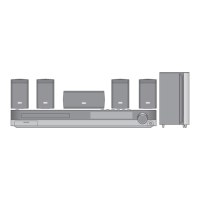
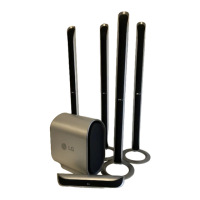
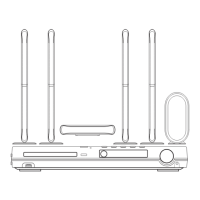
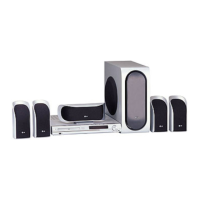
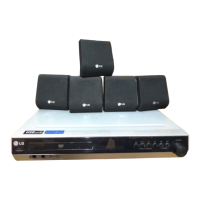
LG LH-T7652HB - User Manual

LG LH-T7652HB
26 pages
Print Icon
To Next Page IconTo Next Page
Loading...
DVD RECEIVER
OWNER’S MANUAL
MODEL: LH-T7652HB
(Main Unit: LH-T7652
Speakers: LHS-76HBS, LHS-76HBC,
LHS-76HBW)
Before connecting up, operating or repairing this product,
please read this instruction booklet carefully and
completely.
LH-T7652HB_JA5NFLA_ENG_1136
R
USB

Questions and Answers

  • M
    Mark VaughnSep 9, 2025
    What to do if my LG LH-T7652HB has no picture?
    • K
      Kristen StephensSep 9, 2025
      If there is no picture on your LG DVD/CD Receiver, there might be several reasons: * The TV is not set to receive DVD signal output. Select the appropriate video input mode on the TV. * The video cable is not connected securely. Connect the video cable into the jacks securely. * The connected TV power is turned off. Turn on the TV.
  • J
    John HinesAug 23, 2025
    Why is my LG LH-T7652HB remote control not working?
    • K
      Kenneth HernandezAug 23, 2025
      If the remote control for your LG DVD/CD Receiver isn't working, try these steps: * Make sure you're pointing the remote at the receiver's remote sensor. * Ensure you're within 23 ft (7 m) of the receiver. * Remove any obstacles between the remote and the receiver. * Replace the remote's batteries with new ones.
  • N
    Nicholas DelgadoAug 25, 2025
    Why does my LG LH-T7652HB have no sound?
    • K
      Katherine PhillipsAug 26, 2025
      If you're experiencing no sound or very low sound from your LG DVD/CD Receiver, consider the following: * The equipment connected with the audio cable is not set to receive DVD audio signal output. Select the correct input mode of the receiver. * The audio cables are not connected securely. Connect the audio cable into the jacks securely. * The power of the equipment connected with the audio cable is turned off. Turn on the equipment connected with the audio cable. * The audio connecting cable is damaged. Replace it with new one.
  • B
    Brandon GarrettAug 26, 2025
    Why is there no picture from my LG LH-T7652HB on my TV?
    • C
      Catherine JeffersonAug 26, 2025
      If you're not seeing a picture on your TV from the LG Receiver, make sure your TV is set to the correct video input mode. Also, check that the video cable is securely connected to both the receiver and the TV. Finally, ensure that the TV is powered on.
  • E
    Eric JonesAug 27, 2025
    Why is there no sound from my LG LH-T7652HB Receiver?
    • P
      Patrick GillespieAug 27, 2025
      If you're experiencing no sound or very low sound from your LG Receiver, verify that the equipment connected with the audio cable is set to receive DVD audio signal output. Check that the audio cables are securely connected. Ensure that the connected equipment is powered on and that the audio connecting cable is not damaged; replace it if necessary.
  • A
    aliciadavisAug 29, 2025
    How to troubleshoot LG LH-T7652HB with no power?
    • C
      Caleb KingAug 29, 2025
      If your LG Receiver has no power, ensure the power cord is securely plugged into the wall outlet.
  • C
    Caleb PerezSep 18, 2025
    What to do if LG LH-T7652HB audio CD indicator does not work?
    • T
      Tyler DavisSep 18, 2025
      If the power is on but the DVD/CD Receiver audio CD indicator isn't working on your LG device, it might be because no disc is inserted. Insert a disc and check that the DVD or audio CD indicator in the DVD display is lit.
  • J
    jeffersonstephenSep 22, 2025
    How to fix LG LH-T7652HB Receiver when nothing is displayed on the front panel?
    • D
      Dennis DillonSep 22, 2025
      To address the issue of nothing being displayed on the front panel of your LG device, press DIMMER on the remote control.
  • C
    Christina TurnerSep 7, 2025
    How to fix an LG Receiver that has no power?
    • S
      Sarah WestSep 7, 2025
      If your LG Receiver has no power, the power cord might be disconnected. Ensure the power cord is securely plugged into the wall outlet.
  • W
    Wanda LoganSep 4, 2025
    Why can't I tune in radio stations on my LG LH-T7652HB Receiver?
    • L
      larsonadrienneSep 5, 2025
      If you're unable to tune into radio stations on your LG Receiver: 1. Connect the antenna securely. 2. If tuning in with automatic tuning, tune in the station manually if the signal strength is too weak.

LG LH-T7652HB Specifications

General IconGeneral
Channels5.1
DVD playerYes
USB PortYes
HDMI OutputYes
BluetoothYes
TypeHome Theater System

Related product manuals