EasyManua.ls Logo

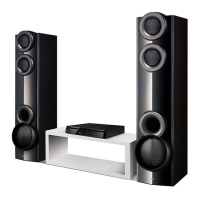
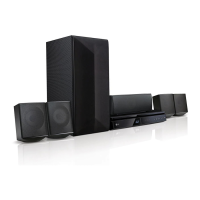
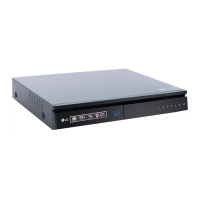
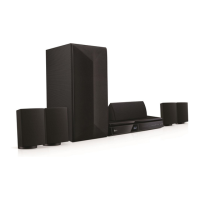
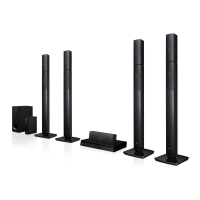
LG LHB675FB - User Manual

LG LHB675FB
74 pages
Print Icon
To Next Page IconTo Next Page
Loading...
Please read this manual carefully before operating
your set and retain it for future reference.
OWNER’S MANUAL
3D Blu-ray™ / DVD
Home Theater
System
LHB675 (LHB675, S65T3-S)

Table of Contents

Other manuals for LG LHB675FB

Questions and Answers

  • B
    Brian BoyleAug 10, 2025
    Why is my LG LHB675FB remote control not working?
    • R
      Renee BrownAug 10, 2025
      The remote control might not be working because it is not pointed at the remote sensor on the unit, it is too far away, there is an obstacle blocking the signal, or the batteries are dead. Try pointing the remote directly at the unit, moving closer, removing any obstacles, or replacing the batteries.
  • K
    Kathryn HallAug 15, 2025
    How to fix LG LHB675FB Home Theater System that does not work properly?
    • D
      dwilliamsAug 15, 2025
      If your LG Home Theater System isn't working correctly, try turning off the power to the unit and any connected external devices like your TV, Woofer, DVD player, or Amplifier, and then turn them back on. Alternatively, disconnect the power cord of the unit and the connected external devices, and then reconnect them. Keep in mind that previous settings may not be saved when the device is shut off.
  • A
    April RiveraAug 20, 2025
    What to do if my LG Home Theater System doesn't recognize the USB device?
    • C
      Cheryl SmithAug 20, 2025
      If your LG Home Theater System isn't recognizing the USB device, the USB cable might not be providing enough current. Also, using a USB extension cable or hub can cause recognition issues. Ensure the USB device doesn't require additional software installation on a computer. This unit supports only USB Flash Drives and USB External HDDs with FAT32 or NTFS format. Try a different USB cable or connect the device directly.
  • K
    Kimberly AustinAug 26, 2025
    What to do if my LG LHB675FB Home Theater System does not start playback?
    • M
      mitchelllisaAug 26, 2025
      If your LG Home Theater System isn't playing, make sure you've inserted a playable disc, checking its type, color system, and regional code. Place the disc with the playback side down, correctly inside the guide on the disc tray. Also, try cleaning the disc. Finally, cancel the Rating function or change the rating level.
  • F
    Felicia ParksAug 30, 2025
    Why can't my LG Home Theater System play video, photo, or audio files?
    • J
      jacobmirandaAug 30, 2025
      Your LG Home Theater System might not be able to play the files because they are not recorded in a compatible format, or the unit does not support the codec of the video file.
  • C
    Christina RodriguezSep 4, 2025
    What to do if LG LHB675FB is plugged in, but the power will not turn on or off?
    • C
      Christopher WilliamsSep 4, 2025
      You can reset your LG Home Theater System by unplugging the power cord, waiting at least five seconds, and then plugging it back in.

LG LHB675FB Specifications

General IconGeneral
BrandLG
ModelLHB675FB
CategoryHome Theater System
LanguageEnglish

Related product manuals