EasyManua.ls Logo

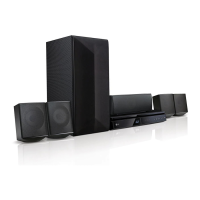
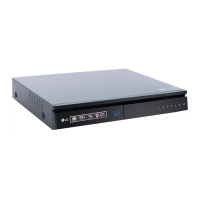
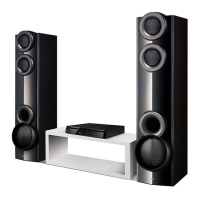
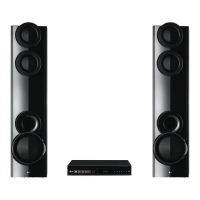
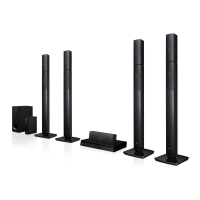
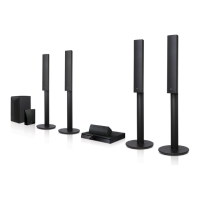
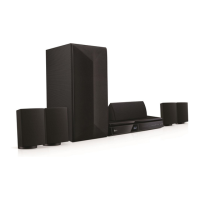
LG LHB625W - User Manual

LG LHB625W
73 pages
Print Icon
To Next Page IconTo Next Page
Loading...
Please read this manual carefully before operating
your set and retain it for future reference.
OWNER’S MANUAL
3D Blu-ray™ / DVD
Home Cinema
System
LHB625W (LHB625W, S65S1-S, S65T1-C, S65T1-W, W4-2)
LHA725W (LHA725W, S65S1-S, S65T1-C, S65T1-W, W4-2)

Table of Contents

Other manuals for LG LHB625W

Questions and Answers

  • T
    Terri RamosAug 7, 2025
    Why is my LG LHB625W remote control not working?
    • E
      Elizabeth MaynardAug 7, 2025
      The remote control may not be pointed at the remote sensor of the unit, or it might be too far away. There could also be an obstacle blocking the path between the remote and the unit. Finally, the batteries in the remote control might be exhausted.
  • S
    sarahwilliamsAug 11, 2025
    How to fix LG Home Theater System that doesn't work properly?
    • R
      rmillerAug 11, 2025
      Try turning off the power of the LG Home Theater System and any connected external devices like your TV, woofer, DVD player, or amplifier, and then turn them back on. If that doesn't work, disconnect the power cord of the unit and the connected devices, and then reconnect them. Also, keep in mind that previous settings may not be saved when the device power is shut off.
  • J
    Jennifer KnightAug 15, 2025
    What to do if my LG Home Theater System does not start playback?
    • M
      Michelle MurphyAug 15, 2025
      Make sure you've inserted a playable disc, checking its type, color system, and regional code. Place the disc with the playback side down, correctly on the disc tray inside the guide. Clean the disc if necessary. Also, check if the Rating function is enabled; if so, cancel it or change the rating level.
  • R
    Richard RiosAug 19, 2025
    How to turn on LG Home Theater System if power does not turn on?
    • Y
      yfernandezAug 19, 2025
      Ensure the power cord is securely plugged into the wall outlet.
  • J
    Jared BennettAug 25, 2025
    Why can't my LG Home Theater System play video, photo, or audio files?
    • J
      Jessica ClarkeAug 25, 2025
      The files may not be in a format that the unit supports, or the unit may not support the codec of the video file.
  • L
    Luke CollinsAug 28, 2025
    What to do if LG LHB625W is plugged in, but the power will not turn on or off?
    • C
      Cheryl RayAug 28, 2025
      Unplug the power cord, wait at least five seconds, and then plug it in again.
  • S
    Stacey PetersonSep 2, 2025
    What to do if my LG LHB625W does not recognize USB device?
    • C
      Courtney SanchezSep 2, 2025
      First, try a different USB cable, as some cables might not provide enough current. If you're using a USB extension cable or hub, that could also be the problem. Note that the system doesn't support USB devices that need additional software installation on a computer. Also, ensure your USB device is a USB Flash Drive or USB External HDD formatted with FAT32 or NTFS.

LG LHB625W Specifications

General IconGeneral
Power Output1000W
Number of Channels5.1
Blu-ray PlaybackYes
3D Blu-ray PlaybackYes
Smart TVYes
BluetoothYes
Wi-FiYes
HDMI Output1
USB Port1
Audio Formats SupportedDolby Digital, DTS
Audio Input1 (Optical)

Related product manuals