EasyManua.ls Logo

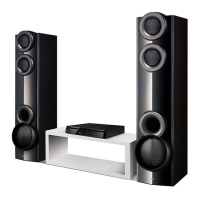
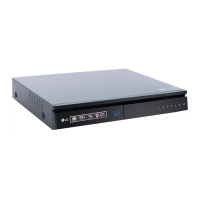
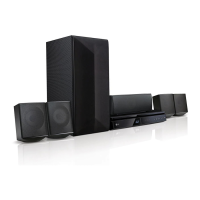
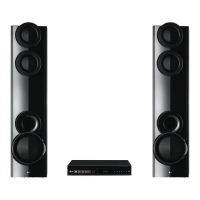
LG LHB655 - User Manual

LG LHB655
73 pages
Print Icon
To Next Page IconTo Next Page
Loading...
Please read this manual carefully before operating
your set and retain it for future reference.
OWNER’S MANUAL
3D Blu-ray™ / DVD
Home Theater
System
LHB655 (LHB655, S65T1-S, S65T1-C, S65T1-W)
LHB655-FB_BKENHLK_ENG_6914.indd 1 2015-04-13 �� 2:24:27

Table of Contents

Other manuals for LG LHB655

Questions and Answers

  • H
    Harold LawrenceAug 19, 2025
    Why is my LG LHB655 remote control not working?
    • C
      campbelledgarAug 19, 2025
      If the remote control for your LG Home Theater System isn't working, make sure it's pointed at the unit's remote sensor and is not too far away. Ensure there are no obstacles between the remote and the unit. Also, check the batteries in the remote control to see if they are exhausted.
  • A
    Andres VillegasAug 21, 2025
    What to do if my LG LHB655 does not work properly?
    • B
      Bradley WilliamsAug 22, 2025
      If your LG Home Theater System isn't working correctly, try turning off the power of both the unit and any connected external devices like your TV, woofer, DVD player, or amplifier, and then turn them back on. If that doesn't work, disconnect the power cord of the unit and all connected external devices before reconnecting them. Also, note that previous settings may not be saved when the device is shut off.
  • M
    Michael GarciaAug 23, 2025
    What to do if my LG Home Theater System is plugged in, but the power will not turn on or off?
    • E
      efloresAug 25, 2025
      To reset your LG Home Theater System, unplug the power cord, wait at least five seconds, and then plug it in again.
  • S
    Stacey KleinAug 26, 2025
    Why is there no sound or distorted sound on my LG Home Theater System?
    • J
      Jasmine PalmerAug 26, 2025
      If there's no sound or the sound is distorted on your LG Home Theater System, check if the unit is in scan, slow motion, or pause mode. Ensure the sound volume isn't too low. Check the speaker cable connection.
  • B
    bryan96Aug 28, 2025
    Why is my LG Home Theater System BD-Live feature not working?
    • J
      John MillerAug 28, 2025
      If the BD-Live feature isn't working on your LG Home Theater System, the connected USB storage may lack sufficient space; use a USB storage device with at least 1GB of free space. Also, ensure the unit is correctly connected to the local area network and can access the internet. Your broadband speed might be too slow; consider contacting your Internet Service Provider (ISP) to increase it. Finally, check that the [BD-LIVE connection] option in the [Settings] menu is set to [Permitted].
  • A
    Amy SandovalAug 30, 2025
    Why is there no picture on my LG LHB655?
    • K
      Karen CookAug 30, 2025
      If there is no picture from your LG Home Theater System, select the correct video input mode on your TV. Also, ensure the video connections are secure. Check that the [HDMI Color Setting] in the [Settings] menu is set appropriately for your video connection. Your TV might not support the resolution set on the player, so change the resolution to one your TV accepts. The player’s HDMI OUT jack might be connected to a DVI device that doesn’t support copyright protection.
  • K
    Kristen CollinsSep 1, 2025
    Why does my LG LHB655 Home Theater System not start playback?
    • S
      Sarah DelacruzSep 1, 2025
      If your LG Home Theater System doesn't start playback, make sure you've inserted a playable disc, checking its type, color system, and regional code. Place the disc with the playback side down, correctly positioned inside the guide on the disc tray. Clean the disc if necessary. Also, check if the Rating function needs to be canceled or the rating level changed.
  • E
    Edgar AllenSep 3, 2025
    Why is my USB storage device not recognized by my LG Home Theater System?
    • J
      Jennifer PatrickSep 3, 2025
      If your LG Home Theater System isn't recognizing the connected USB storage device, try using a different USB cable, as some cables may not provide enough current. Avoid using USB extension cables or USB hubs, as they can prevent recognition. Note that the unit does not support USB devices requiring additional program installation on a computer. The unit only supports USB Flash Drives and USB External HDDs with FAT32 or NTFS format.
  • S
    Shannon ThomasSep 5, 2025
    Why does picture noise appear on my LG Home Theater System?
    • M
      Malik WilliamsSep 5, 2025
      If picture noise appears on your LG Home Theater System, you may be playing a disc recorded in a color system different from your TV. Try setting the resolution to one that your TV accepts.
  • B
    blackdeborahSep 7, 2025
    Why does my LG LHB655 Home Theater System streaming video often stop or buffer?
    • K
      Kimberly FoxSep 8, 2025
      If streaming video services on your LG Home Theater System often stop or buffer, your broadband service speed may be insufficient. Contact your Internet Service Provider (ISP) to increase your broadband speed.

Summary

Safety Information

CAUTION concerning the Power Cord

Safety precautions regarding the power cord and its use.

Getting Started

Remote Control

Details the functions of each button on the remote control.

Connecting

Positioning the System

Shows an example of speaker system positioning for optimal sound.

Speaker Connection

Instructions on how to connect the speaker wires to the unit and speakers.

Connecting to Your TV

How to connect the player to a TV using an HDMI cable.

Resolution setting

How to change the output resolution for the HDMI OUT jack.

Connecting to Your Home Network

How to connect the player to a local area network.

Wired network connection

Details on establishing a wired network connection for best performance.

Wired network setup

Steps to set up a wired network connection, including DHCP.

System Setting

Initial Setup

Guides through the initial setup wizard for language and network.

Adjust the setup settings

How to change player settings via the [Settings] menu.

[NETWORK] menu

Settings for network features like updates and BD-Live.

3 D Mode

Selects output mode for Blu-ray 3D disc playback.

Speaker Setup

Configures speaker volume and distance for optimal sound.

TV Sound Connecting

Enables listening to TV sound through the unit's speakers.

Software update

How to update the player's software for new features or improvements.

Operating

Playing a disc

Instructions for playing various types of discs.

Playing Blu-ray 3 D disc

How to set up and play Blu-ray 3D discs.

Playing a file on disc;USB device

How to play video, audio, and photo files from discs or USB devices.

Playing a file on android device

How to play files from an Android device via USB.

Playing a file on a network server

How to play files from a DLNA-compatible digital media server.

Using Home Network Server for PC

Setup for using a PC as a home network media server.

SmartShare PC Software

Information about SmartShare PC software for file sharing.

Sharing files and folders

How to share folders on your computer for playback on the unit.

General Playback

Basic operations for controlling video and audio playback.

Advanced Playback

Advanced playback features like repeat and time selection.

Playing file encoded in 3 D

How to play 3D content files encoded in 3D format.

Enjoying BD-Live

How to use BD-Live features for enhanced content and trailers.

Listening to music stored on the BLUETOOTH devices

How to pair and listen to music from Bluetooth devices.

Enjoying with LG Multi-room Audio (LG Music Flow)

How to enjoy music wirelessly with multiple speakers using LG Music Flow.

Troubleshooting

General

Troubleshooting common issues with the unit's operation.

Network

Troubleshooting issues related to network features like BD-Live.

Picture

Troubleshooting picture-related issues like no picture or noise.

Sound

Troubleshooting sound-related issues like no sound or distortion.

Appendix

Network Software Update

How to receive notifications and perform software updates via network.

Software update

Detailed steps to update the player's software.

LG LHB655 Specifications

General IconGeneral
TypeHome audio tower system
Cassette deck-
Product colorBlack
Optical disc playerYes
Audio decodersDTS, DTS-HD Master Audio 5.1, Dolby Digital, Dolby Digital Plus, Dolby TrueHD
Subwoofer typePassive subwoofer
RMS rated power1000 W
Number of speakers7
Analog signal format systemNTSC, PAL
RDS featuresCT, PS, PTY, RT
Supported radio bandsFM
Preset stations quantity50
Display typeFLD
Audio (L/R) in1
USB 2.0 ports quantity2
Disc types supportedBD-R, BD-RE, BD-ROM, DVD, DVD+RW
Audio formats supportedAAC, FLAC, LPCM, MP3, WMA
Video formats supported3GP, AVCHD, FLV, M4V, MKV, MOV, MP4, MPEG1, MPEG2, MPEG4, VOB, WMV
Power sourceAC
Input voltage220-240 V
Input frequency50 - 60 Hz
Power consumption (typical)135 W
Weight and Dimensions IconWeight and Dimensions
Package typeBox
Rear speaker depth290 mm
Rear speaker height1100 mm
Main unit dimensions (WxDxH)360 x 299 x 60.5 mm
Subwoofer dimensions (WxDxH)172 x 261 x 391 mm
Center speaker dimensions (WxDxH)220 x 97.2 x 98.5 mm

Related product manuals