TV Connection (OPTICAL IN)
TV-Verbindung (OPTICAL IN) / Raccordement télé (OPTICAL IN) /
Conexión de TV (OPTICAL IN) / Collegamento TV (OPTICAL IN)
Wired Network Connection
Kabel-Netzwerkverbindung / Connexion à un réseau laire /
Conexión a red por cable / Connessione di rete cablata
a
Plays video content. /
Wiedergabe von Videos. /
Lit le contenu vidéo. /
Reproduce contenidos de vídeo. /
Visualizza i contenuti video.
b
Plays photo content. /
Wiedergabe von Fotos. /
Lit le contenu photo. /
Reproduce contenidos de foto. /
Visualizza i contenuti foto.
c
Plays audio content. /
Wiedergabe von Musik. /
Lit le contenu audio. /
Reproduce contenidos de audio. /
Visualizza i contenuti audio.
d
Displays the Premium Home screen. /
Premium-Startbildschirm aufrufen. /
Permet d’a cher l’écran d’accueil Premium. /
Muestra la pantalla de inicio Premium. /
Visualizza la schermata Home Premium.
e
Changes input mode. /
Eingangsmodus ändern. /
Modi er la source d’entrée. /
Cambia el modo de entrada. /
Cambia ingresso.
f
Adjusts the system settings. /
Systemeinstellungen aufrufen. /
Réglage des paramètres du système. /
Ajusta la con guración del sistema. /
Regola le impostazioni del sistema.
Using HOME menu
Verwendung HOME-Menü / Utilisation du menu ACCUEIL / Uso del menú HOME / Utilizzo menù
HOME
Speaker Connection
Lautsprecheranschluss / Raccordement des enceintes /
Conexión del altavoz / Collegamenti agli altoparl
Disc, Data Playback
Disk, Datenwiedergabe / Lecture de disques, de données /
Disco, Reproducción de datos / Disco, Riproduzione dati
c
Displays all linked devices. /
Anzeige aller verlinkten Geräte. /
A che tous les appareils en liaison. /
Muestra todos los dispositivos vinculados. /
Visualizza tutti i dispositivi collegati.
Selects video, photo or audio content. /
Auswahl von Video-, Foto- oder Audio-Inhalt. /
Sélectionnez un contenu vidéo, photo ou
audio. /
Selecciona el contenido vídeo, foto o audio. /
Seleziona contenuti video, foto o audio.
Displays the le or folder on linked device. /
Anzeige von Datei oder Ordner auf dem
verlinkten Gerät. /
A che le chier ou le dossier sur l’appareil en
liaison. /
Muestra el archivo o la carpeta del dispositivo
vinculado. /
Visualizza il le o la cartella sul dispositivo
collegato.
For the most Audio CD, BD-ROM and DVD-ROM discs, playback starts automatically. /
Die Wiedergabe wird bei den meisten Audio-CDs, BD-ROM- und DVD-ROM-Discs automatisch gestartet. /
Pour la plupart des CD audio, BD-ROM et DVD-ROM, la lecture démarre automatiquement. /
La mayoría de CD de audio, BD-ROM y DVD-ROM se reproducen automáticamente. /
Per la maggior parte dei dischi Audio CD, BD-ROM e DVD-ROM, la riproduzione viene avviata automaticamente.
,
Network Playback
Netzwerkwiedergabe / Lecteur en réseau /
Reproducción en red / Riproduzione rete
SmartShare PC software Installation
Installation von “SmartShare PC Software” / Installation de SmartShare PC /
Instalación del software de PC SmartShare / Installazione del software SmartShare PC
Run the program, and set the share folder you want. /
Starten Sie das Programm und legen Sie einen
gewünschten Freigabeordner fest. /
Exécutez le programme et dé nissez le dossier partagé
de votre choix. /
Ejecute el programa, y seleccione la carpeta para
compartir deseada. /
Esegui il programma e imposta la cartella di condivisione
che desideri.
b
SmartShare Network Playback
Wiedergabe über Smart Share-Netzwerk / Lecture réseau par partage intelligent /
Reproducción en Red Smart Share / Riproduzione di SmartShare Network
a
Check the network connection and settings. /
Überprüfen Sie Netzwerkverbindung und
-einstellungen. /
Véri er la connexion et les paramètres réseau. /
Compruebe la conexión y la con guración de la red. /
Controllare il collegamento di rete e le impostazioni.
Router
Router
Routeur
Router
Router
www.lg.com
TV
TV
OPTICAL OUT
a
Initial Setup
Sicherheitshinweise / Consignes de sécurité /
Información de seguridad / Informazioni di sicurezza
Follow the directions for the initial setup displayed on the
screen. / Bitte befolgen Sie die Bildschirmanweisungen
für den Erst-Setup. / Pour la con guration initiale, suivez
les instructions qui s’a chent. / Siga las instrucciones
para la con guración inicial que se muestran en la pantalla.
/ Segui le indicazioni per la con gurazione iniziale
visualizzate sullo schermo.
Start the speaker test. /
Starten Sie den Lautsprechertest. /
Lancez le test du haut-parleur. /
Iniciar la prueba del altavoz. /
Inizia il test degli altoparlanti.
Stop the speaker test and select [Next]. /
Stoppen Sie den Lautsprechertest und wählen Sie [Weit.]. /
Arrêtez le test du haut-parleur et sélectionnez [prochain].
/
Detenga la prueba del altavoz y seleccione [Sig.] /
Interrompi il test degli altoparlanti e seleziona [Succ.].
Setup [TV Sound Connecting] and select [Next]. /
Ö nen Sie [TV-Tonanschluss] und wählen Sie [
Weit.
]. /
Con gurez [Connexion au son du téléviseur] et sélectionnez
[prochain] /
Con gure [Conectando sonido TV] y seleccione [Sig.]. /
Imposta [Collegamento del TV Sound] e seleziona [Succ.].
,
a
b
,
Devices that support MTP. /
Geräte, die MTP unterstützen. /
Appareils compatibles MTP. /
Dispositivos que soportan MTP. /
Dispositivi che supportano MTP.
a
ENGLISH | SIMPLE MANUAL
To view the instructions of advanced features, visit
http://www.lg.com and then download Owner’s Manual.
Some of the content in this manual may differ from
your unit.
DEUTSCH | KURZANLEITUNG
Anleitungen zu den erweiterten Funktionen finden in
der Bedienungsanleitung, die Sie unter http://www.
lg.com herunterladen können. Bestimmte Inhalte in
dieser Bedienungsanleitung unterscheiden sich unter
Umständen von Ihrem Gerät.
FRANÇAIS | MANUEL Simplifi é
Pour connaître les instructions des fonctionnalités
avancées, visitez le site http://www.lg.com et
téléchargez le manuel d’utilisation. Il est possible
qu’une partie du contenu de ce manuel diffère de votre
lecteur.
ESPAÑOL | MANUAL SIMPLE
Para ver las instrucciones de las funciones avanzadas,
visite http://www.lg.com y descargue el manual del
propietario. Cierto contenido en este manual puede ser
diferente del de su unidad.
ITALIANO | MANUALE SEMPLIFICATO
Per visualizzare le istruzioni delle caratteristiche
avanzate, visita il sito http://www.lg.com e scarica
il manuale utente. Alcuni dei contenuti di questo
manuale possono essere diversi da quelli del tuo
lettore.
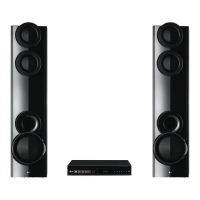
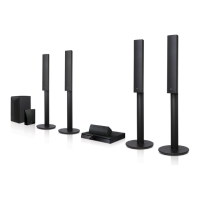
3D Blu-ray™
/ DVD Home
Cinema System
LHB655W / LHA755W
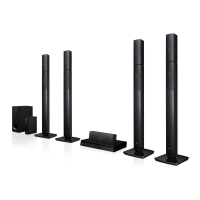
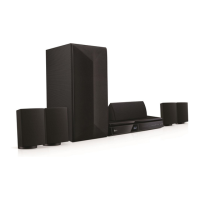
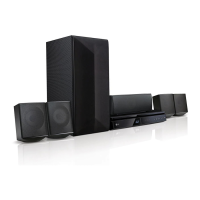
Speaker design and connection method may be di erent according to models. /
Design und Verbindungsmethode des Lautsprechers können je nach Modell variieren. /
Le design du haut-parleur et la méthode de connexion peuvent vaner selon les modèles. /
El diseño de los altavoces y el método de conexión pueden ser diferentes de acuerdo con los modelos /
Il design e il metodo di collegamento degli altoparlanti possono variare a seconda dei modelli
FM antenna
Speaker cables (Optional)
b
a b c d e f
b c
TV Connection (HDMI OUT)
TV-Verbindung (HDMI OUT) / Raccordement télé (HDMI OUT) /
Conexión de TV (HDMI OUT) / Collegamento TV (HDMI OUT)
Access Point
Access Point
Point d’accès
Punto de acceso
Access point
Cable Modem
Kabelmodem
Modem par câble
Módem por cable
Modem via cavo
Install SmartShare PC software. /
Installieren Sie die SmartShare PC Software. /
Installez SmartShare PC. /
Instalar software de PC SmartShare. /
Installa il software SmartShare PC.
FRONT R
FRONT L
CENTER
REAR R
REAR L
WOOFER
LHB655W-DB_BEUSLLK_SIM1_1582.indd 1 2015-04-02 �� 11:27:48

 To Next Page

 General