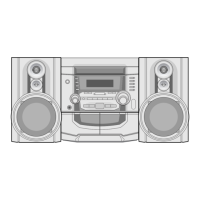
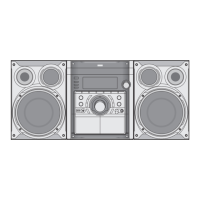
Tape Playback
12
Basic Playback
11
Press TAPE 1/2 to select TAPE 1 or TAPE 2.
(“NO TAPE” appears in the display window.)
22
Open cassette TAPE 1 (or 2) by pushing
PUSH EJECT position.
33
Insert one or two cassette with the tape side to
the bottom and then close the TAPE 1 (or 2).
44
Press PLAY ( or : OPTIONAL).
AUTO STOP DECK (TAPE 1/2)
After auto stop deck plays only front side, the unit stops
automatically.
AUTO REVERSE DECK (TAPE 2): OPTIONAL
You can select direction of the cassette you want by
pressing PLAY MODE.
To Stop Play
Press STOP( )/CLEAR on the front panel or TAPE
STOP( ) on the remote control during playback.
Tape Counter Reset
Press COUNT.RESET during playback.
Playing time appears “TP 1(or 2) 0000” in display win-
dow.
To Play Rewind or Fast Forward
After pressing / on the front panel
or
/
on the remote control during playback,
press PLAY ( ) in the point you want.
Dubbing
This function shows how to record from tape to tape.
11
Press TAPE 1/ 2.
• Cassette TAPE 1- Insert a playback tape to dub.
• Cassette TAPE 2- Insert a blank tape.
22
Press NOR-DUBB./HI-DUBB. as follow.
To stop recording, press STOP( ).
Pressing
NOR-
DUBB.
HI-
DUBB.
Display
Function
Normal speed
dubbing
Double speed
dubbing
Basic Setting
11
Press CD or TUNER (or TUNER/BAND on the
remote control).
22
Open the cassette TAPE 2 and insert a blank
cassette into the cassette compartment.
OPTIONAL
Press PLAY MODE repeatedly to set the recording
direction.
Recording from Radio, CD or Auxiliary source
11
Press on the front panel.
“REC” blinks and holds the cassette in pause
mode.
22
Press PLAY( ) on the front panel.
The recording begins.
To Pause recording
To pause the recording, press on front panel or
on the remote control again.
“REC” flashes in display window.
To Stop recording
Press TAPE STOP( ).
CD to Tape Synchronized Recording
The CD synchro recording function dubs a complete CD
and programmed titles automatically into a cassette.
11
Press CD SYNC. in stop mode.
“REC” blinks and “ ” is lit on the display
window.
22
The synchronized recording is started auto-
matically after about 7 seconds.
ote
If you wish to record the desired track, select the
desired track with / before
commencing CD synchro recording.
Wind the tape to the point recording starts. Use only normal tapes. You can record from cassette deck 2 only.
Recording
Pressing
Once
Twice
Three
times
Display Function
After the cassette plays front or
reverse(backward play) side,
stops automatically.
After the cassette plays front and
reverse side, stops automatically.
After the cassette plays six times
repeatedly front and reverse side,
stops automatically.
Pressing
Once
Twice
Third
Display
Function
Recording front side.
Recording front and
reverse side.


 To Next Page
 Loading...