EasyManua.ls Logo

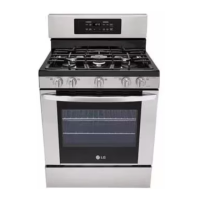
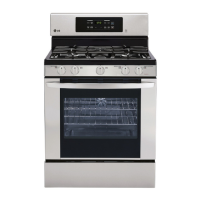
LG LRG3095ST - User Manual

LG LRG3095ST
50 pages
Print Icon
To Next Page IconTo Next Page
Loading...
To contact LG Electronics, 24 hours a day,
7 days a week:
1-800-243-0000 (USA)
Or visit us on the Web at: us.lge.com (USA)
GASRANt[
US[It'5CUll)[
Please read this guide
thoroughly before
operating and keep it handy
for reference at all times.
J_
Models
LRG3097ST
LRG3095ST
LRG3095SB
LRG3095SW
Printed in Mexico
P/NO. MFL33029602

Other manuals for LG LRG3095ST

Questions and Answers

  • Y
    youngkathySep 1, 2025
    What to do if my LG Ranges oven will not self-clean?
    • B
      Brandy LopezSep 1, 2025
      If your LG Ranges oven won't self-clean, it could be due to: * The oven temperature being too high. Allow the range to cool to room temperature before resetting the controls. * Improper oven control settings. Refer to the “USING THE SELF-CLEANING OVEN” section for instructions.
  • W
    Wayne MarquezSep 12, 2025
    What to do if the oven light does not work in LG LRG3095ST Ranges?
    • R
      rodriguezbillySep 12, 2025
      If the oven light in your LG Ranges isn't working, start by checking if the bulb is loose or defective; tighten or replace it as necessary. Also, make sure the range is properly plugged into a grounded electrical outlet.
  • J
    Jessica AlvarezAug 30, 2025
    Why is my LG LRG3095ST Ranges oven not clean after a self-clean cycle?
    • J
      jeffrey81Aug 30, 2025
      If your LG Ranges oven isn't clean after a self-clean cycle, it could be due to: * Improper oven control settings. Refer to the “USING THE SELF-CLEANING OVEN” section for proper settings. * The oven being heavily soiled. Clean up heavy spillovers before starting the self-clean cycle. For heavily soiled ovens, you may need to run the self-clean cycle again or for a longer period.
  • B
    Brandi TaylorSep 13, 2025
    What to do if the oven door won't open after LG LRG3095ST Ranges self-clean cycle?
    • C
      christophergarciaSep 13, 2025
      If the oven door won't open after a self-clean cycle on your LG Ranges, it's likely because the oven temperature is still too high. Allow the oven to cool below the locking temperature, which can take up to 1 hour after the cycle completes.
  • M
    Mary BrandtSep 13, 2025
    What causes excessive smoking during the self-clean cycle of LG LRG3095ST Ranges, and how can I reduce it?
    • J
      Jeremy StewartSep 13, 2025
      Excessive smoking during a self-clean cycle in your LG Ranges is often due to too much soil. Touch the “CLEAR OFF” pad. Open the windows to get rid of smoke from the room. Wait until the DOOR LOCKED light goes off. Wipe up the excess soil and reset the clean cycle.
  • D
    David TurnerSep 18, 2025
    Why doesn't the drawer slide smoothly in my LG LRG3095ST?
    • E
      elambSep 18, 2025
      If the drawer on your LG Ranges doesn't slide smoothly or drags, it could be out of alignment. Fully extend the drawer and push it all the way in. Also, check if the drawer is overloaded or if the load is unbalanced; reduce the weight or redistribute the contents.
  • R
    Rachel SloanSep 23, 2025
    Why is there excessive condensation in the warming drawer of my LG Ranges?
    • M
      Madeline BirdSep 23, 2025
      If you notice excessive condensation in the warming drawer of your LG Ranges, it could be due to liquid in the drawer; remove any liquid. It could also be caused by uncovered foods; cover food with a lid or aluminum foil. Additionally, the temperature setting might be too high; reduce the temperature setting.
  • B
    Barbara ZimmermanAug 27, 2025
    How to reset the clock on LG Ranges after a power outage?
    • C
      campbellmichaelAug 27, 2025
      After a power outage, if the clock on your LG Ranges is flashing, reset the clock. If the oven was in use, you must reset it by touching the “CLEAR OFF” pad, setting the clock and resetting any cooking function.
  • J
    Jeremiah JohnsonAug 26, 2025
    Why isn't the clock and timer working on my LG LRG3095ST?
    • A
      Alyssa PageAug 26, 2025
      If the clock and timer on your LG Ranges aren't working, first ensure the range is properly plugged into a grounded electrical outlet. Also, check your home's fuse box or circuit breaker to see if a fuse has blown or a breaker has tripped; replace the fuse or reset the breaker if needed.
  • J
    Janice HortonAug 25, 2025
    How to fix LG LRG3095ST Ranges top burners that don't light or burn evenly?
    • K
      katherinerobinsonAug 26, 2025
      If the top burners on your LG Ranges aren't lighting or burning evenly, there are a few potential causes. First, ensure the electrical plug is fully inserted into a properly grounded outlet. If that's not the issue, the burner slits might be clogged; try removing and cleaning the burners, checking for food or grease buildup. Also, verify that all burner parts are correctly installed.

LG LRG3095ST Specifications

General IconGeneral
TypeGas Range
Number of Burners5
Burner TypeSealed
Self-CleaningYes
Convection OvenYes
ColorStainless Steel
Fuel TypeGas
Width30 in
Cooktop SurfacePorcelain

Related product manuals