EasyManua.ls Logo

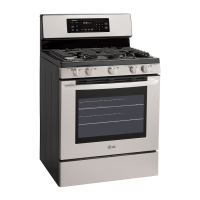
LG LRG30355ST - User Manual

LG LRG30355ST
55 pages
Print Icon
To Next Page IconTo Next Page
Loading...
Website: h_tp://www us Ige corn
GASRANGES
LRG30855ST
LRG30355ST
LRG30355SW
LRG30355SB
)ROUGHLY BEFORE OPERATING.
Printed in Mexico
P/NO.:MFL33029601

Other manuals for LG LRG30355ST

Questions and Answers

  • M
    Maria GonzalezSep 8, 2025
    Why does food dry out in the lower oven drawer or warming drawer of my LG LRG30355ST?
    • G
      grantkayleeSep 8, 2025
      If food dries out in the lower oven drawer or warming drawer of your LG Ranges, it could be due to moisture escaping; cover the food with a lid or aluminum foil. Also, ensure the drawer is fully closed by pushing it in until the latch engages.
  • T
    Teresa JonesAug 25, 2025
    Why is the “LOCKED DOOR” light is on when I want to cook on my LG Ranges?
    • S
      Susan AdkinsAug 25, 2025
      If the LOCKED DOOR light is on when you want to cook on your LG Ranges, the oven door is locked because the temperature inside the oven has not dropped below the locking temperature. Touch the CLEAR/OFF pad and allow the oven to cool.
  • S
    Sandra JohnsonAug 25, 2025
    Why will my LG LRG30355ST Ranges oven not self-clean?
    • E
      Emily TaylorAug 26, 2025
      If your LG Ranges oven will not self-clean, it could be because the oven temperature is too high. Allow the range to cool to room temperature before resetting the controls. Improperly set oven controls could also be the cause.
  • M
    Monica WellsSep 18, 2025
    Why is the display flashing on my LG LRG30355ST?
    • D
      Donna MartinSep 18, 2025
      If the display is flashing on your LG range, it indicates a power failure. Reset the clock.
  • F
    funderwoodSep 8, 2025
    How to get the display to show “SF” on LG LRG30355ST?
    • C
      Catherine WolfSep 8, 2025
      If you're unable to get the display to show “SF” on your LG Ranges, it means the oven control pads were not pressed properly. The BAKE and BROIL HI/LO pads must be touched at the same time and held for 3 seconds.
  • K
    Keith MendezSep 12, 2025
    What to do if the display goes blank on LG Ranges?
    • D
      Dr. Joe BarrySep 12, 2025
      If the display on your LG range goes blank, here are some things to check: * Ensure that a fuse in your home has not blown, or the circuit breaker tripped. Replace the fuse or reset the circuit breaker. * Check if the clock is in the black-out mode.
  • V
    vallenSep 3, 2025
    Why is the warming drawer not working on my LG LRG30355ST?
    • J
      Joshua SweeneySep 3, 2025
      If the warming drawer on your LG Ranges will not work, check if a fuse in your home may be blown or the circuit breaker tripped, and replace the fuse or reset the circuit breaker. If the oven is self-cleaning, wait for the cycle to finish and the oven to cool. Ensure the controls are properly set.
  • P
    Patrick KellerSep 3, 2025
    Why are oven shelves difficult to slide in my LG LRG30355ST Ranges?
    • C
      Cynthia BryantSep 3, 2025
      If the oven shelves are difficult to slide in your LG Ranges, and they are nickel shelves, they may have been cleaned in a self-clean cycle. Apply a small amount of vegetable oil to a paper towel and wipe the edges of the oven shelves.
  • M
    Mrs. Autumn JohnsonSep 23, 2025
    Why is there a strong odor when using my LG LRG30355ST Ranges?
    • G
      Gary CrosbySep 23, 2025
      An odor from the insulation around the inside of the oven is normal for the first few times the oven is used. This is temporary.
  • M
    millerjamesAug 29, 2025
    Why is food not broiling properly in the oven of my LG Ranges?
    • A
      Ana LawsonAug 29, 2025
      If your food isn't broiling properly in the oven of your LG Ranges, first ensure the oven controls are correctly set by touching the BROIL HI/LO pad. Make sure the oven door is closed. Use the proper shelf position, consulting the Broiling Guide. Use the broiling pan and grid that came with your range and ensure they are cool. Only use cookware suited for broiling. If using aluminum foil on the broiling pan and grid, ensure it's properly fitted and slit as recommended. Finally, check that the oven bottom is securely seated in position.

Summary

Safety Information and Precautions

General Safety Guidelines

Essential safety information, warnings, and precautions for appliance operation.

Anti-Tip Device Safety

Critical instructions for installing the anti-tip device to prevent range tipping.

Appliance Safety Precautions

General safety measures to prevent accidents during use.

Operating Instructions for LG Gas Ranges

Gas Surface Burner Operation

How to light, use, and adjust gas surface burners and select flame size.

Oven Operation and Cooking Features

Using oven controls, bake, broil, convection, probe, timed cooking, and special modes.

Accessory and Maintenance Functions

Guides for using the warming drawer and self-cleaning the oven.

Installation Instructions and Guidelines

Pre-Installation Requirements

Tools, materials, safety precautions, and preparation before installation.

Installation Clearances and Anti-Tip

Required clearances, safety warnings, and anti-tip device installation.

Gas and Electrical Hookup Procedures

Procedures for connecting the range to gas supply and electrical power.

Troubleshooting Common Issues

Burner and Flame Performance Problems

Troubleshooting surface burner ignition and flame quality issues.

Oven and Cooking Performance Issues

Addressing problems with oven temperature, baking, broiling, and cookware.

Control, Display, and Feature Errors

Resolving display errors, door lock issues, timer problems, and probe warnings.

LG Gas Range Warranty Information

Warranty Terms and Exclusions

Details on warranty period, covered repairs, and warranty exclusions.

Obtaining Service and Customer Support

How to prove warranty coverage and contact customer support.

LG LRG30355ST Specifications

General IconGeneral
BrandLG
ModelLRG30355ST
CategoryRanges
LanguageEnglish

Related product manuals