EasyManua.ls Logo

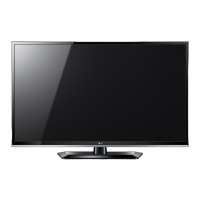
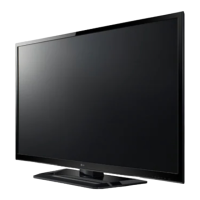
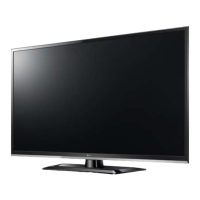
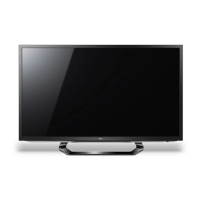
LG LS310 Series - User Manual

LG LS310 Series
58 pages
Print Icon
To Next Page IconTo Next Page
Loading...
관리자
Model Description
MODEL
BRAND
Printing Specification
1. Trim Size (Format) : 182mm x 257 mm
2. Printing Colors
Cover : 1 COLOR (BLACK)
Inside : 1 COLOR (BLACK)
3. Stock (Paper)
Cover : Uncoated paper , 백상지 60 g/
Inside : Uncoated paper , 백상지 60 g/
4. Printing Method : Off-set
5. Bindery : Saddle stitch
6. Language : English (1)
7. Number of pages : 56pages
Part No.
1.
2.
Users Guide Specification
Changes
4.
REV.
NO.
MM/DD/YY
SIGNATURE
CHANGE NO.
CHANGE CONTENTS
1
2
3
4
5
7
6
SUFFIX
LG
8
9
Special Instructions
3.
Product Name
10
“This part contain Eco-hazardous substances (Pb, Cd, Hg, Cr6+, PBB, PBDE, etc.) within LG standard level,
Details should be followed Eco-SCM management standard[LG(56)-A-2524].
Especially, Part should be followed and controlled the following specification.
(1)Eco-hazardous substances test report should be submitted
when Part certification test and First Mass Production.
(2) Especially, Don’t use or contain lead(Pb) and cadmium(Cd) in ink.
N
O
T
E
S
(1) Origin Notification
* LGEIN : Printed in Indonesia * LGEWA : Printed in U.K.
* LGESP : Printed in Brazil * LGEMX : Printed in Mexico
* LGEND : Printed in China * LGEIL : Printed in India
* LGEMA : Printed in Poland
03/23/12 Kang.MG
EKLC301868
Changed the power requirement.
04/12/12 Kang.MG
EKLC400949
Updated the manual for screw.
06/12/12 Kang.MG
EKLC600678 Added the 32CS412-TD, LS3150-TA, LS3000-TA model.
26CS41**
26CS410-TB
For Asia
MFL67452102
(1208-REV04)
MG KANG
12.04.12
JO Kim
12.04.12
HJ Shin
12.04.12
08/16/12 Kang.MG
EKLC800747
Added the detach protection cover and Changed the weigh.

Questions and Answers

  • V
    Valerie MartinSep 13, 2025
    How to adjust display offset on LG LS310 LCD TV?
    • A
      Amanda SmithSep 13, 2025
      If the display offset is wrong on your LG LCD TV, adjust the position setting in the PICTURE menu. Also, check if the video card resolution and frequency are supported by the TV. If the frequency is out of range, set to the recommended resolution using the display settings on the external device.
  • V
    Vincent BushAug 25, 2025
    How to fix horizontal or vertical bars on LG LS310?
    • I
      imartinezAug 25, 2025
      If you're seeing horizontal or vertical bars, or blurry images on your LG LCD TV, check for local interferences from electrical appliances or power tools.
  • M
    Michael PatelAug 25, 2025
    Why is my LG LS310 remote not working?
    • M
      marygreenAug 26, 2025
      If you cannot control your LG LCD TV with the remote, first check the remote control sensor on the TV and try again. Also, make sure there are no obstacles between the remote and the TV. Finally, verify that the batteries are working and properly installed ( to , to ).
  • C
    cynthia02Sep 23, 2025
    How to fix horizontal noises on LG LCD TV?
    • L
      lewismichaelSep 23, 2025
      If you're experiencing horizontal noises or blurring of characters on your LG LCD TV, adjust the Phase setting in the PICTURE menu.
  • J
    Joseph BrownSep 14, 2025
    Why my LG LS310 LCD TV speaker produce noises?
    • S
      Shannon CollierSep 14, 2025
      A change in ambient humidity or temperature may result in an unusual noise when your LG LCD TV turns on or off. This indicates there is no problem with your product.
  • C
    Curtis RussellSep 23, 2025
    How to fix background thin lines on LG LCD TV?
    • D
      Daniel ShieldsSep 23, 2025
      If you are seeing thin lines in the background of the screen on your LG LCD TV, check the video cable connections.
  • J
    Janice KleinSep 6, 2025
    What to do if LG LS310 LCD TV remote control is not working?
    • J
      Jay ArmstrongSep 7, 2025
      If you cannot control your LG LCD TV with the remote, first check the remote control sensor on the TV and try again. Also, ensure there are no obstacles between the remote and the TV. Finally, check that the batteries are working and properly installed.
  • C
    Cesar ChavezSep 7, 2025
    Why my LG LCD TV has no image and sound?
    • L
      Lauren Beck MDSep 7, 2025
      If your LG LCD TV shows no image and produces no sound, verify that the TV is turned on and the power cord is properly connected to a wall outlet. To ensure the wall outlet is working, connect other products to it.
  • R
    Rhonda HodgesSep 23, 2025
    What causes afterimages on LG LCD TV?
    • C
      Charles WilcoxSep 23, 2025
      Afterimages (ghosts) appearing on your LG LCD TV when it turns off can be due to pixels damaged from a fixed image displayed for a long time, also known as image burn. Use a screen saver to prevent further pixel damage.
  • S
    Scott SimmonsAug 31, 2025
    What to do if my LG LCD TV has no image and sound?
    • D
      Darryl FinleyAug 31, 2025
      If your LG LCD TV shows no image and produces no sound, first check if the TV is turned on. Next, ensure the power cord is connected to a wall outlet. Finally, check the wall outlet by connecting other products to see if there is a problem with the outlet itself.

LG LS310 Series Specifications

General IconGeneral
BrandLG
ModelLS310 Series
CategoryLCD TV
LanguageEnglish

Related product manuals