EasyManua.ls Logo

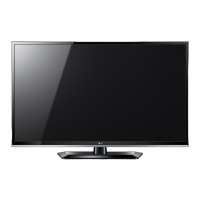
LG LS31 Series - User Manual

LG LS31 Series
52 pages
Print Icon
To Next Page IconTo Next Page
Loading...
OWNER’S MANUAL
LCD TV / LED LCD TV
Please read this manual carefully before operating
your set and retain it for future reference.
P/NO : MFL67452105 (1204-REV01)
Printed in Korea
www.lg.com
CS41**
LS31**
LS33**

Questions and Answers

  • J
    jamie18Aug 18, 2025
    What to do if my LG LS31 turns off suddenly?
    • L
      lynchjeremiahAug 19, 2025
      If your TV turns off suddenly, check the power control settings. Also, verify if the Auto sleep feature is activated in the Time settings. Note that if there is no signal while the TV is on, it will turn off automatically after 15 minutes of inactivity.
  • C
    chloe19Aug 21, 2025
    How to fix lines or streaks on LG LS31 LCD TV images?
    • M
      marvinhartAug 21, 2025
      If lines or streaks appear on images, check the antenna or aim the antenna in the proper direction.
  • V
    Victoria AndersonAug 23, 2025
    What to do if my LG LCD TV shows no signal?
    • K
      Kayla MortonAug 23, 2025
      If “No Signal” appears on the screen, check if the signal cable is properly connected between the TV and other devices. Also, check the selected input source by pressing the INPUT button.
  • T
    Tanya ReyesAug 26, 2025
    Why is my LG LCD TV screen so dark?
    • N
      nathanielhunterAug 26, 2025
      If the power is on but the screen appears extremely dark, adjust the brightness and contrast in the PICTURE menu.
  • J
    James CookAug 27, 2025
    How to fix horizontal noises or blurry characters on LG LS31?
    • A
      alexiswrightAug 27, 2025
      If horizontal noises appear or characters blur, adjust the Phase setting in the PICTURE menu.
  • C
    Corey DunnAug 30, 2025
    How to fix horizontal or vertical bars or blurry images on LG LCD TV?
    • D
      David VaughanAug 30, 2025
      If horizontal or vertical bars appear or images blur, check for local interferences such as an electrical appliance or power tool.
  • K
    Kimberly VazquezSep 1, 2025
    What to do if my LG LCD TV remote control is not working?
    • J
      Joanna WatersSep 1, 2025
      First, check the remote control sensor on the TV and try again. Ensure that there are no obstacles between the remote control and the TV. Also, verify that the batteries are working and properly installed ( to , to ).
  • J
    justinwrightSep 4, 2025
    What to do if there is no image and sound on my LG LS31?
    • J
      Jamie ChavezSep 4, 2025
      If there is no image display and no sound, check if the TV is turned on. Ensure that the power cord is connected to a wall outlet. Check if there is a problem in the wall outlet by connecting other products.
  • J
    Joel MillerSep 6, 2025
    How to fix display offset on LG LS31 LCD TV?
    • T
      Tina VargasSep 6, 2025
      If the display offset is wrong, adjust the position setting in the PICTURE menu. Check if the video card resolution and frequency are supported by the product. If the frequency is out of range, set to the recommended resolution using the display settings on the external device.
  • O
    opaceSep 8, 2025
    How to improve poor reception on some LG LCD TV channels?
    • S
      Samantha ThomasSep 8, 2025
      If the reception on some channels is poor, try switching to other channels as there may be a problem with the broadcast. The station signal may be weak, so try aiming the antenna in the proper direction. Also, check for local interference from electrical appliances or power tools.

Summary

LICENSES

OPEN SOURCE SOFTWARE NOTICE

SAFETY INSTRUCTIONS

General Safety Precautions

Safety guidelines for using the TV, covering placement, power, and handling to prevent hazards.

INSTALLATION PROCEDURE

ASSEMBLING AND PREPARING

Unpacking

Checking the contents of the product box and identifying included items.

Antenna Isolator Installation Guide

Instructions for installing an antenna isolator to prevent voltage differences.

How to use the ferrite core

Guidance on attaching a ferrite core to the power cord to reduce electromagnetic waves.

Parts and buttons

Identification and description of the TV's physical parts and remote control buttons.

Lifting and moving the TV

Guidelines for safely lifting, moving, and transporting the television to prevent damage.

Setting up the TV

Step-by-step instructions for assembling and attaching the TV stand.

Mounting on a table

Procedures for placing the TV securely on a table, including ventilation.

Securing the TV to a wall

Instructions for safely mounting the TV on a wall using VESA brackets.

Tidying cables

Guidance on organizing and securing cables using the provided cable holder.

MAKING CONNECTIONS

Antenna connection

How to connect the TV to a wall antenna socket using an RF cable.

Adapter connection

Steps for connecting the DC adapter and power cord to the TV.

HDMI connection

How to connect external devices using an HDMI cable for video and audio.

Component connection

Connecting external devices using component cables for analog video and audio.

Composite connection

Connecting external devices using composite cables for analog video and audio.

USB connection

Connecting USB storage devices like flash drives for multimedia features.

External Stereo Connection

Connecting the TV to an external amplifier or surround sound system.

REMOTE CONTROL

Remote Control Buttons

Explanation of the functions of each button on the TV remote control.

WATCHING TV

Turning the TV on for the first time

Initial setup process, including language and basic settings.

Automatically setting up programme

Guide to automatically finding and storing available TV channels.

Manually setting up programme

How to manually tune and arrange TV channels.

Assigning a station name

Process for naming TV channels with up to five characters.

Fine Tuning

Adjusting channel reception for optimal picture and sound quality.

Editing your programme list

How to delete, move, or skip TV programmes in the list.

Selecting a programme on the programme list

Navigating and selecting channels from the program list.

Using favourite programmes

Adding frequently watched channels to a personalized favourite list.

Adjusting aspect ratio

Resizing the image to fit the screen optimally using various aspect ratios.

Using the input list

Selecting different input sources (TV, AV, HDMI, USB) for connected devices.

ENTERTAINMENT

Connecting USB storage devices

How to connect USB flash drives and memory card readers to the TV.

Tips for using USB storage devices

Important advice and compatibility notes for using USB devices with the TV.

Browsing files

Accessing and viewing photo and music files from a connected USB device.

Viewing photos

How to view images, use slideshows, and apply photo options.

Using photo options

Available options for viewing photos, including slideshow speed and rotation.

Listening to music

How to play music files from a USB device and control playback.

CUSTOMIZING TV SETTING

Accessing main menus

How to navigate and open the main menu options on the TV.

SETUP Settings

Settings related to programme setup, including auto tuning and editing.

PICTURE Settings

Adjustments for image size, quality, and effects like brightness and contrast.

Picture Mode

Selecting preset picture modes (Vivid, Standard, Cinema) for optimal viewing.

Basic image options

Core image settings like backlight, contrast, brightness, sharpness, and colour.

Advanced image options

Enhanced image settings such as dynamic contrast, noise reduction, and colour temperature.

AUDIO Settings

Adjustments for sound quality, modes, and volume levels.

Stereo;Dual Reception

Selecting sound modes like Mono, Stereo, or Dual for broadcast reception.

Nicam Reception

Options for receiving and selecting NICAM digital sound broadcasts.

Speaker Sound Output Selection

Choosing audio output for left and right speakers in various modes.

TIME Settings

Setting the clock, auto on/off timers, and sleep timer for the TV.

OPTION Settings

General settings including language selection, key lock, and factory reset.

TELETEXT

Programming a colour button in LIST mode

Assigning teletext pages to colour buttons for quick access.

Switch On;Off

How to turn the teletext feature on and off.

Simple Text

Basic teletext page selection using number buttons.

Fastext

Faster teletext selection using colour-coded buttons.

Special Teletext Function

Advanced teletext features like index, time display, hold, reveal, and update.

MAINTENANCE

Cleaning your TV

Instructions for cleaning the TV screen, frame, cabinet, stand, and power cord.

TROUBLESHOOTING

Audio Troubleshooting

Solutions for common audio problems like no sound or distorted speaker output.

Video Troubleshooting

Solutions for video issues like black and white display, blurriness, or no signal.

SPECIFICATIONS

LG LS31 Series Specifications

General IconGeneral
BrandLG
ModelLS31 Series
CategoryLCD TV
LanguageEnglish

Related product manuals