EasyManua.ls Logo

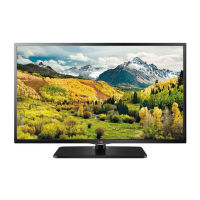
LG LS5750 Series - User Manual

LG LS5750 Series
52 pages
Print Icon
To Next Page IconTo Next Page
Loading...
Order Number
: GETEC-C1-11-342
FCC Part 15 subpart B
Test Report Number
: GETEC-E3-11-152
Page 1 / 1
EUT Type: LED LCD TV/Monitor
FCC ID.: BEJ65LM6200UB
APPENDIX G
: USERS MANUAL

Questions and Answers

  • S
    Shannon LeeAug 11, 2025
    Why does my LG LED TV turn off by itself?
    • K
      Keith FloresAug 11, 2025
      If your LG LED TV is turning off suddenly, there might be a few reasons: * Check the power control settings to ensure the power supply isn't being interrupted. * See if the Auto sleep feature is activated in the Time settings. * If the TV is on but not receiving a signal, it will automatically turn off after 15 minutes of inactivity.
  • C
    Craig SmithAug 21, 2025
    How to fix LG LED TV remote control not working?
    • I
      ibauerAug 21, 2025
      If you can't control your LG LED TV with the remote, try these steps: * Check the remote control sensor on the TV and try again. * Make sure there are no obstacles blocking the path between the remote and the TV. * Check the batteries in the remote to ensure they are working and correctly installed.
  • P
    Peter WilliamsAug 30, 2025
    What to do if my LG LED TV says 'No signal' when connecting to PC?
    • S
      Scott MejiaAug 30, 2025
      If your LG LED TV displays 'No signal' or 'Invalid Format' when connected to a PC via RGB/HDMI DVI, try the following: 1. Turn the TV off and on again using the remote control. 2. Reconnect the RGB/HDMI cable. 3. Restart your PC while the TV is on.

LG LS5750 Series Specifications

General IconGeneral
Display TechnologyLCD
Resolution1920 x 1080 (Full HD)
Backlight TypeLED
Smart TVYes
Wi-FiYes
HDMI Ports3
Energy Efficiency ClassA

Related product manuals