EasyManua.ls Logo

LG LS34 Series - User Manual

LG LS34 Series
40 pages
Print Icon
To Next Page IconTo Next Page
Loading...
www.lg.com
Please read this manual carefully before operating
your set and retain it for future reference.
LS34**
LM34**
CS46**
CS47**
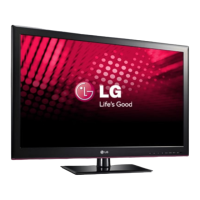
OWNER’S MANUAL
LED LCD TV / LCD TV
P/NO : MFL67360812 (1211-REV06)
Printed in Korea

Questions and Answers

  • L
    Logan BerryAug 1, 2025
    What to do if my LG LCD TV has no image and sound?
    • B
      Brandy SpenceAug 1, 2025
      If your LG LCD TV isn't showing an image and there's no sound, first ensure the TV is actually powered on. Next, verify that the power cord is securely connected to both the TV and the wall outlet. Lastly, test the wall outlet by plugging in another device to confirm it's working correctly.
  • R
    Rachael JohnsonAug 11, 2025
    Why does my LG LCD TV turn off by itself?
    • D
      Denise WyattAug 11, 2025
      If your LG LCD TV is turning off unexpectedly, you should first check the power control settings to ensure the power supply isn't being interrupted. Also, verify that the Auto sleep feature is not enabled within the Time settings. Lastly, be aware that if the TV doesn't receive a signal for 15 minutes while it's on, it will automatically shut off.
  • S
    Shelly CarpenterAug 20, 2025
    How to fix an LG LCD TV remote that is not working?
    • K
      Kristen LevyAug 20, 2025
      If you're unable to control your LG LCD TV with the remote, start by checking the remote control sensor on the TV and try again. Make sure there are no obstructions between the remote and the TV. Also, ensure the batteries in the remote are working and correctly installed.

Summary

Licenses

Open Source Software Notice

Safety Instructions

Viewing 3 D Imaging Safety

Advises on safe viewing practices for 3D content, including breaks and user conditions.

Installation Procedure

Assembling and Preparing

Guides unpacking, component identification, safe handling, and physical setup of the TV.

Setting Up the TV

Detailed steps for attaching the stand and mounting the TV on surfaces or walls.

Cable Management

Instructions for organizing cables and managing the desk-type stand when not in use.

Making Connections

Antenna Connection

Connects the TV to a wall antenna socket for signal reception.

Video and Audio Connections

Covers HDMI, Component, and Composite connections for external devices.

Peripheral Connections

Details USB storage and headphone connections for media and audio.

Remote Control

Using the User Guide

Maintenance

Cleaning the TV

Steps for safely cleaning the TV's screen, frame, cabinet, and power cord.

Troubleshooting

Environmental Information

Specifications

Model Specifications

Details dimensions, weight, and power requirements for various models.

Supported Video and 3 D Modes

Lists supported HDMI-DTV modes and 3D video formats.

LG LS34 Series Specifications

General IconGeneral
BrandLG
ModelLS34 Series
CategoryLCD TV
LanguageEnglish

Related product manuals