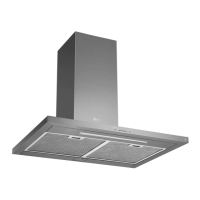
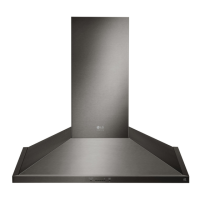
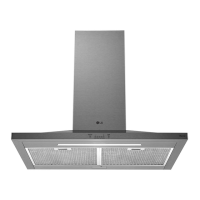
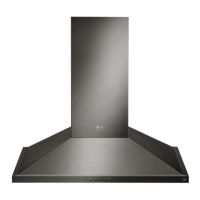
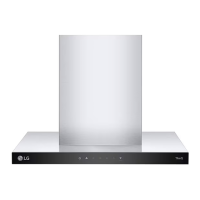
This document is an owner's manual for an LG range hood, providing essential information on its operation, maintenance, and smart features.
Function Description
The LG range hood is designed for general ventilating use, specifically to filter out residue and grease from cooking and to vent cooking fumes. It is not intended for exhausting hazardous or explosive materials and vapors. The hood features a fan with multiple speed settings and an LED strip light with two brightness levels (High and Low). It also includes smart functions that allow it to connect to the LG ThinQ application for remote control and monitoring.
Important Technical Specifications
The manual covers several hood models: LSHD3689BD, LSHD3680ST, LSHD3089BD, and LSHD3080ST.
- Hood Width:
- LSHD3689BD, LSHD3680ST: 36 Inches
- LSHD3089BD, LSHD3080ST: 30 Inches
- Filters: 2 pcs (Aluminum Mesh Filters)
- Lights: 1 (LED Strip type)
- Minimum Vertical Distance: The minimum vertical distance between the cooktop surface and the exterior part of the hood must be no less than 26" (66 cm). This distance may be longer depending on the range or cooktop used.
- Wireless LAN Module (LCW-003):
- Frequency Range: 2412 - 2462 MHz
- Output Power (Max): < 30 dBm
- Wi-Fi Network: Supports 2.4 GHz Wi-Fi networks only.
Usage Features
The range hood is operated via an icon touch control panel.
Power / Delay Off Button:
- Power Button Function: Turns the entire hood (fan and lights) on and off. The hood remembers the last speed and light level it was turned off at.
- Delay Off Button Function: When the fan is on, pressing and holding this button for three seconds activates a 5-minute delay off timer. The fan will change to speed 1, and the LEDs will blink slowly to indicate the remaining time. Pressing the button again during the delay off function will turn off the hood and cancel the timer.
Speed Selection Button:
- Fan Speed Decrease Button (-): Decreases fan speed (5, 4, 3, 2, 1). If the fan is at level 1 and this button is pressed, the fan powers off.
- Fan Speed Increase Button (+): Increases fan speed (1, 2, 3, 4, 5). If the hood is off and this button is pressed, the fan turns on at level 1.
Light Button:
- Light Levels: The LED strip light has two levels: High and Low.
- Operation: From off, press once for High, press again for Low, and press a third time to power lights off.
- Wi-Fi Connection: Press and hold the Light button for 3 seconds to connect to a home Wi-Fi network.
Display Indicators:
- Mesh Filter Clean Reminder: After 30 hours of fan usage, the button indicator will slowly blink, signaling that it's time to clean the mesh filters.
- Resetting Reminder: With the hood off, hold the "-" button for three seconds. All LED indicators will blink twice to confirm the 30-hour timer has been reset.
Smart Functions (LG ThinQ Application):
- Available on models with the LG ThinQ logo.
- Allows communication with the appliance using a smartphone.
- Settings: Adjust various options on the oven and in the application.
- Monitoring: View current status, remaining time, cook settings, and end time on the smartphone screen.
- Connection Steps:
- Check wireless router (Wi-Fi) strength near the appliance.
- Turn off Mobile data or Cellular Data on your smartphone.
- Connect the smartphone to the wireless router.
- Notes for Wi-Fi Connection:
- Verify Wi-Fi icon on the control panel is lit.
- Supports 2.4 GHz Wi-Fi networks only.
- LG ThinQ is not responsible for network connection problems.
- Surrounding wireless environment can affect service speed.
- If connection issues occur, unplug the appliance and retry after a minute.
- If firewall is enabled on the router, disable it or add an exception.
- Wireless network name (SSID) should be English letters and numbers (no special characters).
- If router security protocol is WEP, change to WPA2 for successful setup.
Maintenance Features
Surface Maintenance:
- Cleaning: Clean periodically with hot soapy water and a clean cotton cloth.
- Avoid: Corrosive or abrasive detergents, steel wool/scouring pads, products containing chlorine bleach or citrus-based cleaners.
- Heavy Soil: Use liquid degreaser.
- Polishing: After cleaning, use non-abrasive stainless steel polish or cleaners to buff out the stainless luster and grain. Scrub lightly with a clean microfiber or cotton cloth, following the grain.
Aluminum Mesh Filters:
- Purpose: Filter out residue and grease from cooking.
- Replacement: Do not need regular replacement if kept clean.
- Cleaning:
- Remove and clean by hand or in a dishwasher on low heat.
- For heavily soiled filters, spray degreasing detergent and let soak.
- Dry filters completely before re-installing.
- Removing Mesh Filters:
- Push the handle on the filter toward the back of the range hood.
- Pivot the front of the filter down and pull it forward to remove.
- Reassembly: Follow the removal steps in reverse.

 Need help?
 General

 To Next Page