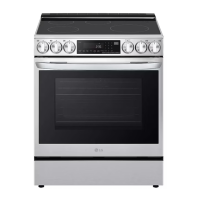
EasyManua.ls Logo

LG LSIL6336FE - User Manual

LG LSIL6336FE
180 pages
Print Icon
To Next Page IconTo Next Page
Loading...
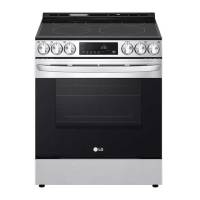
OWNER'S MANUAL
ELECTRIC
INDUCTION RANGE
Read this owner's manual thoroughly before operating the
appliance and keep it handy for reference at all times.
ENGLISH
LSIL6336*E
MFL68920560
Rev.02_103023
www.lg.com
Copyright © 2023 LG Electronics Inc. All Rights Reserved.
Scan to see the online manual.
en-us_main.book.book Page 1 Friday, October 27, 2023 11:23 AM

Table of Contents

Question and Answer IconNeed help?

Do you have a question about the LG LSIL6336FE and is the answer not in the manual?

Summary

IMPORTANT SAFETY INSTRUCTIONS

Safety Messages and Warnings

Read and follow all safety messages for hazard awareness and risk reduction.

Anti-tip Device

Instructions for securing the range with an anti-tip device to prevent tipping.

PRODUCT OVERVIEW

Product Features and Specifications

Details on exterior/interior features, product specifications, and included accessories.

Accessories

Lists and descriptions of included and optional accessories for the range.

INSTALLATION

Before Installing: Overview, Tools, and Parts

Read installation overview, identify tools needed, and check included/unincluded parts.

Unpacking and Moving the Range

Safety precautions and steps for safely unpacking and moving the appliance.

Choosing the Proper Location

Guidance on selecting the correct location, including dimensions and clearances.

Leveling and Electrical Requirements

Instructions for leveling the range and connecting electrical power.

Rear Filler and Anti-tip Device Installation

Steps for installing the optional rear filler and the anti-tip device.

Engaging the Anti-tip Device and Test Run

Procedure for engaging the anti-tip device and performing a test run.

OPERATION

Control Panel Overview

Description of the control panel features, buttons, and display.

Knob Features

Explanation of the function and usage of the oven control knobs.

Changing Oven Settings

Guide to adjusting clock, oven light, timer, Wi-Fi, and other settings.

Control Lock and Timed Cooking Functions

How to use control lock and set timed cooking for delayed starts.

Cooktop Precautions and Induction Cooking

Safety guidelines for using the cooktop and benefits of induction cooking.

Induction Cooking Benefits and Cookware Types

Advantages of induction cooking, including speed, efficiency, and cookware compatibility.

Pan Sensing and Size Requirements

Information on how pan sensing works and required pan sizes for elements.

Cookware Heating Index

Guide to assessing cookware efficiency for optimal induction cooking results.

Home Canning and Cooking Elements Usage

Precautions for home canning and how to use cooking elements.

Power Management and Warm Zone

Understanding power management for cooking zones and using the warm zone.

Oven Vent and Rack Usage

Information on oven vent location and proper usage of oven racks.

Bake and Instaview Functions

Instructions for setting the bake function and using the Instaview feature.

Convection Mode and Baking Tips

Guide to using convection mode for even cooking and baking tips.

Meat Probe Usage and Temperature Adjustment

How to use the meat probe for accurate temperature measurement.

Baking, Roasting Guides, and Rack Placement

Guides for baking and roasting, and recommendations for rack placement.

Broil Function and Smoke Reduction

Instructions for broiling and tips to reduce smoke during cooking.

Proof Function

Instructions for using the proof function for yeast-leavened products.

Warm and Keep Warm Functions

How to use the warm and keep warm functions to maintain food temperature.

Air Fry Function and Recommendations

Guide to using the air fry function and recommendations for high-fat foods.

Air Sous-Vide Benefits

Advantages of air sous-vide cooking, including health benefits and convenience.

Frozen Meal and Remote Start Functions

Instructions for using frozen meal mode and remote start via Wi-Fi.

Sabbath Mode Operation

Guidelines for operating the oven in Sabbath mode.

SMART FUNCTIONS

LG ThinQ Application Features

Overview of LG ThinQ features like Smart Diagnosis, Settings, Scan to Cook, and Monitoring.

Installing LG ThinQ App and Connecting Appliance

Steps for installing the LG ThinQ app and connecting the appliance via QR code or manually.

Connecting to Wi-Fi and LG UP Feature

Guidance on connecting to Wi-Fi and upgrading product features via the LG ThinQ app.

RF Specifications and FCC Compliance

Technical specifications for RF modules and FCC compliance statements.

Smart Diagnosis Feature

Using the Smart Diagnosis feature to troubleshoot appliance issues.

Using Audible Diagnosis to Diagnose Issues

Instructions for using the audible diagnosis method with the LG ThinQ app.

MAINTENANCE

Cleaning Interior and Exterior Surfaces

Guidelines for cleaning the oven interior, exterior, control panel, and manifold.

Oven Door, Broiler Pan, and Oven Racks

Care instructions for the oven door, broiler pan, grid, and oven racks.

Cooktop Surface Cleaning

Steps for cleaning the glass-ceramic cooktop, including residue and seal care.

EasyClean Function Overview

Explanation of the EasyClean feature for cleaning light oven soils.

Self Clean Function Overview

Guide to using the Self Clean cycle for heavy oven soils and pre-cleaning steps.

Oven Door Removal and Assembly

Detailed instructions for safely removing and assembling the oven doors.

Drawer Removal and Assembly

Steps for removing and assembling the storage drawer for cleaning.

Vent Trim and Changing Oven Light

Instructions for removing/assembling vent trim and changing the oven light bulb.

TROUBLESHOOTING

Frequently Asked Questions (FAQS)

Answers to common questions regarding operation, cookware, and cleaning.

Before Calling for Service: Cooking Issues

Troubleshooting common cooking problems like oven not working or smoking.

Parts & Features Issues

Solutions for problems related to range leveling, appliance movement, and surface units.

Addressing Noises and Fan Operation

Information on normal operating noises and fan behavior during cooking cycles.

Wi-Fi Connectivity Troubleshooting

Guidance for resolving issues connecting the appliance and smartphone to Wi-Fi.

LIMITED WARRANTY

USA Terms and Conditions

Details of the limited warranty, including terms, conditions, and service handling.

Items Not Covered by Limited Warranty

List of conditions and damages not covered under the limited warranty.

Procedure for Resolving Disputes

Information on arbitration, dispute resolution, and contacting LG for service.

Summary

IMPORTANT SAFETY INSTRUCTIONS

Safety Messages and Warnings

Read and follow all safety messages for hazard awareness and risk reduction.

Anti-tip Device

Instructions for securing the range with an anti-tip device to prevent tipping.

PRODUCT OVERVIEW

Product Features and Specifications

Details on exterior/interior features, product specifications, and included accessories.

Accessories

Lists and descriptions of included and optional accessories for the range.

INSTALLATION

Before Installing: Overview, Tools, and Parts

Read installation overview, identify tools needed, and check included/unincluded parts.

Unpacking and Moving the Range

Safety precautions and steps for safely unpacking and moving the appliance.

Choosing the Proper Location

Guidance on selecting the correct location, including dimensions and clearances.

Leveling and Electrical Requirements

Instructions for leveling the range and connecting electrical power.

Rear Filler and Anti-tip Device Installation

Steps for installing the optional rear filler and the anti-tip device.

Engaging the Anti-tip Device and Test Run

Procedure for engaging the anti-tip device and performing a test run.

OPERATION

Control Panel Overview

Description of the control panel features, buttons, and display.

Knob Features

Explanation of the function and usage of the oven control knobs.

Changing Oven Settings

Guide to adjusting clock, oven light, timer, Wi-Fi, and other settings.

Control Lock and Timed Cooking Functions

How to use control lock and set timed cooking for delayed starts.

Cooktop Precautions and Induction Cooking

Safety guidelines for using the cooktop and benefits of induction cooking.

Induction Cooking Benefits and Cookware Types

Advantages of induction cooking, including speed, efficiency, and cookware compatibility.

Pan Sensing and Size Requirements

Information on how pan sensing works and required pan sizes for elements.

Cookware Heating Index

Guide to assessing cookware efficiency for optimal induction cooking results.

Home Canning and Cooking Elements Usage

Precautions for home canning and how to use cooking elements.

Power Management and Warm Zone

Understanding power management for cooking zones and using the warm zone.

Oven Vent and Rack Usage

Information on oven vent location and proper usage of oven racks.

Bake and Instaview Functions

Instructions for setting the bake function and using the Instaview feature.

Convection Mode and Baking Tips

Guide to using convection mode for even cooking and baking tips.

Meat Probe Usage and Temperature Adjustment

How to use the meat probe for accurate temperature measurement.

Baking, Roasting Guides, and Rack Placement

Guides for baking and roasting, and recommendations for rack placement.

Broil Function and Smoke Reduction

Instructions for broiling and tips to reduce smoke during cooking.

Proof Function

Instructions for using the proof function for yeast-leavened products.

Warm and Keep Warm Functions

How to use the warm and keep warm functions to maintain food temperature.

Air Fry Function and Recommendations

Guide to using the air fry function and recommendations for high-fat foods.

Air Sous-Vide Benefits

Advantages of air sous-vide cooking, including health benefits and convenience.

Frozen Meal and Remote Start Functions

Instructions for using frozen meal mode and remote start via Wi-Fi.

Sabbath Mode Operation

Guidelines for operating the oven in Sabbath mode.

SMART FUNCTIONS

LG ThinQ Application Features

Overview of LG ThinQ features like Smart Diagnosis, Settings, Scan to Cook, and Monitoring.

Installing LG ThinQ App and Connecting Appliance

Steps for installing the LG ThinQ app and connecting the appliance via QR code or manually.

Connecting to Wi-Fi and LG UP Feature

Guidance on connecting to Wi-Fi and upgrading product features via the LG ThinQ app.

RF Specifications and FCC Compliance

Technical specifications for RF modules and FCC compliance statements.

Smart Diagnosis Feature

Using the Smart Diagnosis feature to troubleshoot appliance issues.

Using Audible Diagnosis to Diagnose Issues

Instructions for using the audible diagnosis method with the LG ThinQ app.

MAINTENANCE

Cleaning Interior and Exterior Surfaces

Guidelines for cleaning the oven interior, exterior, control panel, and manifold.

Oven Door, Broiler Pan, and Oven Racks

Care instructions for the oven door, broiler pan, grid, and oven racks.

Cooktop Surface Cleaning

Steps for cleaning the glass-ceramic cooktop, including residue and seal care.

EasyClean Function Overview

Explanation of the EasyClean feature for cleaning light oven soils.

Self Clean Function Overview

Guide to using the Self Clean cycle for heavy oven soils and pre-cleaning steps.

Oven Door Removal and Assembly

Detailed instructions for safely removing and assembling the oven doors.

Drawer Removal and Assembly

Steps for removing and assembling the storage drawer for cleaning.

Vent Trim and Changing Oven Light

Instructions for removing/assembling vent trim and changing the oven light bulb.

TROUBLESHOOTING

Frequently Asked Questions (FAQS)

Answers to common questions regarding operation, cookware, and cleaning.

Before Calling for Service: Cooking Issues

Troubleshooting common cooking problems like oven not working or smoking.

Parts & Features Issues

Solutions for problems related to range leveling, appliance movement, and surface units.

Addressing Noises and Fan Operation

Information on normal operating noises and fan behavior during cooking cycles.

Wi-Fi Connectivity Troubleshooting

Guidance for resolving issues connecting the appliance and smartphone to Wi-Fi.

LIMITED WARRANTY

USA Terms and Conditions

Details of the limited warranty, including terms, conditions, and service handling.

Items Not Covered by Limited Warranty

List of conditions and damages not covered under the limited warranty.

Procedure for Resolving Disputes

Information on arbitration, dispute resolution, and contacting LG for service.

LG LSIL6336FE Specifications

General IconGeneral
BrandLG
ModelLSIL6336FE
CategoryRanges
LanguageEnglish

Related product manuals