EasyManua.ls Logo

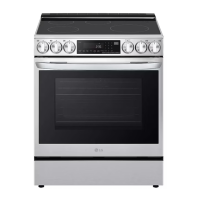
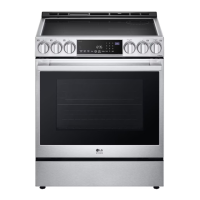
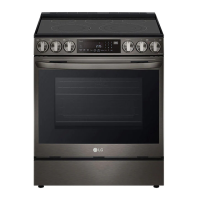
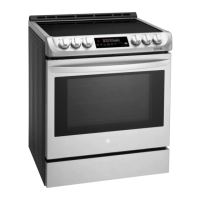
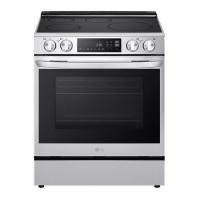
LG LSIL6334FE - User Manual

LG LSIL6334FE
80 pages
Print Icon
To Next Page IconTo Next Page
Loading...
OWNER'S MANUAL
ELECTRIC
INDUCTION RANGE
Read this owner's manual thoroughly before operating the
appliance and keep it handy for reference at all times.
ENGLISH
LSIL6334*E
MFL68920561
Rev.04_032024
www.lg.com
Copyright © 2023-2024 LG Electronics Inc. All Rights Reserved.
Scan to see the online manual.

Table of Contents

Question and Answer IconNeed help?

Do you have a question about the LG LSIL6334FE and is the answer not in the manual?

Summary

Important Safety Instructions

Safety Messages

Key safety alerts and their meanings, emphasizing the importance of reading and following all safety instructions.

Anti-tip Device

Instructions and warnings regarding the proper installation and use of the anti-tip device to prevent tipping hazards.

Product Overview

Product Features

Visual identification and description of the appliance's exterior and interior components.

Product Specifications

Technical details and dimensions of the oven range model, subject to product improvements.

Accessories

Lists of included accessories with quantities and optional accessories available for separate purchase.

Installation

Before Installing

Pre-installation steps and overview, including reading instructions and understanding potential variations.

Tools Needed

A list of all necessary tools required for the proper installation of the appliance.

Parts

Identification of the parts provided with the range, including the template and anti-tip bracket kit.

Unpacking and Moving the Range

Safe procedures for unpacking and moving the heavy appliance, emphasizing the need for multiple people.

Choosing the Proper Location

Guidelines for selecting an appropriate installation location, including dimensions and clearances.

Clearances

Diagrams and measurements specifying necessary clearances around the appliance for safe operation.

Electricity

Requirements for electrical connection, emphasizing proper grounding and dedicated circuits.

Flooring

Recommendations for protecting floor coverings, especially carpeting, during installation.

Ambient Temperature

Considerations for the heat resistance of surrounding materials like countertops and cabinets.

Leveling

Instructions on how to level the range using its adjustable legs for proper stability and function.

Connecting Electricity

Detailed requirements and procedures for connecting the range to the electrical power supply.

Optional Rear Filler

Information on installing the rear filler kit if the counter does not bridge the opening at the rear wall.

Anti-tip Device

Detailed instructions for installing, engaging, and verifying the anti-tip device for safety.

Test Run

Procedures to test the range's functions after installation to ensure proper operation.

Operation

Control Panel

Description and functions of the appliance's control panel buttons and display.

Knob Features

Explanation of cooktop control knob functions, burner indicators, and hot surface indicators.

Changing Oven Settings

How to adjust clock, timer, Wi-Fi, and other oven settings like temperature scale and beeper volume.

Calibrating the Oven Temperature

Method for manually adjusting the oven's temperature display to match actual cooking needs.

Control Lock

How to activate and deactivate the control panel lock feature to prevent accidental changes.

Cook Time (Timed Cook)

Setting timed cooking durations for various oven modes like Bake, Conv. Bake, Air Fry, and Broil.

Minimum & Maximum Default Settings

Table showing the minimum, maximum, and default time/temperature settings for various features.

Cooktop

Precautions and guidelines for safe and effective use of the cooktop surface.

Induction Cookware

Recommendations and compatibility guidelines for cookware used on induction cooktops.

Minimum and Maximum Pan Size

Guidelines for selecting appropriate pan sizes for each cooking element for effective heating.

Cookware Compatibility Indicator

How to use the indicator to check cookware efficiency and heating performance on induction elements.

Home Canning

Precautions and recommendations for performing home canning procedures safely on the cooktop.

Using the Cooking Elements

Instructions on operating cooking elements, including turning them on and selecting power levels.

Oven

General information and notes on using the oven, including temperature cycling and fan operation.

Bake

How to use the bake function, set temperature and time, and understand preheating indicators.

Convection Mode

Instructions for using convection cooking for faster, more even heat distribution and improved results.

Recommended Baking Guide

Guidance on rack placement and cooking times for various foods to achieve optimal baking results.

Rack and Pan Placement

Diagrams illustrating optimal rack and pan placement for single and multiple rack baking.

Broil

How to use the broil function, including safety precautions and tips for reducing smoke.

Air Fry

Instructions and tips for using the Air Fry feature for oil-free frying, including recommended settings.

Remote Start

How to set and use the remote start feature via Wi-Fi and the LG ThinQ smartphone app.

Using the Sabbath Mode

Guidelines for using the Sabbath mode, which disables certain functions for religious observance.

Smart Functions

LG ThinQ Application

Overview of the LG ThinQ app for appliance control, monitoring, and receiving notifications.

Appliance Connectivity and Features

Steps to connect the appliance to Wi-Fi, use LG UP features, and diagnose issues.

Regulatory and Technical Information

FCC statements, RF specifications, and open source software notice for the appliance.

Smart Diagnosis Feature

How to use the feature to diagnose and solve appliance problems remotely or via audible codes.

Using Audible Diagnosis to Diagnose Issues

Method for diagnosing appliance issues using audible tones and a smartphone.

Maintenance

Cleaning Procedures

General instructions for cleaning interior, exterior, control panel, knobs, oven door, racks, and cooktop.

EasyClean

Using the EasyClean feature for light oven cleaning with water, minimizing heat and smoke.

Self Clean

Instructions and precautions for using the Self Clean cycle for heavy oven cleaning.

Door and Drawer Maintenance

Procedures for safely removing oven doors and drawers for cleaning or access.

Drawer Maintenance

Detailed steps for removing and reassembling the oven drawer for cleaning.

Periodic Maintenance

Routine maintenance tasks, including changing the oven light and cleaning the vent trim.

Troubleshooting

Frequently Asked Questions (FAQs)

Answers to common questions regarding appliance operation, features, and potential issues.

Before Calling for Service

Guidance on troubleshooting common problems to save time and money before contacting customer support.

Limited Warranty

Warranty Terms and Conditions

Details of the warranty period, scope of coverage, and service handling for the product in the USA.

Warranty Exclusions and Limitations

List of conditions, damages, and circumstances not covered by the product warranty.

Dispute Resolution Procedure

Process for resolving disputes through binding arbitration, including opt-out instructions.
Summary

Important Safety Instructions

Safety Messages

Key safety alerts and their meanings, emphasizing the importance of reading and following all safety instructions.

Anti-tip Device

Instructions and warnings regarding the proper installation and use of the anti-tip device to prevent tipping hazards.

Product Overview

Product Features

Visual identification and description of the appliance's exterior and interior components.

Product Specifications

Technical details and dimensions of the oven range model, subject to product improvements.

Accessories

Lists of included accessories with quantities and optional accessories available for separate purchase.

Installation

Before Installing

Pre-installation steps and overview, including reading instructions and understanding potential variations.

Tools Needed

A list of all necessary tools required for the proper installation of the appliance.

Parts

Identification of the parts provided with the range, including the template and anti-tip bracket kit.

Unpacking and Moving the Range

Safe procedures for unpacking and moving the heavy appliance, emphasizing the need for multiple people.

Choosing the Proper Location

Guidelines for selecting an appropriate installation location, including dimensions and clearances.

Clearances

Diagrams and measurements specifying necessary clearances around the appliance for safe operation.

Electricity

Requirements for electrical connection, emphasizing proper grounding and dedicated circuits.

Flooring

Recommendations for protecting floor coverings, especially carpeting, during installation.

Ambient Temperature

Considerations for the heat resistance of surrounding materials like countertops and cabinets.

Leveling

Instructions on how to level the range using its adjustable legs for proper stability and function.

Connecting Electricity

Detailed requirements and procedures for connecting the range to the electrical power supply.

Optional Rear Filler

Information on installing the rear filler kit if the counter does not bridge the opening at the rear wall.

Anti-tip Device

Detailed instructions for installing, engaging, and verifying the anti-tip device for safety.

Test Run

Procedures to test the range's functions after installation to ensure proper operation.

Operation

Control Panel

Description and functions of the appliance's control panel buttons and display.

Knob Features

Explanation of cooktop control knob functions, burner indicators, and hot surface indicators.

Changing Oven Settings

How to adjust clock, timer, Wi-Fi, and other oven settings like temperature scale and beeper volume.

Calibrating the Oven Temperature

Method for manually adjusting the oven's temperature display to match actual cooking needs.

Control Lock

How to activate and deactivate the control panel lock feature to prevent accidental changes.

Cook Time (Timed Cook)

Setting timed cooking durations for various oven modes like Bake, Conv. Bake, Air Fry, and Broil.

Minimum & Maximum Default Settings

Table showing the minimum, maximum, and default time/temperature settings for various features.

Cooktop

Precautions and guidelines for safe and effective use of the cooktop surface.

Induction Cookware

Recommendations and compatibility guidelines for cookware used on induction cooktops.

Minimum and Maximum Pan Size

Guidelines for selecting appropriate pan sizes for each cooking element for effective heating.

Cookware Compatibility Indicator

How to use the indicator to check cookware efficiency and heating performance on induction elements.

Home Canning

Precautions and recommendations for performing home canning procedures safely on the cooktop.

Using the Cooking Elements

Instructions on operating cooking elements, including turning them on and selecting power levels.

Oven

General information and notes on using the oven, including temperature cycling and fan operation.

Bake

How to use the bake function, set temperature and time, and understand preheating indicators.

Convection Mode

Instructions for using convection cooking for faster, more even heat distribution and improved results.

Recommended Baking Guide

Guidance on rack placement and cooking times for various foods to achieve optimal baking results.

Rack and Pan Placement

Diagrams illustrating optimal rack and pan placement for single and multiple rack baking.

Broil

How to use the broil function, including safety precautions and tips for reducing smoke.

Air Fry

Instructions and tips for using the Air Fry feature for oil-free frying, including recommended settings.

Remote Start

How to set and use the remote start feature via Wi-Fi and the LG ThinQ smartphone app.

Using the Sabbath Mode

Guidelines for using the Sabbath mode, which disables certain functions for religious observance.

Smart Functions

LG ThinQ Application

Overview of the LG ThinQ app for appliance control, monitoring, and receiving notifications.

Appliance Connectivity and Features

Steps to connect the appliance to Wi-Fi, use LG UP features, and diagnose issues.

Regulatory and Technical Information

FCC statements, RF specifications, and open source software notice for the appliance.

Smart Diagnosis Feature

How to use the feature to diagnose and solve appliance problems remotely or via audible codes.

Using Audible Diagnosis to Diagnose Issues

Method for diagnosing appliance issues using audible tones and a smartphone.

Maintenance

Cleaning Procedures

General instructions for cleaning interior, exterior, control panel, knobs, oven door, racks, and cooktop.

EasyClean

Using the EasyClean feature for light oven cleaning with water, minimizing heat and smoke.

Self Clean

Instructions and precautions for using the Self Clean cycle for heavy oven cleaning.

Door and Drawer Maintenance

Procedures for safely removing oven doors and drawers for cleaning or access.

Drawer Maintenance

Detailed steps for removing and reassembling the oven drawer for cleaning.

Periodic Maintenance

Routine maintenance tasks, including changing the oven light and cleaning the vent trim.

Troubleshooting

Frequently Asked Questions (FAQs)

Answers to common questions regarding appliance operation, features, and potential issues.

Before Calling for Service

Guidance on troubleshooting common problems to save time and money before contacting customer support.

Limited Warranty

Warranty Terms and Conditions

Details of the warranty period, scope of coverage, and service handling for the product in the USA.

Warranty Exclusions and Limitations

List of conditions, damages, and circumstances not covered by the product warranty.

Dispute Resolution Procedure

Process for resolving disputes through binding arbitration, including opt-out instructions.

LG LSIL6334FE Specifications

General IconGeneral
BrandLG
ModelLSIL6334FE
CategoryRanges
LanguageEnglish

Related product manuals