EasyManua.ls Logo

LG LSGL6337F - User Manual

LG LSGL6337F
88 pages
Print Icon
To Next Page IconTo Next Page
Loading...
Condential
MFL69401912_Rev00. 01082021
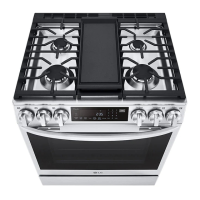
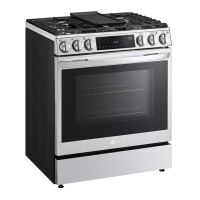
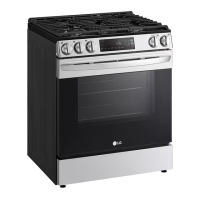
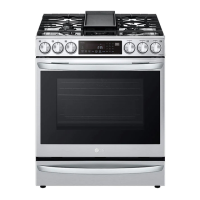
30" Slide-In Gas Range
SERVICE MANUAL
CAUTION
BEFORE SERVICING THE UNIT, READ THE SAFETY PRECAUTIONS IN THIS MANUAL.
MODEL: LSGL6337F, LSGL6337D
Any reproduction, duplication, distribution (including by way of email, facsimile or other electronic means), publication,
modification, copying or transmission of this Service Manual is STRICTLY PROHIBITED unless you have obtained the
prior written consent of the LG Electronics entity from which you received this Service Manual.
The material covered by this prohibition includes, without limitation, any text, graphics or logos in this Service Manual.
Copyright © 2021 LG Electronics Inc. All rights reserved. Only training and service purposes

Table of Contents

Questions and Answers

  • F
    fdunnAug 18, 2025
    How to level LG LSGL6337F Ranges?
    • M
      Michelle JenkinsAug 18, 2025
      To fix an unlevel LG Ranges, first ensure proper installation by placing an oven rack in the center and using a level to adjust the leveling legs at the base. Also, check that the floor is level, strong, and stable enough to support the range. If the floor is sagging or sloping, contact a carpenter. Lastly, ensure kitchen cabinets are square and provide sufficient clearance, as cabinet alignment can make the range appear unlevel.
  • N
    Nicholas FosterAug 20, 2025
    How to reset the clock on LG LSGL6337F Ranges after a power outage?
    • M
      Michelle RubioAug 20, 2025
      If your LG Ranges clock is flashing after a power outage or surge, reset the clock. If the oven was in use, reset it by turning the oven mode knob, setting the clock, and resetting any cooking function.
  • S
    Scott AndersonAug 23, 2025
    Why is the clock and timer not working on my LG Ranges?
    • D
      davisrobertAug 23, 2025
      If the clock and timer on your LG Ranges aren't working, start by ensuring the range is fully plugged into a live, properly grounded electrical outlet. If it still doesn't work, check your home's fuse box or circuit breaker and replace the fuse or reset the breaker if necessary. Also, double-check that you have set the oven controls correctly, referring to the “USING THE CLOCK AND TIMER” section in your user’s guide.
  • A
    Aaron HowellAug 26, 2025
    How to fix LG LSGL6337F Ranges top burners that do not light or burn evenly?
    • A
      Anna RuizAug 26, 2025
      If the top burners on your LG Ranges aren't lighting or burning evenly, there are a few potential causes. First, ensure the electrical plug is fully inserted into a properly grounded outlet. If that's not the issue, the burner slits might be clogged; remove the burners and clean them, checking for food or grease around the electrode area. You can find more details in the “CARE AND CLEANING OF THE RANGE” section of your user’s guide. Finally, ensure all burner parts are correctly installed, consulting the same section of the user’s guide if needed.
  • F
    Felicia SampsonAug 28, 2025
    What to do if the oven light does not work on LG Ranges?
    • V
      valerie08Aug 28, 2025
      If the oven light in your LG Ranges isn't working, first try tightening or replacing the bulb. If that doesn't solve the issue, make sure the range is fully plugged into a live, properly grounded electrical outlet.
  • Y
    Yolanda SmithAug 30, 2025
    Why are the burner flames very large or yellow on my LG Ranges?
    • W
      Wendy RobertsAug 30, 2025
      If the burner flames on your LG Ranges are very large or yellow, it indicates an improper air to gas proportion. If your range is connected to LP gas, contact the technician who installed or converted your range.
  • P
    Patrick HensonSep 2, 2025
    How to stop too much smoking during a self-clean cycle on LG LSGL6337F?
    • W
      William PetersonSep 2, 2025
      If there is too much smoking during a self-clean cycle on your LG Ranges, turn the oven mode knob and open the windows to ventilate the room. Wait for the DOOR LOCKED light to turn off, then wipe up any excess soil and restart the clean cycle.
  • J
    John LewisSep 4, 2025
    What to do if the LG LSGL6337F Ranges oven door will not open after a self-clean cycle?
    • J
      John LeeSep 4, 2025
      If the oven door on your LG Ranges won't open after a self-clean cycle, it's likely because the oven temperature is still too high. Allow the oven to cool below the locking temperature, which can take up to one hour after the cycle completes.
  • B
    Brittany DoyleSep 7, 2025
    Why is my new LG Ranges emitting a “burning” or “oily” odor?
    • D
      Darren MathisSep 7, 2025
      To address a “burning” or “oily” odor from a new LG Ranges, which is normal and temporary, run a self-clean cycle for at least 3 hours. For more information, consult the “USING THE SELFCLEANING OVEN” section.
  • J
    Jennifer GonzalezSep 9, 2025
    What does it mean when the “DOOR LOCKED” light is on, on LG LSGL6337F?
    • A
      Arthur EdwardsSep 9, 2025
      If the “DOOR LOCKED” light is on when you want to cook on your LG Ranges, the oven door is locked because the temperature inside the oven has not dropped below the locking temperature. Turn the oven mode knob and allow the oven to cool.

Summary

General Information

Important Safety Instructions

Critical safety precautions for operating and servicing the appliance.

Model and Serial Number Label Locations

Locating the model and serial number labels for identification.

Appliance Specifications

Detailed technical specifications of the gas range model.

Using Your Range

General Information

Overview of range operation, rating label, and functional modes.

Control Panel Features

Explanation of buttons and functions on the appliance control panel.

Surface Burner Operation

Instructions for operating surface burners and setting the clock.

Oven Modes and Settings

Details on bake, broil, timed bake, self-clean, and other oven settings.

Component Access

Component Locations

Diagram showing the location of internal components within the range.

Removing the Back Cover

Step-by-step guide for accessing the appliance's rear panel.

Accessing Main Control Boards

Procedure for removing main power, control, and relay PCBs.

Cooktop Assembly Servicing

Steps for removing cooktop plate, spark module, and burners.

Oven Door and Internal Component Removal

Instructions for removing oven door, light, latch, and sensors.

Gas System Component Removal

Procedure for removing the oven valve and gas regulator.

Diagnostics and Troubleshooting

Component Testing Procedures

Methods and resistance values for testing key appliance components.

Diagnosis Through Schematic

Using schematics to diagnose operational issues and test modes.

Failure Code Summary and Flow Charts

List of error codes and troubleshooting flow charts for common failures.

Troubleshooting Common Problems

Solutions for common issues like leveling, burner problems, and oven performance.

LG LSGL6337F Specifications

General IconGeneral
Styleslide-in
Colorstainless steel
Main Capacity6.3 cu. ft.
Optionssmoothtouch™ glass
Cooking Programsbake, broil, convection bake, convection roast, multi-rack convection baking, delay bake, delay clean, proof, warm, pizza
Temperature Probeyes
Convectionyes
Grillno
Inductionno
Number of Burners5
Number of Racks3
Control Typefront tilt-control knobs; glass touch (smoothtouch™); knobs; touch sensor
Interior Lightyes
Remote Controlyes
Smart Homethinq®, google assistant, amazon alexa, sidechef, innit, drop, tovala
Wi-Fiyes
Fuelnatural gas; gas
Voltage120 volts
Frequency60 hz
Current15a
Weight and Dimensions IconWeight and Dimensions
Depth28 15/16 inch
Height37 7/8 inch
Width30 inch; 29 7/8 inch; 29 7/8"

Related product manuals