2-4
Copyright © LG Electronics Inc. All rights reserved.
Only training and service purposes
USING YOUR RANGE
7. PREHEATING ALARM LIGHT ON/OFF
1. Press Settings repeatedly until PrE appears in
the display.
2. Press 1 to turn the light on/off.
3. Press Start to accept the change.
8. BEEPER VOLUME
1. Press Settings repeatedly until Beep appears
in the display.
2. Press 1 repeatedly to select Hi, Lo or Off.
3. Press Start to accept the change.
9. TEMPERATURE UNIT(°F or °C)
1. Press Settings repeatedly until Unit appears
in the display.
2. Press 1 to select F (Fahrenheit) or C (Celsius).
3. Press Start to accept the change.
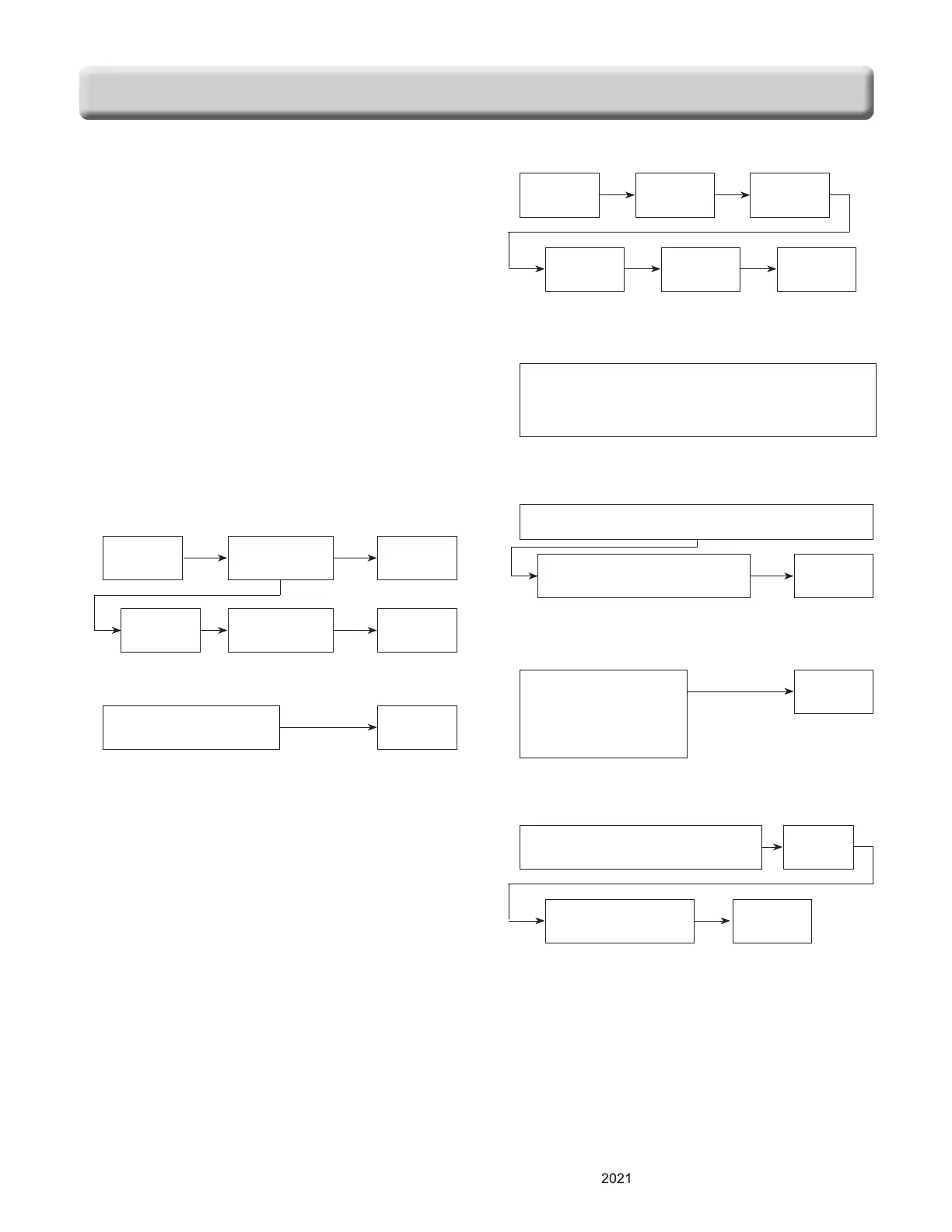
10.
BAKE, TIMED BAKE
11. BROIL
12. TIMED COOK WITH WARM
13. CONTROL LOCK
14. CHANGING HOUR MODE ON CLOCK
(12HR, 24HR)
15. SELF-CLEAN
16. AUTO CONVERSION
START
SELF CLEAN
: 1 → 3-hour
: 2 → 4-hour
: 3 → 5-hour
BAKE
Desired
Temp.
COOK
TIME
Desired
time
WARM START
Press and hold the Control Lock key for 3
seconds
(to activate or reactivate Control Lock)
Press and hold the Settings button for 3 seconds
Press 1 to select 12 or 24
hour.
START
BAKE
Desired
temperature
START
COOK
TIME
Desired time START
START
BROIL : 1 → High
: 2 → Low
Press Settings repeatedly until
Auto appears in the display.
Press 1
Auto conversion
On/off
START


 To Next Page