EasyManua.ls Logo

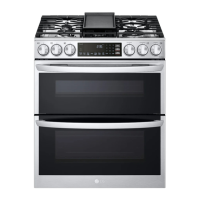
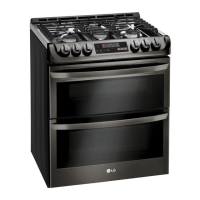
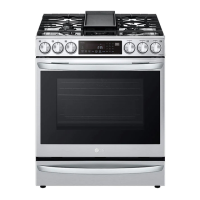
LG LTGL6937 Series - User Manual

LG LTGL6937 Series
84 pages
Print Icon
To Next Page IconTo Next Page
Loading...
OWNER'S MANUAL
GAS RANGE
Read this owner's manual thoroughly before operating the
appliance and keep it handy for reference at all times.
ENGLISH
LTGL6937*
MFL68920543
Rev.07_012523
www.lg.com
Copyright © 2022-2023 LG Electronics Inc. All Rights Reserved.
Scan to see the online manual.

Table of Contents

Question and Answer IconNeed help?

Do you have a question about the LG LTGL6937 Series and is the answer not in the manual?

Summary

IMPORTANT SAFETY INSTRUCTIONS

Safety Messages

Key safety alerts and warnings for appliance operation.

Anti-tip Device

Instructions and warnings for securing the appliance to prevent tipping.

PRODUCT OVERVIEW

Product Features

Overview of the main components and features of the gas range.

Product Specifications

Technical details and dimensions of the LG Gas Range model.

INSTALLATION

Before Installing

Preparation steps before installing the gas range, including tools and parts.

Unpacking and Moving the Range

Guidelines for safely unpacking and moving the appliance.

Choosing the Proper Location

Criteria for selecting the best location for the gas range installation.

Dimensions and Clearances

Specifications for clearances required around the range for safe operation.

Leveling the Range

Steps to ensure the range is properly leveled for safe operation.

Providing Adequate Gas Supply

Requirements for natural gas or LP gas supply pressure.

Connecting the Range to Gas

Detailed instructions for safely connecting the gas supply line.

Connecting Electricity

Electrical requirements and grounding instructions.

Grounding

Ensuring proper electrical grounding for safety.

Surface Burners

Instructions for assembling the gas surface burner components.

Assembling the Surface Burners

Step-by-step guide to attach burner heads and caps.

Checking Ignition of the Surface Burners

Procedure to verify proper ignition and flame quality of surface burners.

Adjusting the Surface Burner to the Low Flame (Simmer) Setting

Steps to adjust the simmer setting for surface burners.

Anti-tip Device

Detailed instructions for installing the anti-tip device for safety.

Test Run

Procedure to test all functions before initial use of the range.

OPERATION

Control Panel

Overview of control panel features and button functions.

Control Panel Features

Detailed explanation of each button and its function on the control panel.

Changing Oven Settings

How to set the clock and other oven parameters.

Timer On;Off

Using the oven timer as an auxiliary kitchen timer.

Oven Settings and Customization

Guide to configuring clock, convection, temperature calibration, and alerts.

Setting Convection Auto Conversion

Enabling or disabling automatic temperature conversion for convection modes.

Calibrating the Oven Temperature

Methods to adjust the oven temperature display for accuracy.

Selecting Fahrenheit or Celsius

Switching the temperature display between Fahrenheit and Celsius units.

Control Lock

How to lock and unlock the control panel to prevent unintended use.

Start Time (Delayed Timed Cook)

Setting the oven to start cooking at a later time.

Cook Time (Timed Cook)

Using the feature to cook for a specific duration.

Gas Surface Burners

General information and precautions for using the gas surface burners.

Before Using the Gas Surface Burners

Essential reading before operating the gas surface burners.

Burner Locations

Identifying the locations and types of gas cooktop burners.

Using the Gas Surface Burners

Step-by-step guide for operating the gas surface burners.

Setting the Flame Size

How to adjust the flame size for optimal cooking.

Using the Proper Cookware

Recommendations for cookware suitable for the gas range.

Using the Wok Grate

How to properly install and use the included wok grate.

Using the Griddle

How to use the non-stick griddle feature.

Preheating Guide

Recommended preheating times and settings for various foods on the griddle.

In Case of Power Failure

How to operate surface burners during an electrical power outage.

Oven

General information and cautions before using the oven.

Instaview

How to use the InstaView feature to view oven contents.

Bake

Instructions for using the Bake function for pastries and breads.

Convection Mode (Lower Oven Only)

Explanation of the convection system for even heat distribution.

Meat Probe

Using the meat probe to measure internal food temperature.

Recommended Baking and Roasting Guide

Guide for optimal rack placement and cooking times for various foods.

Rack and Pan Placement

Diagrams showing optimal rack and pan positions for different cooking methods.

Proof (Lower Oven Only)

Using the proofing function for yeast-leavened products.

Broil (Upper Oven Only)

Instructions for using the broil function for intense heat cooking.

Recommended Broiling Guide

Guide for broiling times and rack positions for various meats.

Frozen Meal (Lower Oven Only)

Using the Frozen Meal function for prepared meals.

Air Sous-Vide (Lower Oven Only)

Cooking foods using the low-temperature, slow-cooking Air Sous-Vide method.

Air Fry (Lower Oven Only)

Using the Air Fry function for oil-free frying.

Setting the Air Fry Function

How to set temperature and start the Air Fry cycle.

Remote Start

Using the smartphone app to start and control the oven remotely.

Setting Remote Start

Steps to activate and configure the Remote Start function.

Using the Sabbath Mode

How to operate the oven in Sabbath mode for religious observance.

SMART FUNCTIONS

LG ThinQ Application

Overview of the LG ThinQ app for smartphone control.

LG ThinQ Application Features

Details on features like product upgrades, scan-to-cook, and monitoring.

Connecting to Wi-Fi

Steps to connect the appliance to a home Wi-Fi network.

Smart Diagnosis Feature

Using the feature to diagnose and solve appliance problems.

Using LG ThinQ to Diagnose Issues

Troubleshooting via the LG ThinQ app using Wi-Fi connectivity.

MAINTENANCE

Cleaning

General cleaning precautions and guidelines for the appliance.

Interior

Instructions for cleaning the oven cavity using EasyClean or Self Clean.

Exterior

Cleaning instructions for the control panel and front manifold.

Oven Door

Proper cleaning procedures for the oven door glass and gasket.

Broiler Pan and Grid

Cleaning instructions for the broiler pan and grid.

Gas Surface Burners

Procedures for removing, replacing, and cleaning gas surface burners.

Cleaning the Cooktop Surface

How to clean the cooktop surface using EasyClean technology.

EasyClean

Explanation of the EasyClean feature for oven cleaning.

Self Clean

Information about the Self Clean feature for heavy oven soil.

Before Starting Self Clean

Preparation steps before initiating the Self Clean cycle.

Setting Self Clean

How to set the duration and start the Self Clean cycle.

Upper Oven Door Care

Instructions for removing and assembling the upper oven door.

Lower Oven Door Care

Instructions for removing and assembling the lower oven door.

Changing the Oven Light

Steps to replace the oven's halogen light bulb.

TROUBLESHOOTING

Frequently Asked Questions

Frequently asked questions about common operational issues.

Before Calling for Service

Guidance to help diagnose issues before contacting service personnel.

Cooking Performance Issues

Troubleshooting common problems related to cooking performance.

Parts & Features Issues

Troubleshooting for clock, timer, and other components.

Operating Noises

Information about normal and abnormal operating noises.

Wi-Fi Connectivity Issues

Troubleshooting connectivity issues between appliance and smartphone.

LIMITED WARRANTY

USA Warranty Terms

Legal terms governing the product warranty, including arbitration.

Warranty Exclusions

Exclusions from warranty coverage, including damage from misuse or unauthorized repairs.

Preventing Oven Tipping

Ensuring proper anti-tip device installation to prevent tipping.

PROCEDURE FOR RESOLVING DISPUTES

Legal process for resolving disputes through arbitration.

Summary

IMPORTANT SAFETY INSTRUCTIONS

Safety Messages

Key safety alerts and warnings for appliance operation.

Anti-tip Device

Instructions and warnings for securing the appliance to prevent tipping.

PRODUCT OVERVIEW

Product Features

Overview of the main components and features of the gas range.

Product Specifications

Technical details and dimensions of the LG Gas Range model.

INSTALLATION

Before Installing

Preparation steps before installing the gas range, including tools and parts.

Unpacking and Moving the Range

Guidelines for safely unpacking and moving the appliance.

Choosing the Proper Location

Criteria for selecting the best location for the gas range installation.

Dimensions and Clearances

Specifications for clearances required around the range for safe operation.

Leveling the Range

Steps to ensure the range is properly leveled for safe operation.

Providing Adequate Gas Supply

Requirements for natural gas or LP gas supply pressure.

Connecting the Range to Gas

Detailed instructions for safely connecting the gas supply line.

Connecting Electricity

Electrical requirements and grounding instructions.

Grounding

Ensuring proper electrical grounding for safety.

Surface Burners

Instructions for assembling the gas surface burner components.

Assembling the Surface Burners

Step-by-step guide to attach burner heads and caps.

Checking Ignition of the Surface Burners

Procedure to verify proper ignition and flame quality of surface burners.

Adjusting the Surface Burner to the Low Flame (Simmer) Setting

Steps to adjust the simmer setting for surface burners.

Anti-tip Device

Detailed instructions for installing the anti-tip device for safety.

Test Run

Procedure to test all functions before initial use of the range.

OPERATION

Control Panel

Overview of control panel features and button functions.

Control Panel Features

Detailed explanation of each button and its function on the control panel.

Changing Oven Settings

How to set the clock and other oven parameters.

Timer On;Off

Using the oven timer as an auxiliary kitchen timer.

Oven Settings and Customization

Guide to configuring clock, convection, temperature calibration, and alerts.

Setting Convection Auto Conversion

Enabling or disabling automatic temperature conversion for convection modes.

Calibrating the Oven Temperature

Methods to adjust the oven temperature display for accuracy.

Selecting Fahrenheit or Celsius

Switching the temperature display between Fahrenheit and Celsius units.

Control Lock

How to lock and unlock the control panel to prevent unintended use.

Start Time (Delayed Timed Cook)

Setting the oven to start cooking at a later time.

Cook Time (Timed Cook)

Using the feature to cook for a specific duration.

Gas Surface Burners

General information and precautions for using the gas surface burners.

Before Using the Gas Surface Burners

Essential reading before operating the gas surface burners.

Burner Locations

Identifying the locations and types of gas cooktop burners.

Using the Gas Surface Burners

Step-by-step guide for operating the gas surface burners.

Setting the Flame Size

How to adjust the flame size for optimal cooking.

Using the Proper Cookware

Recommendations for cookware suitable for the gas range.

Using the Wok Grate

How to properly install and use the included wok grate.

Using the Griddle

How to use the non-stick griddle feature.

Preheating Guide

Recommended preheating times and settings for various foods on the griddle.

In Case of Power Failure

How to operate surface burners during an electrical power outage.

Oven

General information and cautions before using the oven.

Instaview

How to use the InstaView feature to view oven contents.

Bake

Instructions for using the Bake function for pastries and breads.

Convection Mode (Lower Oven Only)

Explanation of the convection system for even heat distribution.

Meat Probe

Using the meat probe to measure internal food temperature.

Recommended Baking and Roasting Guide

Guide for optimal rack placement and cooking times for various foods.

Rack and Pan Placement

Diagrams showing optimal rack and pan positions for different cooking methods.

Proof (Lower Oven Only)

Using the proofing function for yeast-leavened products.

Broil (Upper Oven Only)

Instructions for using the broil function for intense heat cooking.

Recommended Broiling Guide

Guide for broiling times and rack positions for various meats.

Frozen Meal (Lower Oven Only)

Using the Frozen Meal function for prepared meals.

Air Sous-Vide (Lower Oven Only)

Cooking foods using the low-temperature, slow-cooking Air Sous-Vide method.

Air Fry (Lower Oven Only)

Using the Air Fry function for oil-free frying.

Setting the Air Fry Function

How to set temperature and start the Air Fry cycle.

Remote Start

Using the smartphone app to start and control the oven remotely.

Setting Remote Start

Steps to activate and configure the Remote Start function.

Using the Sabbath Mode

How to operate the oven in Sabbath mode for religious observance.

SMART FUNCTIONS

LG ThinQ Application

Overview of the LG ThinQ app for smartphone control.

LG ThinQ Application Features

Details on features like product upgrades, scan-to-cook, and monitoring.

Connecting to Wi-Fi

Steps to connect the appliance to a home Wi-Fi network.

Smart Diagnosis Feature

Using the feature to diagnose and solve appliance problems.

Using LG ThinQ to Diagnose Issues

Troubleshooting via the LG ThinQ app using Wi-Fi connectivity.

MAINTENANCE

Cleaning

General cleaning precautions and guidelines for the appliance.

Interior

Instructions for cleaning the oven cavity using EasyClean or Self Clean.

Exterior

Cleaning instructions for the control panel and front manifold.

Oven Door

Proper cleaning procedures for the oven door glass and gasket.

Broiler Pan and Grid

Cleaning instructions for the broiler pan and grid.

Gas Surface Burners

Procedures for removing, replacing, and cleaning gas surface burners.

Cleaning the Cooktop Surface

How to clean the cooktop surface using EasyClean technology.

EasyClean

Explanation of the EasyClean feature for oven cleaning.

Self Clean

Information about the Self Clean feature for heavy oven soil.

Before Starting Self Clean

Preparation steps before initiating the Self Clean cycle.

Setting Self Clean

How to set the duration and start the Self Clean cycle.

Upper Oven Door Care

Instructions for removing and assembling the upper oven door.

Lower Oven Door Care

Instructions for removing and assembling the lower oven door.

Changing the Oven Light

Steps to replace the oven's halogen light bulb.

TROUBLESHOOTING

Frequently Asked Questions

Frequently asked questions about common operational issues.

Before Calling for Service

Guidance to help diagnose issues before contacting service personnel.

Cooking Performance Issues

Troubleshooting common problems related to cooking performance.

Parts & Features Issues

Troubleshooting for clock, timer, and other components.

Operating Noises

Information about normal and abnormal operating noises.

Wi-Fi Connectivity Issues

Troubleshooting connectivity issues between appliance and smartphone.

LIMITED WARRANTY

USA Warranty Terms

Legal terms governing the product warranty, including arbitration.

Warranty Exclusions

Exclusions from warranty coverage, including damage from misuse or unauthorized repairs.

Preventing Oven Tipping

Ensuring proper anti-tip device installation to prevent tipping.

PROCEDURE FOR RESOLVING DISPUTES

Legal process for resolving disputes through arbitration.

LG LTGL6937 Series Specifications

General IconGeneral
TypeFreestanding
Oven Capacity6.3 cu. ft.
Number of Burners5
Burner TypeSealed
Self-CleaningYes
Convection OvenYes
Fuel TypeGas
Oven TypeSingle
Width30 inches

Related product manuals