EasyManua.ls Logo

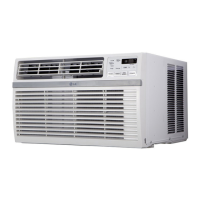
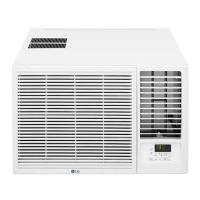
LG LW2421HRSM - User Manual

LG LW2421HRSM
30 pages
Print Icon
To Next Page IconTo Next Page
Loading...
www.lg.com
EN ENGLISH
*MFL70559723*
Copyright © 2020 - 2021 LG Electronics Inc. All Rights Reserved
MFL70559723
Rev.05_110621
AIR CONDITIONER
Read this owner’s manual thoroughly before operating the appliance
and keep it handy for reference at all times.
OWNER’S MANUAL
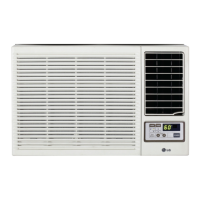
TYPE : WINDOW
LW1816HR
LW2416HR
LW1821HRSM
LW2421HRSM

Questions and Answers

  • K
    Karen HopkinsAug 14, 2025
    How to troubleshoot an LG Air Conditioner that does not start?
    • W
      William CohenAug 14, 2025
      If your LG Air Conditioner isn't starting, first ensure it's fully plugged into the outlet. Check your house's fuse or circuit breaker box and replace the fuse or reset the breaker if needed. If there was a power failure, turn the mode control to off, and wait 3 minutes after power is restored before restarting to prevent compressor overload. Also, check the current interrupter device; press the RESET button on the power cord plug. If it won't stay engaged, stop using the unit and contact a qualified technician.
  • H
    Hector ColeAug 18, 2025
    Why is my LG LW2421HRSM Air Conditioner not cooling properly?
    • Z
      Zachary DixonAug 18, 2025
      If your LG Air Conditioner isn't cooling properly, make sure nothing is blocking the front of the unit, such as curtains, blinds, or furniture. Ensure the temperature is set lower than the current room temperature. Clean the air filter every 2 weeks, as a dirty filter restricts airflow. If the room was hot, allow time for it to cool down after turning on the unit. Check for open furnace floor registers or cold air returns that might be letting cold air escape. Finally, inspect for iced-up cooling coils; set the mode control at High Fan or High Cool.
  • R
    Renee VillanuevaAug 21, 2025
    Why is my LG LW2421HRSM making noise when cooling?
    • J
      Joseph CarpenterAug 21, 2025
      Some noise during cooling with your LG unit is normal due to air movement. If it's too loud, try setting the FAN to a lower setting. Window vibration might also cause noise, indicating poor installation. In this case, refer to the installation instructions or consult with the installer.
  • E
    Eugene ShawAug 26, 2025
    Why isn’t my LG LW2421HRSM Air Conditioner connecting to the Wi-Fi?
    • P
      probinsonAug 26, 2025
      If your LG Air Conditioner is not connecting to Wi-Fi, the Wi-Fi router might be too far away. Try moving the router closer to the air conditioner or consider installing a Wi-Fi repeater (signal booster). Also, ensure you're selecting the correct wireless router and that it is set to 2.4 GHz.
  • O
    omillerAug 29, 2025
    What causes an LG LW2421HRSM Air Conditioner to start freezing up?
    • J
      Jerome SnyderAug 29, 2025
      If your LG Air Conditioner is freezing up, it's likely due to iced-over cooling coils. Ice can block airflow and prevent the unit from cooling the room effectively. Set the mode control to High Fan or High Cool to address this.
  • J
    John KingSep 1, 2025
    Why does my LG LW2421HRSM Air Conditioner turn on and off rapidly?
    • M
      Michael BrewerSep 1, 2025
      If your LG Air Conditioner turns on and off rapidly, a dirty air filter could be restricting airflow; try cleaning it. If the outside temperature is extremely hot, refer to the installation instructions or check with the installer.
  • L
    Lisa MullinsSep 5, 2025
    Why is the remote sensing deactivating prematurely on my LG LW2421HRSM?
    • T
      Timothy EvansSep 5, 2025
      If remote sensing is deactivating prematurely on your LG Air Conditioner, ensure the remote control is within 20 feet and a 120° radius of the unit's front. Also, make sure there are no obstructions blocking the remote control signal.
  • J
    Janice ElliottSep 9, 2025
    Why am I having trouble connecting my LG appliance and smartphone to the Wi-Fi network?
    • J
      Juan JenkinsSep 9, 2025
      If you're experiencing trouble connecting your LG appliance and smartphone to a Wi-Fi network, double-check that you've entered the correct Wi-Fi password. If not, delete your home Wi-Fi network and begin the registration process again. Make sure the Mobile data on your smartphone is turned off during registration. The wireless network name (SSID) should only use English letters and numbers, avoiding special characters. Verify that your router frequency is set to 2.4 GHz, as only this frequency is supported. If the appliance is too far from the router, move it closer or install a Wi-Fi repeater to improve the signal.

Summary

SAFETY INSTRUCTIONS

Important Safety Instructions

Crucial safety precautions and warnings for using the appliance.

OPERATION

Grounding Instructions

Specific instructions for proper grounding of the unit.

PRODUCT OVERVIEW

INSTALLATION

Electrical Data

Information regarding electrical requirements and safety.

How to Install the Unit

Instructions for physically mounting the air conditioner.

Preparation of Cabinet

Steps to prepare the unit's cabinet for installation.

Cabinet Installation

Process of securely installing the cabinet into the window frame.

Unit Installation

Final steps for installing the main unit into the prepared cabinet.

Control Panel and Remote Control

SMART FUNCTIONS

MAINTENANCE

TROUBLESHOOTING

Troubleshooting Guide

Common problems and their possible causes and corrective actions.

LG LW2421HRSM Specifications

General IconGeneral
Weight123.5 lbs
Frequency60Hz
TypeWindow
Cooling Capacity24000 BTU
Voltage230V
Watts (Cooling)2080 W
Unit Depth26.4 inches
Cooling Power Consumption2080 W

Related product manuals