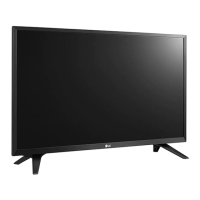
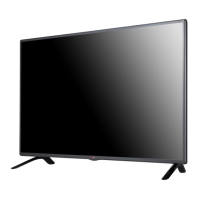
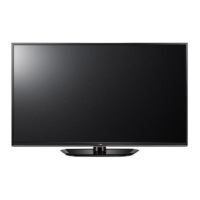
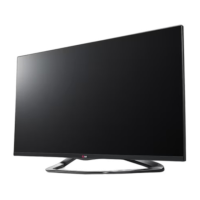
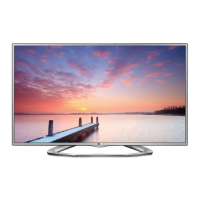
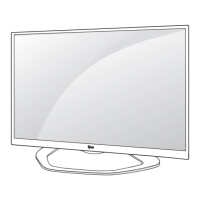
This document is an installation manual for LG LED LCD TVs, specifically models LY330C, LY340C, LY345C, and LY540S. It provides comprehensive instructions for setting up and managing various features of these hospitality TVs.
Function Description
These LG LED LCD TVs are designed for hotel environments, offering specialized features beyond standard consumer televisions. They function as digital signage media players, capable of displaying diverse content types such as photographs, videos, external inputs like TV broadcasts, texts, and music. The TVs support content distribution via SuperSign Elite-W, allowing for centralized management of media files and schedules.
Key functionalities include:
- Digital Signage Media Player: Plays executable content and scheduled media files from USB storage devices. Content can be automatically played upon Power On if stored in specific folders ("AutoPlay" or "normal"). SuperSign Elite-W integration enables advanced content scheduling and distribution over a LAN connection.
- Hotel Mode: Provides a suite of settings tailored for hospitality use, including volume control limits, power-on status, input source management, and key management. This mode allows hotels to customize the TV experience for guests and prevent unauthorized changes.
- TV Manager: Facilitates various management tasks, including Ez Download for software updates, splash images, and EPK files via USB. It also supports USB Cloning to duplicate TV settings across multiple units and allows receiving/sending settings to/from a USB drive. Logo Image Download enables custom branding on the TV.
- Diagnostics: Offers tools to check the signal strength status of digital channels and save signal status information to a USB storage device in XML format for troubleshooting.
- Password Change: Allows installers to set and change a four-digit password for accessing sensitive settings.
- Set ID Setup: Enables setting a unique ID for each TV (1-99) for remote management purposes.
- Configuration Setup: Manages various operational parameters such as the Number of RCU (Remote Control Unit) supported, Splash Offset Time for logo display, USB Auto Playback settings, 15Min Auto Off, Auto Sensing for input signals, Forced DVI Audio, Screen Saver Cube, and One Channel Map.
- Multi Timer: Allows setting up to five timers for turning the TV on and off.
- Lock Mode: Restricts access to certain features like Data Service (Teletext, EPG, Sub-Title, Caption) and USB Enable (excluding S/W update).
- External Speaker: Configures the output for external speakers, offering both variable and fixed volume control options.
- HCEC Setup: Manages HDMI CEC (Consumer Electronics Control) settings, including IR Decoding, Device ID, Stand By behavior, and HTNG Hotel Mode options.
- IR Setup: Configures Paywall functionality, allowing hotels to enable or disable PPV (Pay-Per-View) programmes and assign specific programmes to different IR rings.
- SuperSign Server Setup: (For LY540S series only) Enables connection to a SuperSign Manager server for centralized control, including setting the player name and server IP address, and checking the connection status.
Usage Features
The TVs are designed for ease of use and management in a hotel environment.
- Remote Control Access: Most settings are accessed via the remote control, typically by pressing the "Home" button for more than 5 seconds to enter the installation menu.
- USB Connectivity: USB ports are central to many management features, including content playback, software updates, cloning settings, and diagnostics data transfer.
- Automated Content Playback: The "Auto-play on USB insertion" feature allows for immediate content display from a USB drive, simplifying media updates.
- Customizable Guest Experience: Hotel Mode settings enable granular control over volume limits, power-on behavior, and available inputs, ensuring a consistent and controlled guest experience.
- Centralized Management (SuperSign Elite-W): For models supporting SuperSign Elite-W, content scheduling and distribution can be managed remotely, reducing manual intervention.
- Cloning Functionality: USB Cloning significantly reduces setup time for multiple TVs by allowing settings to be copied from one TV to others.
- Diagnostic Tools: Built-in diagnostics help identify and troubleshoot signal issues efficiently.
- Password Protection: Critical settings are password-protected to prevent unauthorized access and tampering.
- Multi-Language Support: The manual implies multi-language support for on-screen displays, though not explicitly detailed.
Maintenance Features
Maintenance is streamlined through several features:
- Software Updates (Ez Download): Firmware and other software components can be easily updated via USB, ensuring the TVs remain current with the latest features and bug fixes.
- Settings Backup and Restore (USB Cloning): TV settings can be backed up to a USB drive and restored to other TVs or the same TV after a factory reset, simplifying configuration management.
- Diagnostic Data Export: Signal status information can be exported to XML files on a USB drive, aiding in remote diagnostics and support.
- Factory Reset: A factory reset option is available to revert all parameters to their default settings, useful for troubleshooting or preparing a TV for a new installation.
- Remote Management (SuperSign Elite-W/Server Setup): For compatible models, remote monitoring and management of content and TV status can reduce the need for on-site maintenance.
- Lock Mode: Prevents guests from altering critical settings, reducing calls for support related to misconfigured TVs.
- External Speaker Output: Provides flexibility for integrating with external audio systems, potentially simplifying maintenance of the TV's internal speakers.
The manual emphasizes the importance of reading and retaining the document for future reference, highlighting the complexity and range of features available for these hospitality-focused LED LCD TVs.

 Need help?

 To Next Page
 General