21
Password Change
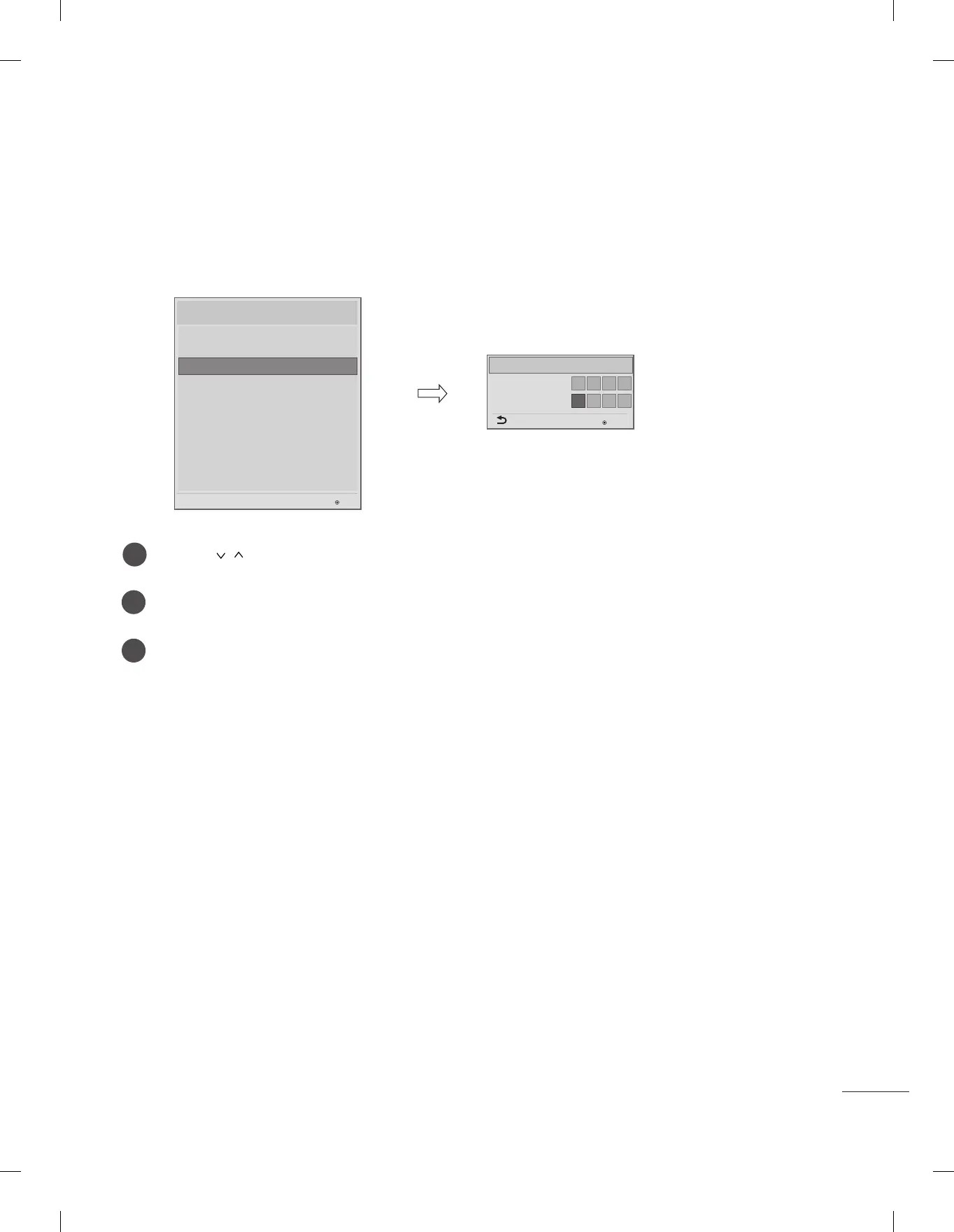
- To ensure more security, Password can be changed by installers’ own design.
y
Image shown may differ from your TV.
Input the password again for confirmation.
1
2
3
Use the button to select the Password Change and then press the OK button.
Enter four digit password.
Change Password
Confirm Password
Password Change
* * * *
* * * *
OK
Previous
Installation Menu (V 3.0)
LG Hotel Mode Setup
TV Manager
Password Change
Set ID Setup
Configuration Setup
Multi Timer
Lock Mode
External Speaker
HCEC Setup
IR Setup
Password Change
OK
S/W : 02.00.00.01 Micom : 0.00.84


 To Next Page