22
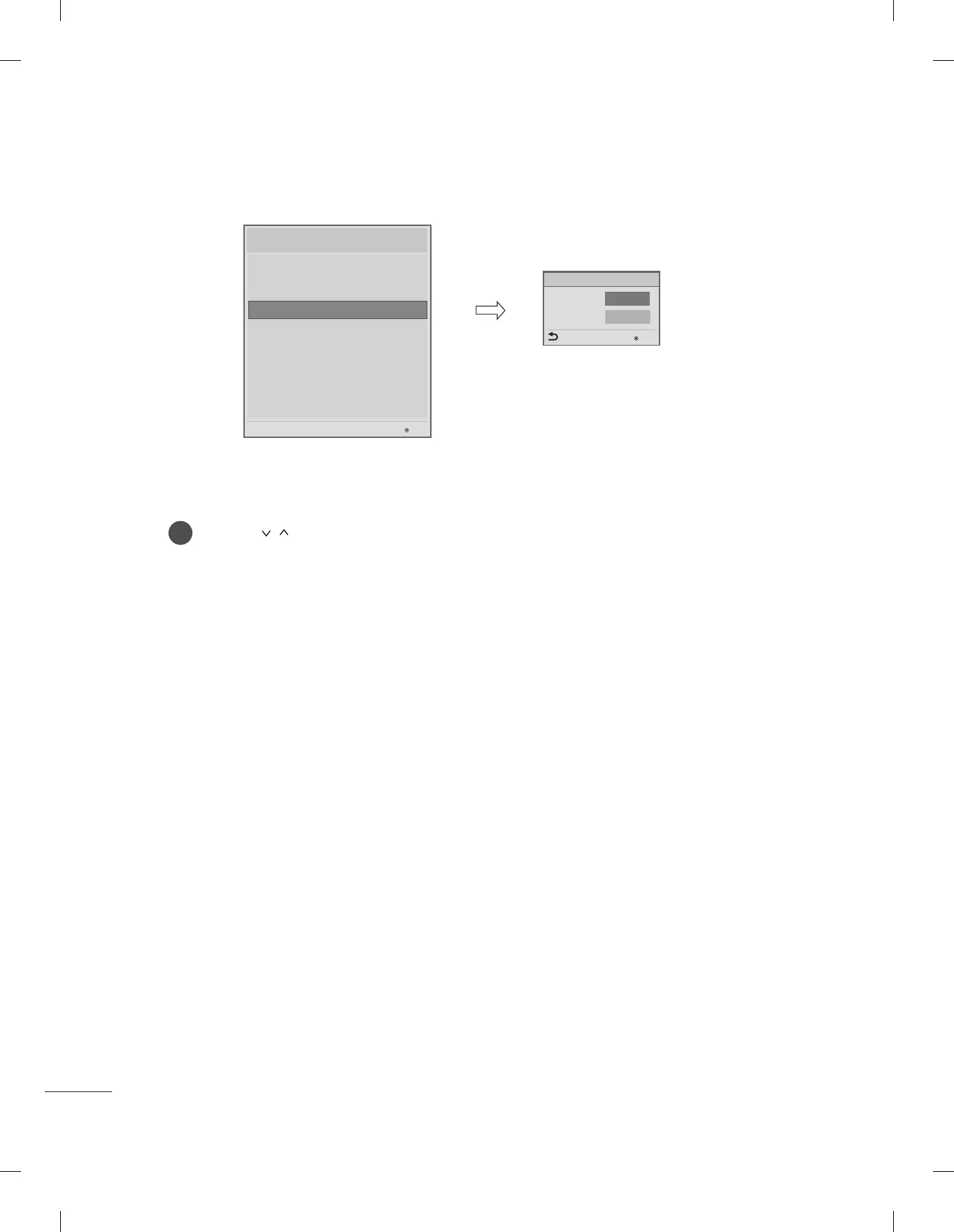
Use the button to select the Set ID Setup.
• Set ID Lock
- Set the ‘Set ID’ item in ‘Option’ Menu whether to activate or not.
- Set to Yes(Work) or No(Do Not Work).
• Set ID
- Set the ‘Set ID’ of TV Set with 1~99.
1
Set ID Setup
OK
Set ID Lock
Set ID
◄
Yes
►
1
Previous
Set ID Setup
OK
Installation Menu (V 3.0)
LG Hotel Mode Setup
TV Manager
Password Change
Set ID Setup
Configuration Setup
Multi Timer
Lock Mode
External Speaker
HCEC Setup
IR Setup
Set ID setup
OK
S/W : 02.00.00.01 Micom : 0.00.84


 To Next Page