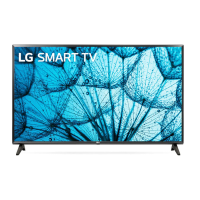
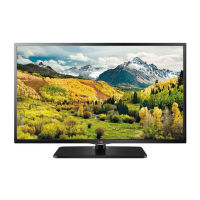
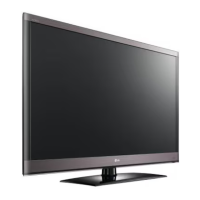
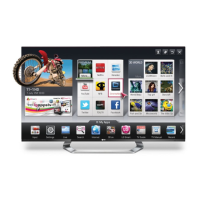
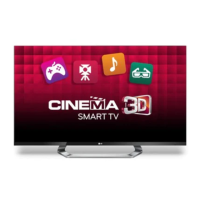
This document is the owner's manual for LG LED TVs, which are LCD TVs with LED backlighting. It provides instructions for assembling, preparing, connecting, operating, and maintaining the television sets. The manual covers various models, including LY31**, LY33**, LY34**, LY54**, and LY53**.
Function Description
The LG LED TV serves as a display device for various video and audio sources. It can receive signals from antenna, satellite dish, external devices like DVD players, Blu-Ray players, set-top boxes, PCs, and gaming consoles. The TV is equipped with a joystick button for basic operations and menu navigation, and it comes with a remote control for comprehensive control. Some models support network connectivity for accessing Pro:Centric servers and network-related features. Certain models also include a "Dual Lock" feature for attaching a set-top box directly to the TV.
Important Technical Specifications
The manual provides detailed specifications for various models, including dimensions (width x height x depth) with and without stand, weight with and without stand, power requirement, and power consumption.
-
Dimensions (W x H x D) and Weight:
- 22LY33 models: 507.6 x 355.9 x 140.6 mm (with stand), 507.6 x 315.7 x 53.1 mm (without stand); 3.1 kg (with stand), 2.9 kg (without stand).
- 28LY33 models: 641.5 x 432 x 175 mm (with stand), 641.5 x 395.8 x 57.6 mm (without stand); 4.6 kg (with stand), 4.4 kg (without stand).
- 32LY330 models: 732 x 481 x 207 mm (with stand), 732 x 437 x 55.5 mm (without stand); 6.2 kg (with stand), 6.0 kg (without stand).
- 39LY330 models: 885 x 567 x 218 mm (with stand), 885 x 524 x 55.5 mm (without stand); 8.3 kg (with stand), 8.0 kg (without stand).
- 42LY330 models: 961 x 612 x 218 mm (with stand), 961 x 567 x 55.5 mm (without stand); 9.5 kg (with stand), 9.2 kg (without stand).
- 47LY330 models: 1073 x 676 x 247 mm (with stand), 1073 x 629 x 55.8 mm (without stand); 12.7 kg (with stand), 12.3 kg (without stand).
- 55LY330 models: 1243 x 772 x 247 mm (with stand), 1243 x 725 x 56.8 mm (without stand); 17.7 kg (with stand), 17.3 kg (without stand).
- 60LY330 models: 1373 x 851 x 283 mm (with stand), 1373 x 801 x 58.8 mm (without stand); 23.5 kg (with stand), 23.0 kg (without stand).
- Similar detailed specifications are provided for LY34**, LY54**, LY53**, LY31**, LY331*, and LY341* series models.
-
Power Requirements:
- 19 V --- 2.0 A for 22LY33**, 28LY33**, 22LY34**, 28LY34**, 22LY54**, 28LY54**, 28LY31**.
- AC 100-240 V~ 50/60 Hz for most other models.
-
Power Consumption: Ranges from 35 W (22LY33**, 22LY34**, 22LY54**) to 130 W (55LY330*, 60LY330*, 55LY340*, 60LY340*, 55LY341*, 55LY331*, 55LY530*).
-
CI Module Size: 100.0 mm x 55.0 mm x 5.0 mm.
-
Environment Conditions:
- Operating Temperature: 0 °C to 40 °C.
- Operating Humidity: Less than 80%.
- Storage Temperature: -20 °C to 60 °C.
- Storage Humidity: Less than 85%.
-
Television System:
- Satellite Digital TV: DVB-T/T2, DVB-C, DVB-S/S2.
- Digital TV: DVB-T, DVB-C.
- Analogue TV: PAL/SECAM B/G/D/K, PAL I/I', SECAM L/L'.
-
Programme Coverage: VHF, UHF, C-Band, Ku-Band for Satellite Digital TV; VHF, UHF for Digital TV; VHF (E2 to E12), UHF (E21 to E69), CATV (S1 to S20), HYPER (S21 to S47) for Analogue TV.
-
Maximum Number of Storable Programmes: 6,000 for Digital TV, 1,500 for Analogue TV.
-
External Antenna Impedance: 75 Ω.
-
HDMI/DVI-DTV Supported Modes: Supports various resolutions and frequencies, including 720 x 480, 720 x 576, 1280 x 720, 1920 x 1080i, and 1920 x 1080p. The optimal display resolution for PC mode is 1366 x 768 @60Hz.
-
RS-232C Connector: D-Sub 9-Pin Male.
Usage Features
- Joystick Button: Allows basic operations like power on/off, volume control, and programme control by pressing or moving the button. It also provides access to the main menu for settings like TV off, settings, close, and input list.
- Remote Control: A comprehensive remote control is provided for various functions including power, TV/Radio selection, subtitle, AV mode, aspect ratio, input source, number buttons, programme list, volume, favourite programmes, programme guide, mute, page up/down, teletext, info, settings, quick menus, navigation, back, exit, SIMPLINK (HDMI-CEC), audio descriptions, and alarm (depending on model). Some models have an "Energy Saving" button.
- Stand Adjustment: For LY541*, LY331*, LY341* models, the stand can swivel 20 degrees left or right to adjust the viewing angle.
- Desk Attachment: The TV can be securely attached to a desk using screws (M5 x L, where L is table depth + 8~10 mm) to prevent accidental tipping.
- Wall Mounting: Instructions are provided for attaching the TV to a wall using a VESA-compliant wall mount bracket. Wall mount spacers are used to adjust the vertical angle for some models.
- Cable Management: Cable holders and power cord holders are provided to organize cables and prevent accidental disconnections.
- External Connections: The TV supports a wide range of external devices through various ports:
- Antenna/Cable In: For connecting to a wall antenna socket or satellite dish.
- HDMI In: For high-definition video and audio from devices like Blu-Ray players, STBs, and PCs. Some HDMI ports support MHL (Mobile High-Definition Link).
- Component In (Y, Pb, Pr): For connecting devices with component video output.
- AV In (Video, L/R Audio): For standard definition video and stereo audio.
- RGB In (PC): For connecting a PC.
- DVI In: For digital video input from a PC.
- USB In: For connecting USB storage devices.
- Optical Digital Audio Out: For digital audio output to an audio system.
- External Speaker Out / H/P Out: For connecting external speakers or headphones.
- RS-232C In: For external control by a computer or A/V control system.
- LAN Port: For network connectivity to a Pro:Centric server.
- PCMCIA Card Slot: For inserting PCMCIA cards.
- Network Setup: Wired network connection to a Pro:Centric server via the LAN port. The network settings can be configured through the TV's menu.
- External Control Device Setup (RS-232C): Detailed instructions and command reference list are provided for controlling the TV externally via an RS-232C serial port. This includes commands for power, aspect ratio, screen mute, volume mute, volume control, contrast, brightness, colour, tint, sharpness, OSD select, remote control lock mode, balance, colour temperature, energy saving, tune command, auto configure, equalizer, programme add/skip, key, control backlight, and input select.
Maintenance Features
- Cleaning:
- General: Turn off the power and disconnect the power cord and all cables before cleaning.
- Screen, Frame, Cabinet, and Stand: Use a dry, clean, soft cloth for dust or light dirt. For major dirt, use a soft cloth dampened with clean water or a diluted mild detergent, then wipe dry immediately.
- Power Cord: Regularly remove accumulated dust or dirt.
- Safety Precautions:
- Do not use unapproved items for safety and product lifespan.
- Avoid touching the screen to prevent damage.
- Do not push, rub, or hit the screen with fingernails or sharp objects.
- Do not use chemicals or spray liquid directly onto the TV.
- Ensure screws are fastened completely when assembling the stand.
- Do not place the TV near heat sources.
- When adjusting the TV angle, be careful not to pinch fingers.
- When moving the TV, handle it carefully, avoid jolts or excessive vibration, and keep it upright.
- For wall mounting, use authorized LG wall mounts and contact qualified personnel.
- Ensure children do not climb or hang on the TV.
- Troubleshooting: The manual includes a troubleshooting section for common issues like remote control not working, no image/sound, TV turning off suddenly, and 'No signal' or 'Invalid Format' when connecting to a PC. Solutions include checking batteries, power connections, power control settings, and cable connections.
- Software Updates: The software version can be updated for performance improvements and compatibility with LGE software.

 Need help?

 To Next Page
 General