14
Convection
Cooking
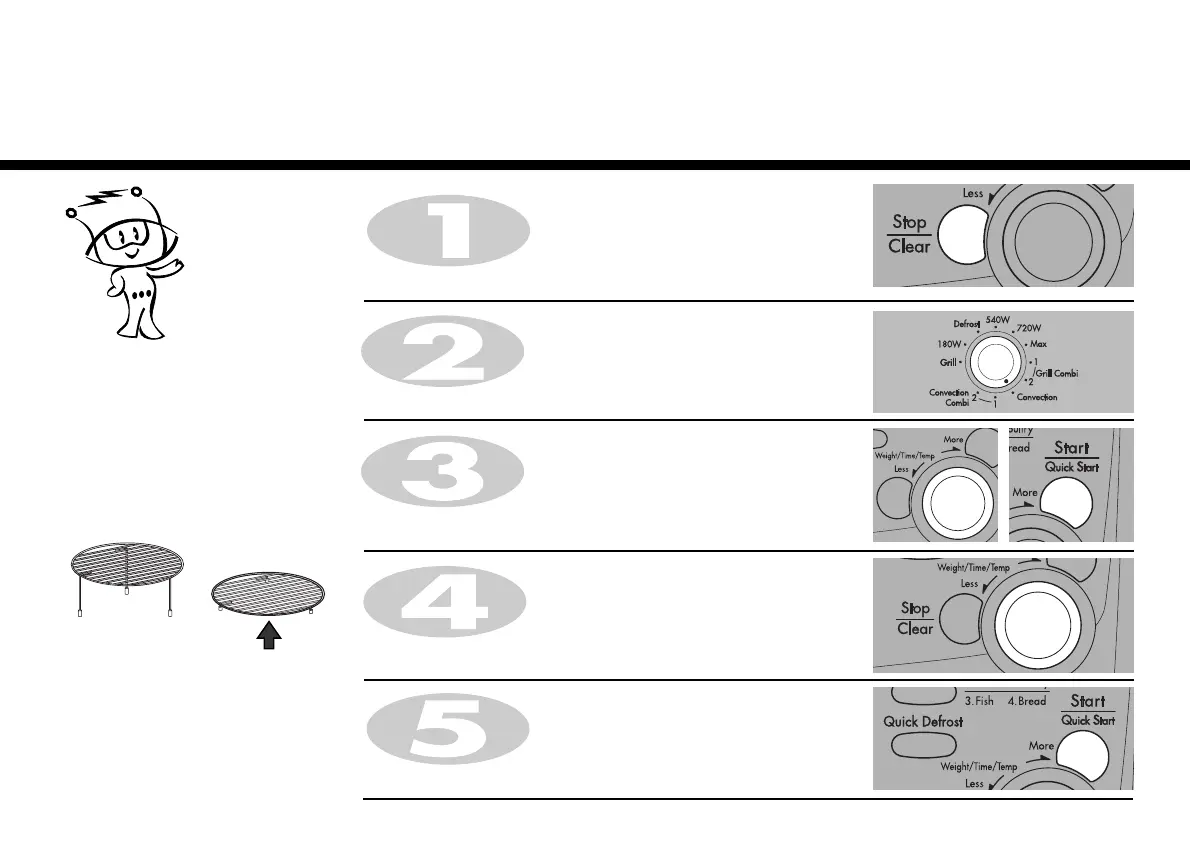
2. To cook.
Press STOP/CLEAR.
Turn DIAL until display shows “50:00”.
Press START.
If you do not set a temperature your
oven will automatically select 180 °C, the
cooking temperature can be changed by
turning DIAL.
The convection rack(low rack) must be
used during convection cooking.
Turn DIAL until display shows “230˚C”.
Press START for temperature confirmation.
Turn FUNCTION to select the convection mode.



 To Next Page