13
Convection
Cooking
The convection oven has a temperature
range of 40 °C and 100 °C~250 °C
(180 °C is automatically available when
convection mode is selected).
* The oven has a ferment function at the
oven temperature of 40°C. You may
wait until the oven is cool because you
cannot use a ferment function if the
oven temperature is over 40°C.
When you use this function if the oven
temperature is over 70°C Error code "E-
05" displays.
Your oven will take a few minutes to reach
the selected temperature.
Once it has reached correct temperature,
your oven will BEEP to let you know that it
has reached the correct temperature.
Then place your food in your oven: then
tell your oven to start cooking.
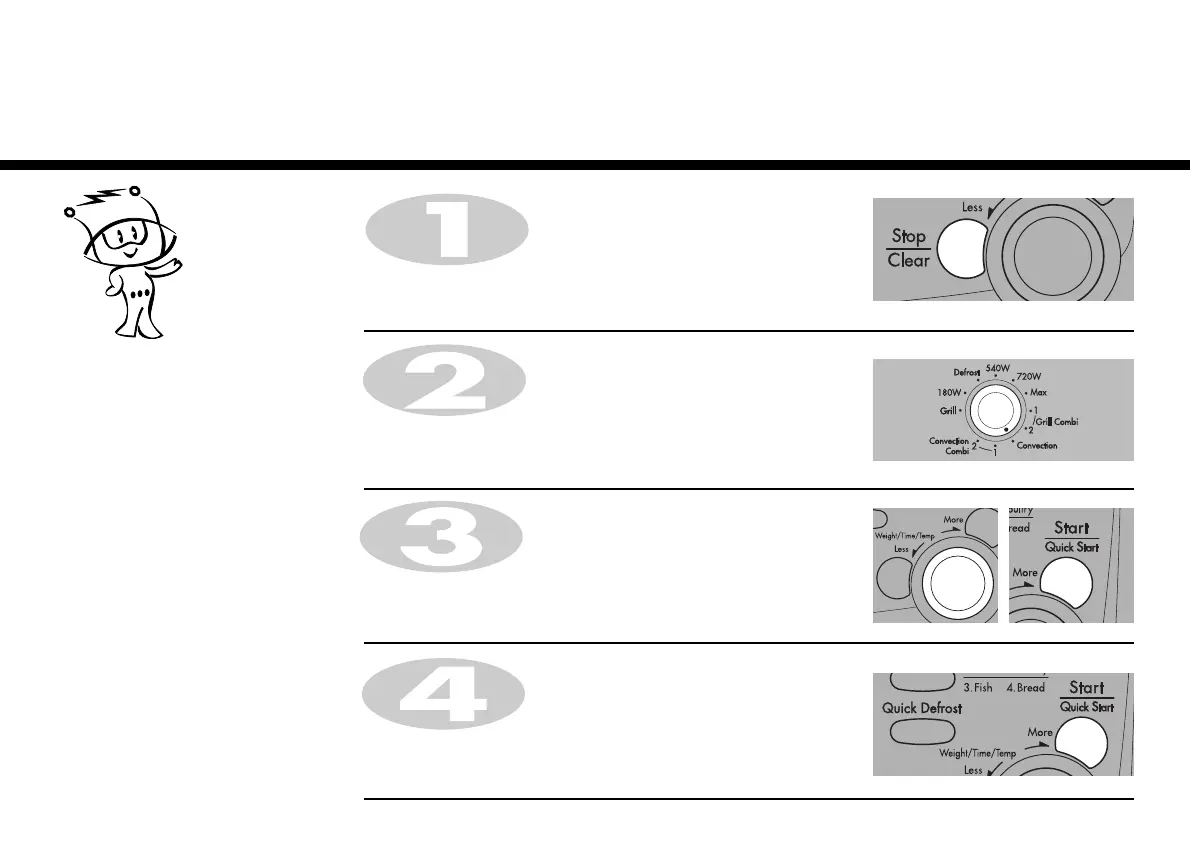
In the following example I will show you how to preheat the oven first, then cook some food at a temperature of
230 °C for 50 minutes.
1. To preheat.
Press STOP/CLEAR.
Turn DIAL to select 230˚C.
Press START for temperature confirmation.
Turn FUNCTION to select the convection mode.
Press START once more.
Preheating will be started with displaying “ Pr-H”.



 To Next Page