Need help?
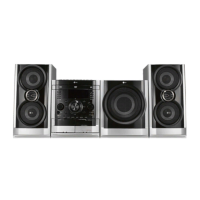
Do you have a question about the LG MDS262V and is the answer not in the manual?
Warnings and precautions related to electrical hazards, fire risk, and laser system safety.
Instructions for proper ventilation installation and safe power cord usage.
Information on how to activate and cancel the unit's power saving feature.
Details on supported disc formats, playback notes, and regional code restrictions.
Identification and function of buttons and indicators on the front panel.
Description of all input and output connectors located on the rear panel.
Instructions for operating the remote, its effective range, and battery replacement.
Steps to connect the unit to a television using video or component cables.
Guide on enabling progressive scan for improved video output quality.
Instructions for connecting FM and AM antennas for optimal radio performance.
How to connect external audio devices such as VCRs to the AUX input.
How to enjoy media files from USB storage devices and list of compatible devices.
Guide on correctly connecting the front speakers and subwoofer for optimal sound.
Adjusting volume, using mute, and connecting headphones.
Details on XDSS, MP3 Optimizer, XTS Pro, Virtual sound, and Sound modes.
Customizing sound profiles and presets using the equalizer.
Steps to set the current time and configure the sleep timer.
Connecting microphones, adjusting echo volume, dimming display, and demo mode.
Detailed instructions for setting the timer to automatically turn the unit on or off.
How to display detailed information about the loaded disc on the screen.
Configuring initial system settings and choosing preferred display/audio languages.
Adjusting TV aspect ratio (4:3/16:9) and display modes (Letterbox/Panscan).
Guide to enabling progressive scan for higher video resolution and less flicker.
Adjusting Dynamic Range Control (DRC) and Vocal settings for playback.
Setting up parental controls, creating passwords, and specifying disc area codes.
Configuring Playback Control, DivX VOD registration, and Semi Karaoke functions.
Using common playback functions like Skip, Scan, Repeat, and Zoom.
Managing disc titles, menus, subtitles, audio tracks, and slow playback.
Features for precise playback searching, scene marking, and screen saver activation.
Utilizing 1.5x speed playback, last scene memory, and camera angle selection.
How to play audio CDs and MP3/WMA files, including ID3 TAG information display.
Creating, managing, and erasing programmed track lists for playback.
Browsing, viewing, rotating, and navigating individual JPEG image files.
Using slide show mode, zooming images, and understanding JPEG disc compatibility.
Information on DivX file compatibility, subtitle formats, codecs, and audio options.
How to preset stations, perform manual/automatic tuning, and listen.
Using numeric buttons for direct station access and turning off the radio.
Overview of RDS features, tuning, display options, and programme type recognition.
How to use the PTY search feature to find stations by programme category.
Basic cassette playback, stopping, and controlling tape movement.
How to dub tapes or record CDs to tapes automatically.
Initial setup and advanced controls for karaoke playback.
Adjusting microphone volume, echo, tempo, and using shadow effects.
Reserving songs for sequential playback and adjusting the musical key.
Navigating karaoke menus, setting options, and browsing music lists.
Selecting songs by singer name or from classical music and composer lists.
Utilizing random song playback and the two-team challenge game mode.
Provides solutions for common problems like no power, picture, sound, or remote control malfunctions.
A comprehensive list of language codes for initial setup preferences.
A list of country codes used for area code selection related to disc playback.
Detailed technical specifications for the unit's general features and tuner/amplifier section.
Technical details for the disc player, cassette deck, and speaker systems.
 General
| Brand | LG |
|---|---|
| Model | MDS262V |
| Category | Home Theater System |
| DVD Player | Yes |
| Playable File Formats | MP3, WMA, JPEG |
| Video Upconversion | Yes |
| USB Port | Yes |
| Bluetooth | No |
| HDMI Output | Yes |
| Radio | FM |
| Number of Channels | 5.1 |
| Connectivity | HDMI |


 To Next Page