Need help?
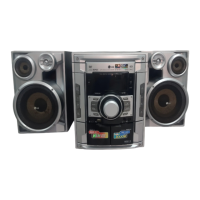
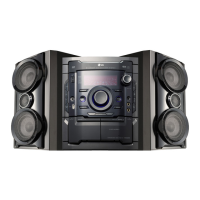
Do you have a question about the LG MDV902 and is the answer not in the manual?
Covers electric shock, rain, ventilation, power cord, laser, and water exposure risks.
How to activate and cancel the unit's power saving feature.
Lists supported disc types and important handling notes.
Explains the unit's regional code and its impact on DVD playback.
Identifies and explains the functions of front panel buttons and displays.
Details the connectors and ports found on the rear of the unit.
Explains the purpose of each button on the remote control.
Specifies effective operating range and battery installation instructions.
Guides on connecting the unit to a TV using video or S-video cables.
Instructions for connecting for high-quality component video output.
How to connect FM and AM antennas for radio reception.
Connecting other audio/video devices to the AUX input.
How to connect and play media files from USB storage devices.
Connecting gaming consoles or other devices via the GAME LINK input.
Correctly connecting speakers and subwoofer, including placement notes.
Important tips for optimal speaker performance and avoiding damage.
Adjusting sound levels, muting, and using the headphone jack.
Using EQ, XDSS, OAO, MP3 Optimizer, and Surround effects.
Controlling display brightness and activating the demonstration mode.
Selecting sound modes and activating the subwoofer.
Instructions for setting the clock and configuring the sleep timer.
How to connect and use an optional microphone, including echo volume.
Step-by-step guide to program the unit to turn on/off automatically.
How to cancel or check existing timer configurations.
Viewing playback details such as title, chapter, and audio settings on screen.
Configuring initial settings like language for menus and audio/subtitles.
Adjusting aspect ratio (4:3/16:9) and display mode (Letterbox/Panscan).
Activating progressive scan for better video quality and important cautions.
Setting Dynamic Range Control and Vocal mode for DVD audio.
Implementing parental locks via password and area code settings.
Configuring VCD Playback Control and registering for DivX VOD.
Enabling or disabling semi-karaoke functions like scoring and fanfare.
Using common playback buttons like SKIP, SCAN, PAUSE, and OPEN/CLOSE.
Utilizing REPEAT, REPEAT A-B, and ZOOM features during playback.
Accessing disc menus and selecting preferred audio or subtitle tracks.
Navigating by time, marking scenes, and using the screen saver.
Changing camera views and selecting discs instantly.
Faster playback and automatic recall of the last viewed scene.
Playing audio CDs/MP3s and viewing track metadata.
Guidelines on file formats, sampling frequencies, and bit rates for compatibility.
Creating, saving, and erasing custom playback sequences.
Browsing and displaying JPEG images, with slide show options.
Pausing slide shows, rotating, and zooming images.
Notes on file size, extensions, and naming conventions for JPEG discs.
How to play DivX movies and manage subtitle language.
Information on DivX file resolution, naming, and supported codecs.
Storing and accessing favorite FM/AM radio frequencies.
Methods for tuning into radio stations and adjusting volume.
Minimizing static and turning off the radio function.
How Radio Data System provides station info and allows PTY tuning.
Configuring RDS data display and searching for specific program types.
Playing cassettes, understanding auto-reverse and auto-stop.
Recording audio from radio, CD, or auxiliary inputs onto tape.
Automating CD tracks to cassette tape recording.
Connecting microphone, selecting songs, and basic playback.
Modifying microphone volume, key control, and echo effects.
Reserving upcoming songs and adjusting pitch for male/female singers.
Adjusting playback speed and using shadow/screen effects.
Configuring score, fanfare, lyrics, and chorus display settings.
Browsing and selecting songs from organized music lists.
Searching for singers and selecting songs from classic categories.
Finding songs by composer and selecting specific titles.
Activating random song play and configuring the challenge game.
Rules and steps for playing the two-team song challenge.
Solutions for no power, no picture, or audio issues.
Resolving disc errors, playback failures, and unwanted noise.
Fixing problems with radio tuning and remote control functionality.
Codes used for setting disc audio, subtitle, and menu languages.
Country codes for regional settings, relevant for DVD playback.
Power consumption, weight, dimensions, frequency ranges, and output power.
Technical details for DVD/VCD/CD player and cassette tape functions.
Impedance, frequency response, and power ratings for speakers and subwoofer.
 General
| Brand | LG |
|---|---|
| Model | MDV902 |
| Category | Home Theater System |
| Channels | 5.1 |
| Total Power Output | 1000W |
| DVD Player | Yes |
| USB Port | Yes |
| Bluetooth | Yes |
| HDMI Output | Yes |
| Optical Digital Input | Yes |
| FM Radio | Yes |

 To Next Page