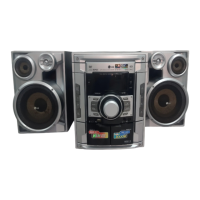
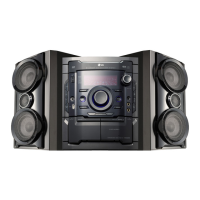
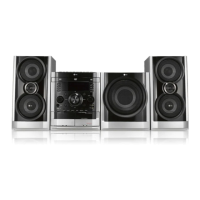
Need help?
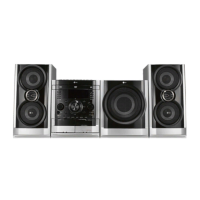
Do you have a question about the LG MDS902W and is the answer not in the manual?
Warnings about electric shock, fire hazards, laser safety, water exposure, and proper ventilation.
Explanation of the power save mode feature and how to activate or cancel it.
Lists playable disc types and provides notes on compatibility, regional codes, and playback features.
Details of buttons, knobs, and display indicators on the front panel.
Identifies various output and input jacks located on the rear panel.
Specifies effective operating range, angle, and battery installation for the remote control.
Instructions for connecting the unit to a TV using video, S-Video, or component cables.
Enabling progressive scan for higher video resolution with compatible TVs.
Instructions for connecting FM/AM antennas for radio and auxiliary audio equipment via AUX.
How to play media files from USB devices like MP3 players or memory cards.
Optional connection for game consoles or other video sources to the GAME LINK input.
Guide on correctly connecting front, surround speakers, and the subwoofer to the unit.
How to adjust volume, mute sound, and control display brightness.
Explains EQ, XDSS, OAO, MP3 Optimizer, and Surround effects for better audio.
Instructions for setting the unit's clock and sleep timer for automatic power off.
Connecting and adjusting microphone volume and echo effect for karaoke.
Detailed steps for setting, canceling, and managing timer functions for unit operation.
How to view disc details like title, chapter, audio, and subtitle on the TV screen.
Overview of menu settings for picture, sound, language, and OSD.
Adjusting display for 4:3 or 16:9 TVs, and using Letterbox/Panscan modes.
Enabling progressive scan for improved video quality on compatible displays.
Adjusting Dynamic Range Control (DRC) and Vocal settings for DVD playback.
Setting rating limits, password, and area code for disc playback.
Settings for VCD Playback Control (PBC) and DivX registration for VOD.
How the Semi Karaoke feature works, including score display and requirements.
Controls like Play, Pause, Skip, Scan, and Repeat for DVDs and VCDs.
ZOOM, TITLE, MENU, Subtitle, Audio, and Slow playback options.
Navigating discs using time search, marker search, and screen saver.
1.5x speed, last scene memory, camera angle selection, and direct disc selection.
How to play music files, view ID3 tags, and notes on disc compatibility.
Creating and managing custom playback sequences, erasing tracks.
How to browse, view, and select JPEG images on a disc.
Using slide show, rotating, zooming, and navigating between image files.
How to play DivX movies, manage subtitles, and notes on compatibility.
Details on resolution, file names, supported codecs, and audio formats.
How to scan, store, and tune into FM/AM radio stations.
Tips for improving reception, tuning non-preset stations, and reducing noise.
Explanation of RDS features (PTY, RT, CT, PS) and how RDS tuning works.
How to search for radio stations based on specific programme types.
Inserting tapes, playing them, and dubbing between tape decks.
Setting up recording, dubbing tapes, and CD to tape synchronized recording.
Connecting microphone, selecting songs, and basic singing.
Adjusting mic volume, echo, key, tempo, and using shadow/screen functions.
How to reserve multiple songs for playback in sequence.
Accessing and configuring karaoke settings like score, fanfare, and lyrics.
How to browse and select songs from music, singer, classic, and composer lists.
How to find songs by singer name using the alphabetical index.
Browsing classical music by song title or composer name.
How to play songs in a random order.
How to play the interactive song game with scoring and teams.
Solutions for power, picture quality, sound, and noise problems.
Solutions for playback errors, radio tuning, and remote control problems.
Codes for setting preferred languages for audio, subtitles, and menus.
Codes for setting the regional area for DVD playback.
Power, weight, dimensions, and tuner/amplifier technical details.
Technical details for DVD/VCD/CD player, speakers, and tape deck.
 General
| Model | MDS902W |
|---|---|
| Category | Home Theater System |
| Manufacturer | LG |
| Brand | LG |
| Channels | 5.1 |
| Total Power Output | 1000W |
| Bluetooth | Yes |
| USB Port | Yes |
| HDMI Input | Yes |
| Optical Input | Yes |
| Subwoofer | Wireless |


 To Next Page