EasyManua.ls Logo

LG MDD72 - User Manual

LG MDD72
20 pages
Print Icon
To Next Page IconTo Next Page
Loading...
MDD112_72-A0U_ENG_GF
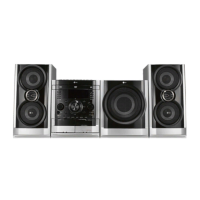
Mini Home Theater
Read the manual carefully before using the unit.
English
P/N: MFL42158355
MDD112
(MDD112-A/D/X0U, MDS112V)
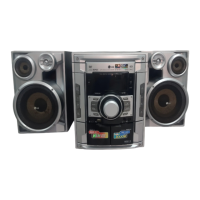
MDD72
(MDD72-A/D/X0U, MDS72V)

Questions and Answers

Summary

Safety and Precautions

Risk of Electric Shock

Warnings and precautions for electric shock, product enclosure, and user-serviceable parts.

Product Usage Precautions

Precautions for ventilation, moisture, and hazardous laser radiation exposure.

Power Cord Safety Guidelines

Guidelines for safe handling, protection, and usage of the power cord to prevent damage.

Power Save Mode Operation

How to activate and cancel the unit's economic power save mode.

Introduction to Operation and Setup

Installation Overview

Guide to connecting the unit to TV, antenna, and speakers for initial setup.

Operating the Unit

Instructions for operating the unit via the front panel and remote control.

Initial Setup Procedures

Steps for initial settings and configuring various system preferences.

Understanding Symbols and Discs

Explanations of instruction symbols and lists of playable disc types.

Regional Code Information

Explanation of regional coding for DVD playback compatibility.

Installation and Connections

TV Connection Guide

Guide on how to connect the home theater unit to a television.

Video and Component Connections

Connecting via standard video or component video jacks for improved output.

Progressive Scan Setup

Configuring progressive scan for enhanced video quality on compatible TVs.

Antenna Connections

Connecting FM and AM antennas for radio reception.

Speaker and Equipment Connections

Speaker System Wiring

Instructions for correctly connecting speaker wires to the unit terminals.

Optional Equipment Connectivity

Connecting external devices like VCRs to the AUX input.

Front Panel Operation

Detailed guide to controls, ports, and buttons on the unit's front panel.

Remote Control Operation

Remote Control Functions

Comprehensive explanation of all buttons and their functions on the remote control.

Sound and Feature Adjustments

Equalizer (EQ) and Sound Modes

Adjusting sound impressions (EQ) and selecting surround sound fields.

XTS-Pro and Audio Settings

Enhancing sound quality with XTS-Pro and managing audio tracks.

Subtitle and Echo Volume Control

Selecting subtitles and adjusting echo effect for microphones.

RDS, PTY, and XDSS;MP3 Optimizer

Utilizing RDS features, PTY search, and XDSS/MP3 sound enhancements.

Advanced Playback Controls

Virtual Sound Matrix (VSM)

Setting virtual sound effects for immersive audio experiences.

Zoom, Marker Search, and Mute

Features for image zooming, marking playback points, and muting audio.

Skip, Slow, Scan, and Volume

Controls for navigating tracks, adjusting playback speed, and volume.

Title and Display Information

Accessing disc titles and viewing playback status information.

Unit Features and System Settings

Dimmer and Sleep Timer

Adjusting display brightness and setting automatic power-off timers.

Disc Skip and Time Search

Functions for skipping discs and finding specific playback times.

Screen Saver and Last Scene Memory

Display protection and automatic recall of last viewed scenes.

System Select and Camera Angle

Setting TV system compatibility and selecting DVD camera angles.

System Setup Configuration

Initial Settings Overview

Introduction to the setup menu for various picture and sound adjustments.

Language and Display Settings

Configuring OSD, disc languages, TV aspect, and display modes.

Audio and Parental Control Setup

Adjusting audio settings like DRC and setting parental control restrictions.

Other Setup Options

Managing PBC playback control and DivX registration.

Advanced Setup and Feature Configuration

Audio Settings and Vocal Mode

Adjusting audio output options, DRC, and vocal settings for karaoke.

Parental Control and Area Codes

Setting rating locks, passwords, and area codes for content restriction.

PBC, DivX Registration, and Semi Karaoke

Managing playback control, DivX VOD, and karaoke scoring features.

Media File Playback

Playing Audio CDs, MP3, and WMA Files

Instructions for playing audio discs and files, including ID3 TAG display.

Programmed Playback and Track Management

Creating custom playlists and managing programmed tracks.

Viewing JPEG Image Files

Displaying image files from discs, including slide show functionality.

Still Picture and Slide Show Controls

Pausing, resuming, and controlling the display of still images.

Advanced Media Playback and Compatibility

File Navigation and Image Rotation

Moving between files, rotating images, and zooming in on content.

Playing DivX Movie Files and Subtitles

Instructions for playing DivX movies and managing subtitle languages.

Media File Format Compatibility

Information on compatibility limitations for MP3, WMA, and DivX file formats.

Radio Tuning and Listening

Presetting Radio Stations

Storing up to 50 FM/AM radio stations for easy access.

Listening to Radio Stations

Tuning into preset or manual stations and adjusting volume.

Clearing Radio Presets

Procedure for erasing all memorized radio station presets.

Radio Reception Improvement

Tips for better FM reception, including antenna adjustment and ST./MONO.

RDS Radio Features

RDS Tuning and Display Options

Receiving and displaying RDS data like PS, PTY, RT, and CT.

Programme Type (PTY) Search

Searching for radio stations based on their programme content type.

Timer Functions and Clock Setting

Setting the Clock

Steps to set the unit's clock, essential for timer operations.

Timer Operation Procedures

Configuring the unit to automatically turn on/off at set times.

Managing Timer Settings

How to cancel timer settings or check their current status.

Tape Operation and Recording

Basic Tape Playback

Inserting cassettes and performing basic playback functions.

Dubbing Cassette Tapes

Copying content from one cassette tape to another.

Recording from External Sources

Recording radio, CD, or auxiliary audio onto tape.

CD to Tape Synchronized Recording

Automating the dubbing process from CDs to cassette tapes.

Reference Information

Language Code List

A reference list of codes for setting initial languages for disc options.

Area Code List

A reference list of codes for DVD rating and playback area restrictions.

Troubleshooting Common Issues

Technical Specifications

LG MDD72 Specifications

General IconGeneral
BrandLG
ModelMDD72
CategoryHome Theater System
LanguageEnglish

Related product manuals