6
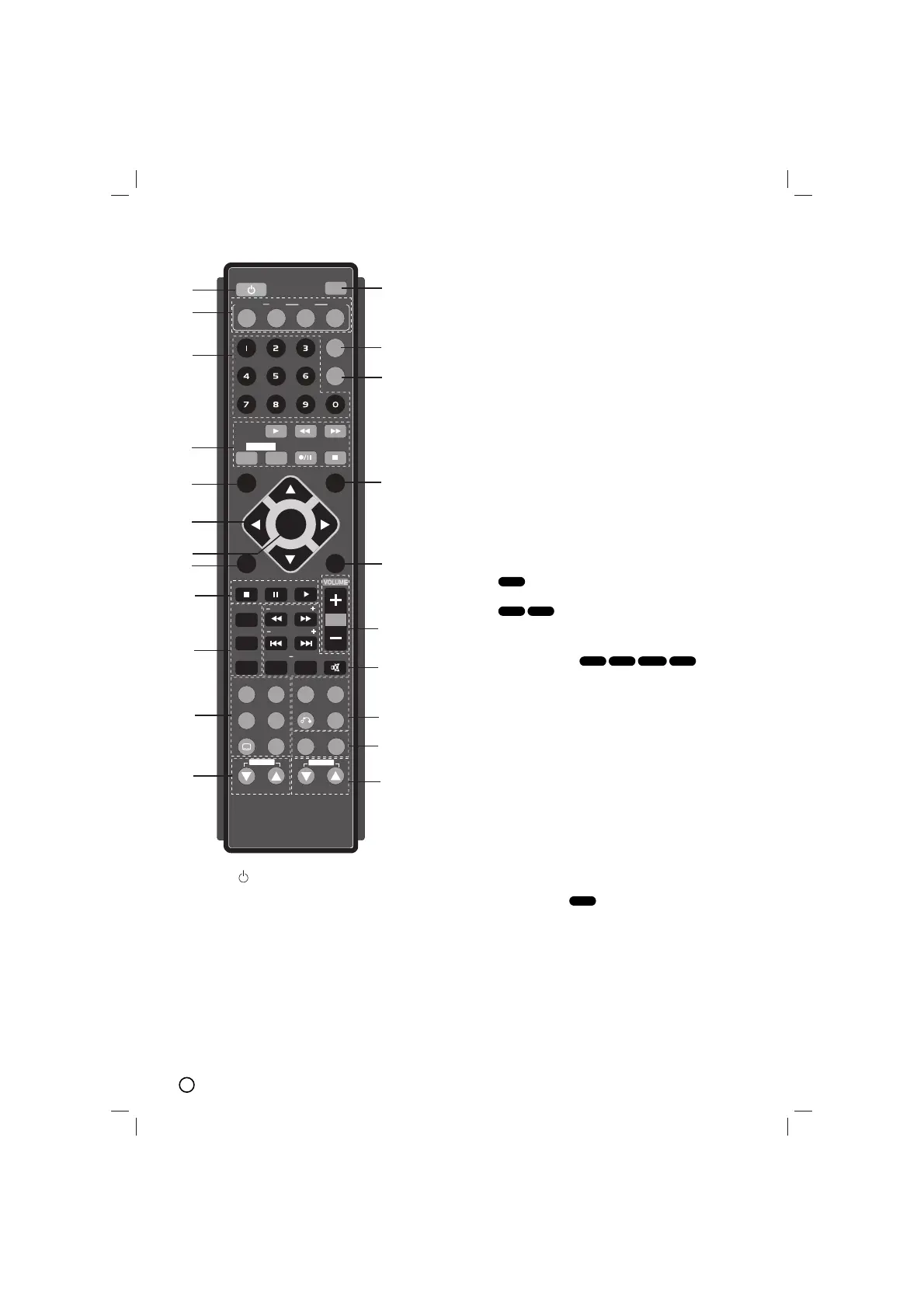
1. POWER( )
2. FUNCTION SELECT
(TUNER/BAND,DVD, AUX, USB)
3. NUMERIC buttons (0-9)
Selects a service, program number directly or
selects numbered options in a menu.
4. TAPE FUNCTION
• PLAY (
BB
)
• REWIND/ FAST FORWARD PLAY ( m / M)
• TAPE 1-2 SELECT buttons (1-TAPE-2)
• RECORD/ RECORD PAUSE (
zz//[[]]
)
• TAPE STOP (
xx
)
5. SETUP
6. • Arrow buttons b/B/v/V (left/right/up/down)
(Selects an option in the menu)
• PRESET -/+ (
vv
/
VV
)
Press PRESET +/- repeatedly to select the preset
station you want.
Each time you press the button, the unit tunes in
one preset station at a time.
Preset radio stations in the unit’s memory first
(see “Presetting radio stations”)
• TUN.(-/+) (b/B)
For manual tuning, press TUN (-/+) repeatedly
For automatic tuning, press and hold TUN. (-/+) for
about two seconds on the front panel.
7. SELECT/ENTER
Acknowledges the menu selection.
8. MENU
Accesses the menu on a DVD disc.
9. • STOP (
xx
)
• PAUSE(
[[]]
)/ STEP
During playback, press X to pause playback.
Press X repeatedly to play Frame-by-Frame.
• PLAY (
BB
)
- To Play disc and file
1.5 speed playback
You can quickly enjoy a movie and music.
The 1.5 speed allows you to watch the pictures and lis-
ten to the sound quicker than playing at a normal speed
on the disc.
1. Press the PLAY button during the normal playback.
The screen will appear at 1.5 speed with sound .
2. To return to normal PLAY, press PLAY.
10. • PROG./MEMO.
Accesses or removes Program menu.
Enter a radio station’s frequency into the tuner.
• REPEAT
During playback, press REPEAT repeatedly to
select a desired repeat mode.
DVD Video discs: Chapter/Title/Off
Audio CD, DivX/MP3/WMA discs: Track/All/Off
• REPEAT A-B
During playback, press REPEAT A-B to select a
point A and a point B and repeats a sequence
from point A (Starting point) to point B (End point).
Press REPEAT A-B to exit.
Note
Note
The A-B repeat function is available only in the current
title.
DVD
ACD
WMA
MP3
DVD
DivX
DVD
ALL
PROG./MEMO.


 To Next Page