4
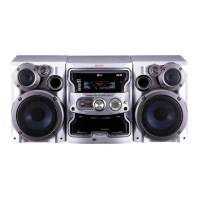
KARAOKE Mini Hi-Fi System ] USER GUIDE
4
Welcome to your new KARAOKE Mini Hi-Fi System
Contents
Safety Precaution . . . . . . . . . . . . . . . . . . .2
Types of Playable Discs . . . . . . . . . . . . . .3
Setting up . . . . . . . . . . . . . . . . . . . . . . . . .5
Main Unit . . . . . . . . . . . . . . . . . . . . . . . . .6
Hooking up the unit . . . . . . . . . . . . . . . . .7
Remote control . . . . . . . . . . . . . . . . . . . . .8
OSD Initial language setting . . . . . . . . . . .9
Initial Setting the Area Code . . . . . . . . . . .9
Adjust the settings . . . . . . . . . . . . . . . .9-10
Displaying Disc Information . . . . . . . . . . .11
Setting the clock . . . . . . . . . . . . . . . .11-12
Use your player as an alarm clock . . . . . .11
Setting the sound mode . . . . . . . . . . . . . .12
Playing a Disc . . . . . . . . . . . . . . . . . . . . .13
Playing a DivX Movie file . . . . . . . . . . . . .14
Listening to Audio CD,MP3 or WMA files
. .14-15
Viewing photo files . . . . . . . . . . . . .15-16
Listening to the radio . . . . . . . . . . . . . . . .16
Listening to the cassette tapes . . . . . . . .17
Tape recording . . . . . . . . . . . . . . . . . . . .17
CD Synchronized Recording . . . . . . . . . .18
Listening to music from your portable
player . . . . . . . . . . . . . . . . . . . . . . . . . . .18
Connecting your portable USB player . . . . .18
USB Direct Recording . . . . . . . . . . . . . . . . .19
Karaoke Basic Playback . . . . . . . . . . . . . . .20
Reserving the Song . . . . . . . . . . . . . . . . . .21
Karaoke Menu Playback . . . . . . . . . . . .21-22
Language Codes . . . . . . . . . . . . . . . . . . . . .23
Area Codes . . . . . . . . . . . . . . . . . . . . . . . . .23
Troubleshooting . . . . . . . . . . . . . . . . . . . . .24
Specifications . . . . . . . . . . . . . . . . . . . . . . .25
Power Save Mode
You can set up the unit into an economic power save mode.
In power-on status, press and hold
1/] (POWER)
button for about 3
seconds.
- Nothing is displayed in the display window when the unit is turned off.
To cancel, press
1/] (POWER)
, CLOCK, TIMER or REVERSE MODE.
Remote control Operation
Point the Remote Control at the remote sensor and press the buttons.
Remote control Battery Installation
Detach the battery cover on the rear of the remote control, and insert two
R03 (size AAA) batteries with 3 and # aligned correctly.
Do not mix old and new batteries. Never mix different types of batteries (stan-
dard, alkaline, etc.).


 To Next Page