EasyManua.ls Logo

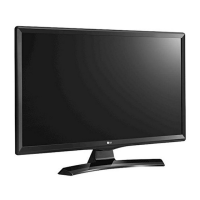
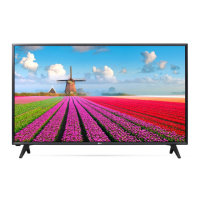
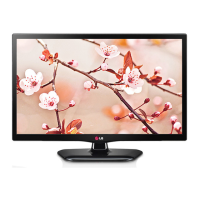
LG MT44 Series - User Manual

LG MT44 Series
52 pages
Print Icon
To Next Page IconTo Next Page
Loading...
OWNER’S MANUAL
LED TV*
Please read this manual carefully before operating your TV and
retain it for future reference.
*LG LED TV applies LCD screen with LED backlights.
MT44*
MT45*
www.lg.com

Questions and Answers

  • D
    Darryl RamirezAug 20, 2025
    Why does my LG MT44 LED TV keep turning off?
    • S
      Stephen JonesAug 20, 2025
      If your LG LED TV turns off suddenly, examine the power control settings to ensure the power supply isn't interrupted. Also, check if the Sleep Timer or Off Time feature is activated within the TIME settings. Note that the TV will automatically turn off after 15 minutes of inactivity if there is no signal.
  • J
    Jeremiah DillonAug 22, 2025
    How to troubleshoot no sound on LG MT44?
    • E
      Edward HurleyAug 22, 2025
      If you're not getting any sound from your LG LED TV while images are displaying, first, try pressing the + or - button to adjust the volume. Also, check if the sound is muted by pressing the MUTE button. Try switching to another program, as there might be an issue with the broadcast. Check if the audio cables are connected properly and confirm that the TV Speaker feature is activated in the menu options.
  • J
    Jamie CaseAug 25, 2025
    How to fix LG LED TV remote not working?
    • A
      Ashley GriffinAug 25, 2025
      If your LG LED TV remote isn't working, first check the remote control sensor on the TV and try again. Ensure there are no obstructions between the remote and the TV. Finally, check that the batteries are working and correctly installed.
  • J
    Julie PowellAug 26, 2025
    Why is the image appearing slowly when my LG LED TV turns on?
    • M
      Mark StevensAug 26, 2025
      If your LG LED TV displays an image slowly when turned on, note that the image is muted during the startup process, which is normal. However, if the image doesn't appear after a few minutes, unplug the TV for 30 seconds and then try again.
  • M
    Mary WhiteAug 28, 2025
    What to do if my LG MT44 LED TV says no signal?
    • B
      brent27Aug 28, 2025
      If your LG LED TV displays 'No Signal', ensure the signal cable is correctly connected between the TV and any connected devices. Also, verify the selected input source by pressing the INPUT button on your remote.
  • C
    Charles ThorntonAug 30, 2025
    What to do if my LG LED TV has no image and sound?
    • G
      Gabrielle HernandezAug 30, 2025
      If your LG LED TV has no image and no sound, start by checking if the TV is turned on. Then, make sure the power cord is properly connected to a wall outlet. To ensure the wall outlet is functioning correctly, try connecting other devices to it.
  • G
    garrettedwardAug 31, 2025
    How to fix poor color quality on LG LED TV?
    • E
      Erik WhiteSep 1, 2025
      If your LG LED TV displays an image in black and white or the color quality is poor, try adjusting the color settings in the menu. Also, ensure that there is sufficient distance between the TV and other electronic devices. Finally, try another channel, as the issue may be with the broadcast itself.
  • A
    Amanda RamosSep 2, 2025
    Why do afterimages appear when my LG LED TV turns off?
    • B
      Brian Cooper Jr.Sep 2, 2025
      If you observe afterimages (ghosts) on your LG LED TV when it turns off, it could be due to pixels damaged from a fixed image displayed for an extended period (image burn). To prevent this, use a screen saver.
  • J
    Jonathan NelsonSep 4, 2025
    How to brighten the screen on my LG MT44 LED TV?
    • A
      Anthony GarnerSep 4, 2025
      If the power is on but the screen of your LG LED TV appears extremely dark, try adjusting the brightness and contrast settings in the menu options.
  • J
    James BlankenshipSep 6, 2025
    How to fix thin lines on LG MT44 screen?
    • T
      tami52Sep 6, 2025
      If your LG LED TV has thin lines appearing in the background, check the video cable connections.

LG MT44 Series Specifications

General IconGeneral
BrandLG
ModelMT44 Series
CategoryLED TV
LanguageEnglish

Related product manuals