17
Installation Manual
Due to our policy of continuous product innovation, some specifications may change without notification.
©LG Electronics U.S.A., Inc., Englewood Cliffs, NJ. All rights reserved. “LG” is a registered trademark of LG Corp.
ACCESSORIES INSTALLATION
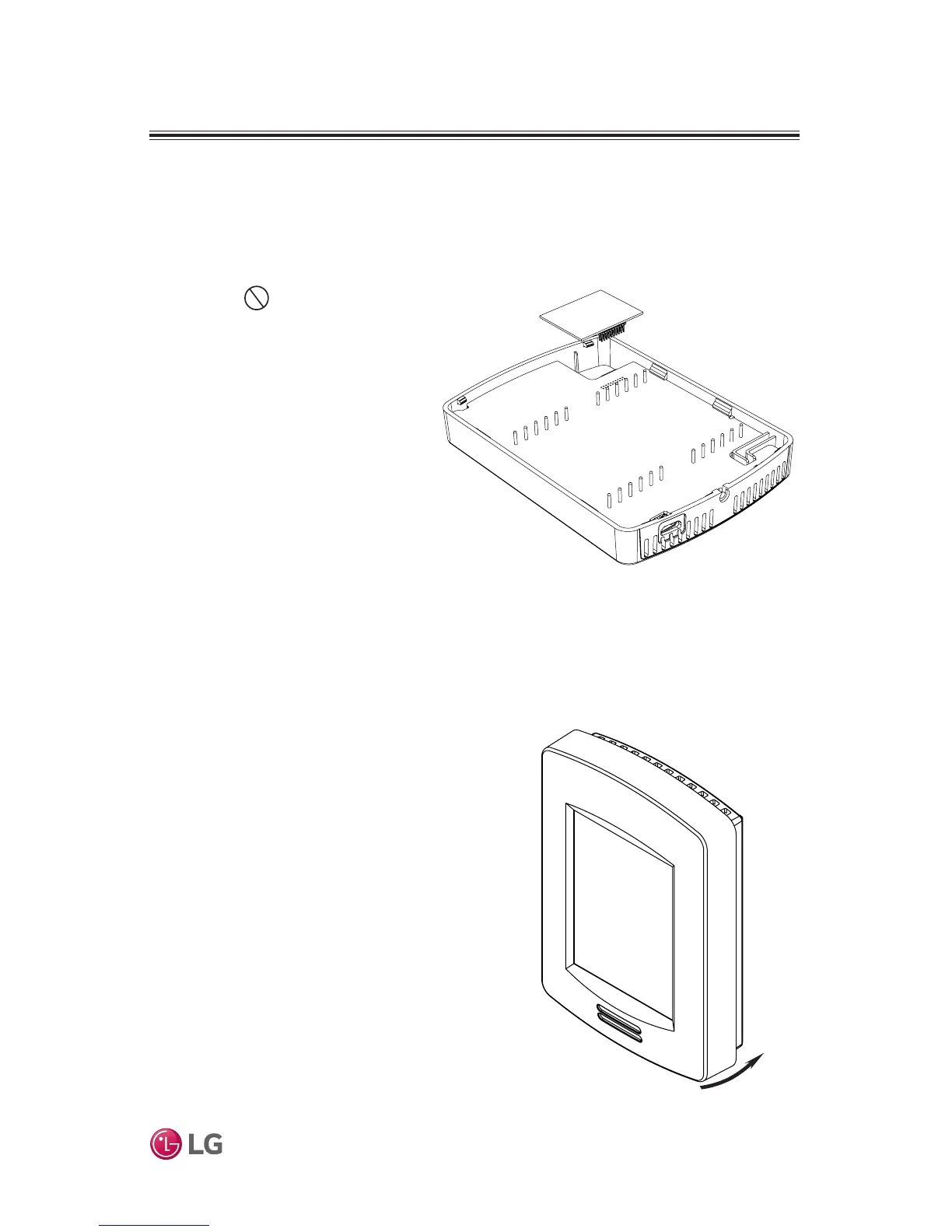
Figure 9: Install ZigBee Pro Wireless Module
Figure 10: Reinstall Cover
6. Gently press the ZigBee Pro mod-
ule into the Remote Controller’s
motherboard until it fits snugly
in place. Do not press
too hard to avoid damage to
ZigBee Pro module.
7. Carefully replace Remote
Controller’s motherboard into
casing.
8. Carefully align cover to top of
base and snap in place from
bottom (Figure 10).
9. Install security screw (if any).


 To Next Page
 Loading...