EasyManua.ls Logo

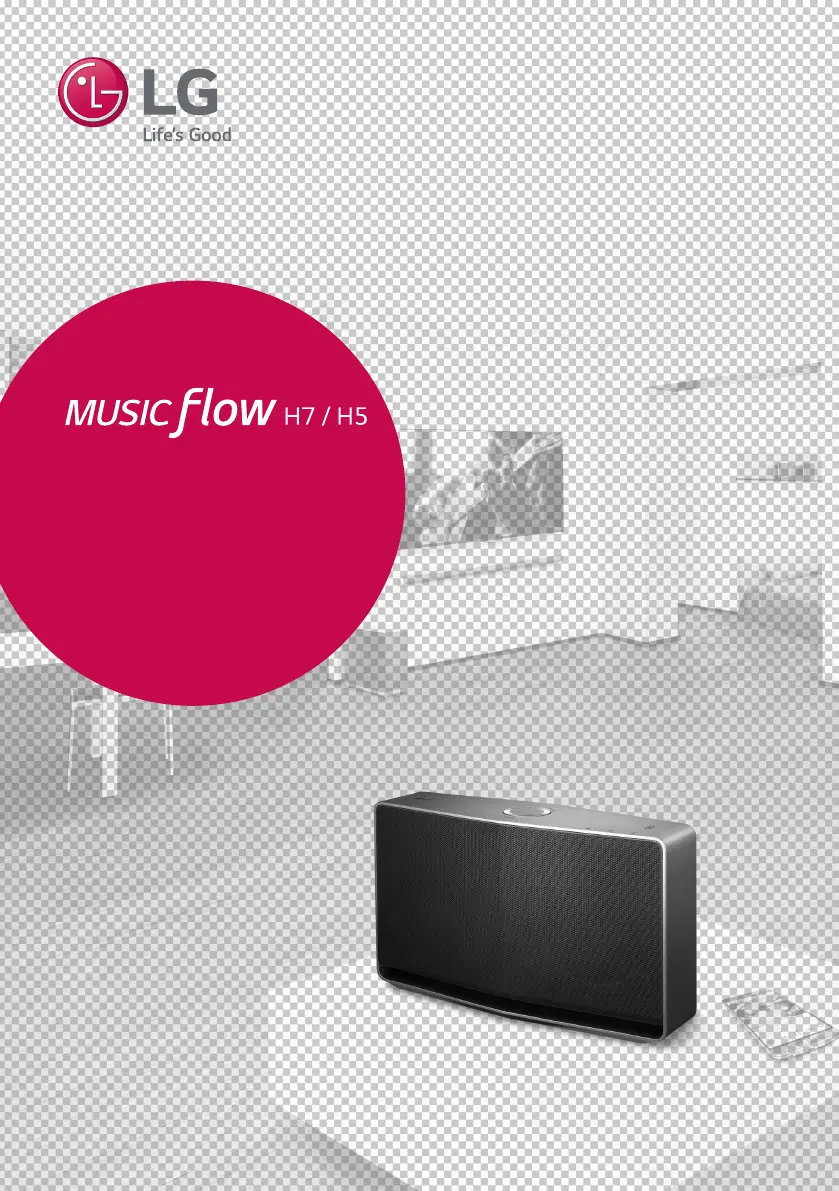
LG MUSIC FLOW H7 - User Manual

LG MUSIC FLOW H7
62 pages
Print Icon
To Next Page IconTo Next Page
Loading...
Please read this manual carefully before
operating your speaker and retain it for future
reference.
ENGLISH | OWNER’S MANUAL
SMART Hi-Fi AUDIO
Wireless Multi-room
Model : NP8740 (H7)
NA9740 (H7)
NP8540 (H5)
NA9540 (H5)
Copyright © 2015-2017 LG Electronics Inc. All Rights Reserved.
www.lg.com

Table of Contents

Other manuals for LG MUSIC FLOW H7

Questions and Answers

  • K
    Katie ThompsonJul 28, 2025
    How to fix an LG MUSIC FLOW H7 Stereo System that is not working properly?
    • P
      Patricia WyattJul 28, 2025
      If your LG Stereo System unit isn't working correctly, try this: turn off the power for both the unit and any connected devices like your TV, Woofer, DVD player, or Amplifier. Then, turn them back on. If that doesn't work, disconnect the power cord of the unit and all connected external devices, and then reconnect them.
  • S
    Shannon MitchellAug 1, 2025
    What to do if LG Stereo System speaker doesn’t work properly?
    • W
      William HayesAug 1, 2025
      Here are several solutions to try: 1. Ensure the speaker is properly plugged in. 2. Check if the Wi-Fi router you’re using has been certified for Wi-Fi. 3. Unplug the speaker, then plug it back in, and reconnect it to the router. 4. Reset the speaker. 5. If using a Music Flow R1, ensure that the smart device and the Music Flow R1 are connected to the same Wi-Fi network and that the Music Flow R1’s indicator LED shows it is working correctly. If problems persist, reset the Music Flow R1, or try unplugging and plugging in both the Music Flow R1 and the speaker. 6. If you still have trouble connecting, relocate the speaker closer to the wireless router or Music Flow R1.
  • J
    Jacob HernandezAug 6, 2025
    What to do if my LG MUSIC FLOW H7 Stereo System speaker isn't working?
    • M
      Mark MayerAug 7, 2025
      If the speaker of your LG Stereo System isn’t working correctly: * Ensure the speaker is properly plugged in. * If using a Music Flow R1, verify that both the smart device and the Music Flow R1 are connected to the same Wi-Fi network and that the Music Flow R1’s indicator LED shows it is working correctly. * If you experience troubles with connecting the Music Flow R1 and speaker, try relocating the speaker closer to the wireless router or Music Flow R1.
  • J
    Jennifer AllenAug 12, 2025
    Why won't my LG MUSIC FLOW H7 turn on?
    • P
      Paul JonesAug 12, 2025
      First, ensure the power cord is properly connected to the outlet. If it isn't, firmly connect the power plug to the outlet.
  • S
    shelleymcintoshAug 16, 2025
    What to do if my LG MUSIC FLOW H7 has no sound?
    • T
      taylorkramerAug 16, 2025
      If your LG Stereo System isn't producing sound, the first thing to check is the volume level. Make sure it isn't set to the minimum. If it is, simply adjust the volume to a comfortable listening level.
  • J
    Jessica GreenAug 21, 2025
    What to do if a function doesn't work on my LG Stereo System?
    • K
      Kathleen RojasAug 21, 2025
      If a function on your LG Stereo System doesn't work when you press the button, static electricity in the air might be the cause. Try disconnecting the power plug and then reconnecting it.

Summary

Safety Information

Additional Safety Precautions

Main Features

Connecting the AC Adapter

Initial Multi-Room Setup

Installing Music Flow Player App

Starting with Music Flow Player App

Initial App Setup and Connection Process

Guides through accepting terms, services, and connecting the speaker via the app.

Connecting Speaker to Home Network

Simple Connection (EZ Setup)

Provides a simplified method for connecting the speaker to the network.

Connecting Speaker via LAN Cable

Connecting Speaker via Wi-Fi (Android)

Connecting Speaker via Wi-Fi (iOS)

Connecting Additional Speakers to Home Network

Connecting Additional Speaker via LAN Cable

How to connect an additional speaker via a wired LAN connection.

Connecting Additional Speaker via Wi-Fi (Android)

Using the Bridge Accessory

Using Media Server for PC

Basic Operations

Power, Volume, and Mode Controls

Details the use of the power/mode button and volume wheel.

Enjoying Music with Music Flow Player App

Playing a Song

Playback Overview and Controls

Selecting Sound Effects

Group Playback

Seamless Playback Features

Changing Playing Speaker

Setting Speaker via Music Flow Player App

Overview of Setting Menu Options

Explains the main categories and options available in the app's settings menu.

[General] Menu Settings

[Speakers] Menu Settings

[Advanced Settings] Menu

Mesh Network Channel Settings

How to change the Wi-Fi channel to improve network performance.

[Chromecast] Menu

[Version Info.] Menu

Using Bluetooth Wireless Technology

NFC for Easy Pairing (Android Only)

Listening to Music from External Device

Resetting the Speaker

Troubleshooting - General Issues

Troubleshooting - Network Issues

Troubleshooting - App and PC Software

Status LED Conditions

Product Specifications

LG MUSIC FLOW H7 Specifications

General IconGeneral
TypeWireless Speaker
Dimensions300 x 150 x 150 mm
Weight2.5 kg
Multi-Room CapabilityYes
EthernetYes
USBYes
Power Consumption30W
Frequency Response50 Hz - 20 kHz
Bluetooth Version4.0
NFCYes
ConnectivityWi-Fi, Bluetooth
Audio Formats SupportedMP3, AAC, WAV, FLAC
Streaming ServicesSpotify, Deezer

Related product manuals