EasyManua.ls Logo

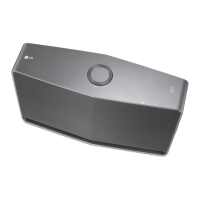
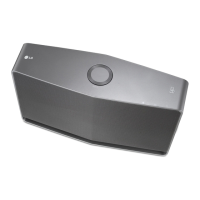
LG Music flow HS7 - User Manual

LG Music flow HS7
71 pages
Print Icon
To Next Page IconTo Next Page
Loading...
ENGLISH | OWNER’S MANUAL
To view the instructions of advanced features,
visit http://www.lg.com and then download
Owners Manual.
Some of the content in this manual may dier
from your unit.
The actual product may dier from the image.
Copyright © 2015-2017 LG Electronics. All Rights Reserved
www.lg.com
Model : LAS750M
SMART Hi-Fi AUDIO
Wireless Multi-room Sound Bar
HS7

Table of Contents

Other manuals for LG Music flow HS7

Questions and Answers

  • M
    Maria WallaceAug 13, 2025
    Why is there no sound coming from my LG Sound bar?
    • K
      Kayla HooverAug 13, 2025
      If no sound is produced, make sure the volume isn't set to the minimum. If you're connected to an external device like a set-top box or Bluetooth device, adjust its volume. Also, check if the mute function is activated and deactivate it by pressing the mute button or adjusting the volume. Finally, ensure the correct input source is selected.
  • D
    Daniel CookAug 16, 2025
    What to do if my LG Sound bar remote control is not working?
    • K
      Kimberly RichardsAug 16, 2025
      If the remote control isn't working properly, first ensure you're within 7 meters of the unit and that there are no obstacles in the way. If it still doesn't work, replace the batteries with new ones.
  • B
    Bradley CardenasAug 21, 2025
    How to fix an LG Sound bar that does not turn on?
    • E
      Erica HendersonAug 21, 2025
      If the power does not turn on, check whether the power cord is properly plugged into the outlet and connect it securely.
  • J
    Jennifer BaileyAug 25, 2025
    Why is there no woofer sound from my LG Sound bar?
    • D
      Dean MclaughlinAug 25, 2025
      If there's no woofer sound, ensure the subwoofer's power cord is securely plugged into the wall outlet. Also, check if the pairing between the unit and the subwoofer has been disconnected and reconnect them.
  • J
    Jeremiah JohnsonAug 28, 2025
    What to do if the AUTO POWER function is not working on my LG Sound bar?
    • R
      Rebecca ColeAug 28, 2025
      If the AUTO POWER function isn't working, check the connection of the external device, such as a TV, DVD/Blu-Ray player, or Bluetooth device. Also, check the state of SIMPLINK and try turning it off. Note that depending on the connected device, this function may not operate.
  • D
    Daniel PetersonAug 31, 2025
    What to do if LG Sound Sync is not working with my LG Sound bar?
    • L
      ljohnsonAug 31, 2025
      If LG Sound Sync isn't working, verify that your LG TV supports LG Sound Sync. Check the connection of LG Sound Sync. Also, check the sound settings on both your TV and the sound bar.
  • D
    david34Sep 4, 2025
    What to do if my LG Sound bar unit does not work properly?
    • U
      ugarciaSep 4, 2025
      If the unit isn't working properly, turn off the power of both the unit and any connected external devices like your TV, Woofer, DVD player, or Amplifier, and then turn them back on. If that doesn't work, disconnect the power cord of the unit and the connected external devices, and then try connecting them again.
  • D
    Daniel RodriguezSep 8, 2025
    What to do if a function does not work when the button is pressed on my LG Sound bar?
    • D
      David JohnsonSep 8, 2025
      If a function doesn't work when you press the button and there might be static electricity in the air, disconnect the power plug and connect it again.

LG Music flow HS7 Specifications

General IconGeneral
TypeWireless Speaker
Power Consumption30W
Speaker Configuration2.0
Dimensions900 x 105 x 140 mm
Weight12.8 lbs
Voice ControlNo
WirelessYes
Multi-room audioYes
Bluetooth Version4.0
NFCYes
Multi-RoomYes
ConnectivityWi-Fi, Bluetooth
Audio Formats SupportedMP3, WAV, FLAC, AAC

Related product manuals