EasyManua.ls Logo

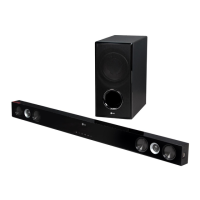
LG NB2530A - User Manual

LG NB2530A
26 pages
Print Icon
To Next Page IconTo Next Page
Loading...
OWNER’S MANUAL
Woofer built-in sound bar
Please read this manual carefully before operating your set and retain it
for future reference.
FOR THE GUARANTEE TERMS & CONDITIONS,
PLEASE REFER TO INNER PAGE OF BACK COVER.
NB2530A
ENGLISH
NB2530A-NB_DGBRLLK_ENG_2477.indd 1 2013-10-30  10:17:33

Questions and Answers

  • J
    Johnny KimAug 10, 2025
    Why is my LG Speaker System remote control not working?
    • M
      Maria MoodyAug 10, 2025
      If the remote control for your LG Speaker System isn't working properly, make sure you're operating it within 23 ft (7 m) of the unit and that there are no obstacles blocking the path between the remote and the unit. Also, check the batteries and replace them with new ones if they are exhausted.
  • I
    Ian ContrerasAug 16, 2025
    What to do if the sound output from my LG NB2530A Speaker System is too low?
    • V
      Victoria WattsAug 16, 2025
      If the sound output from your LG Speaker System is low, try the following: * Turn OFF the DRC function using the remote controller. * If the sound bar is connected to a TV, change the AUDIO DIGITAL OUT setting on the TV Setup Menu from [PCM] to [AUTO] or [BITSTREAM]. * If the sound bar is connected to a Player, change the AUDIO DIGITAL OUT setting on the Player Setup Menu from [PCM] to [PRIMARY PASS-THROUGH] or [BITSTREAM]. * Change the Audio DRC setting on the Player setup menu to the [OFF] state.
  • A
    adkinssarahAug 21, 2025
    What to do if my LG Speaker System has no sound?
    • J
      Joseph PowellAug 22, 2025
      If your LG Speaker System has no sound, first, ensure that the correct input source is selected. If the input source is correct, check if the mute function is activated. If it is, press the MUTE button or adjust the volume level to cancel the mute function.
  • J
    John RodriguezAug 28, 2025
    How to troubleshoot no power on my LG NB2530A Speaker System?
    • N
      Nathan SalazarAug 28, 2025
      If your LG Speaker System has no power, ensure that the power cord is properly plugged in. If it is plugged in, check the condition by operating other electronic devices.
  • M
    Melissa EspinozaSep 2, 2025
    Why is the display window dark on my LG Speaker System?
    • S
      Sheila DouglasSep 3, 2025
      If the display window on your LG Speaker System is dark, it could be due to the Dimmer or Sleep function being activated. Press the SLEEP button to cancel the function.

Summary

Owners Manual and Product Introduction

Safety Information

Essential safety precautions for operating the sound bar to prevent hazards.

Getting Started and Product Features

Connectivity and Operations

Connecting External Devices

Guide to connecting portable players and using optical inputs.

USB Connectivity and Playback

Information on USB connection, file formats, and device compatibility.

Basic Operations and Audio Settings

How to perform basic USB operations, DRC, AV Sync, and mute.

Bluetooth Pairing and Music Playback

Steps for pairing Bluetooth devices and playing music wirelessly.

Troubleshooting and Support

Problem Resolution Guide

A guide to diagnosing and correcting common issues with the unit.

LG NB2530A Specifications

General IconGeneral
BrandLG
ModelNB2530A
CategorySpeaker System
LanguageEnglish

Related product manuals