EasyManua.ls Logo

LG NB2430A - User Manual

LG NB2430A
26 pages
Print Icon
To Next Page IconTo Next Page
Loading...
OWNER’S MANUAL
160
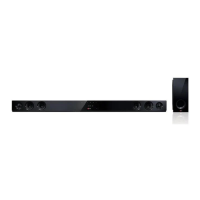
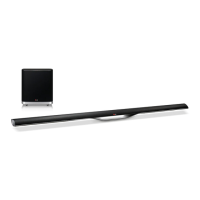
W Sound Bar
Please read this manual carefully before operating your set and retain it
for future reference.
NB2430A
ENGLISH
NB2430A-NB_DGBRLLK_ENG_2472.indd 1 2013-10-30  9:46:58
FOR THE GUARANTEE TERMS & CONDITIONS,
PLEASE REFER TO INNER PAGE OF BACK COVER.

Questions and Answers

  • C
    Christopher ClarkJul 26, 2025
    Why is my LG NB2430A remote control not working?
    • C
      Carol CookJul 26, 2025
      If your LG Speaker System remote control isn't working correctly, make sure you are within 23 ft (7m) of the unit. Also, check for any obstructions between the remote and the unit and remove them. If the problem persists, replace the remote's batteries with new ones.
  • A
    Aaron RodriguezAug 1, 2025
    What to do if the sound output from my LG Speaker System is low?
    • D
      dylanzamoraAug 1, 2025
      If the sound from your LG Speaker System seems low, review the settings. If the sound bar is connected to a TV, change the AUDIO DIGITAL OUT setting in the TV's Setup Menu from [PCM] to [AUTO] or [BITSTREAM]. If the sound bar is connected to a Player, change the AUDIO DIGITAL OUT setting in the Player's Setup Menu from [PCM] to [PRIMARY PASS-THROUGH] or [BITSTREAM]. Also, change the Audio DRC setting in the Player's setup menu to the [OFF] state.
  • W
    William FrazierAug 7, 2025
    What to do if there is no sound from my LG NB2430A?
    • J
      Jeffrey DanielAug 7, 2025
      If your LG Speaker System isn't producing any sound, first ensure that you've selected the correct input source. If the input source is correct, check whether the mute function is activated. If it is, press the MUTE button or adjust the volume to deactivate it.
  • N
    Nathan PerezAug 13, 2025
    How to fix an LG NB2430A Speaker System that has no power?
    • C
      carolynhuntAug 13, 2025
      If your LG Speaker System isn't powering on, the first thing to check is the power cord. Make sure it is securely plugged in. If it is plugged in correctly, test other electronic devices with the same power outlet to ensure the outlet is working properly.
  • B
    buchananchristineAug 19, 2025
    What to do if the display window is dark on my LG NB2430A Speaker System?
    • R
      richardpughSep 12, 2025
      If the display window on your LG Speaker System is dark, it's possible that the Dimmer or Sleep function has been activated. To cancel either of these functions, press the SLEEP button.

Summary

Getting Started

Safety Information

Essential safety precautions for operating the sound bar.

Appliance and Battery Disposal

Guidelines for environmentally responsible disposal of the unit and batteries.

Remote Control Functions

Detailed explanation of remote control buttons and their operations.

Wall Mounting Instructions

Step-by-step guide for securely mounting the unit on a wall.

Connecting

USB Connection and Playback

Guidelines for connecting USB devices and playing MP3/WMA files.

Operating

Troubleshooting

Power, Sound, and Display Issues

Resolving problems related to power, sound output, and the display window.

Remote Control and Auto Power Issues

Troubleshooting remote control functionality and auto power behavior.

Warranty

Guarantee Terms and Requirements

Details of the product guarantee, coverage, and necessary documentation.

LG NB2430A Specifications

General IconGeneral
Audio decodersDolby Digital, DTS
RMS rated power160 W
Audio output channels2.0 channels
Soundbar speaker RMS power80 W
Subwoofer includedNo
Product colorBlack
Audio formats supportedLPCM, MP3, WMA
Docking connector type-
Apple docking compatibilityNot supported
Soundbar dimensions (WxDxH)950 x 75 x 57 mm
Sound enhancement technologyBass Blast, Clear Voice
Bluetooth version3.0+HS
USB 2.0 ports quantity1
Connectivity technologyWired
Digital audio optical in2
Power consumption (standby)0.5 W
Power consumption (typical)40 W

Related product manuals