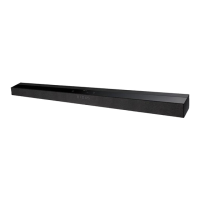
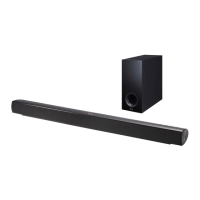
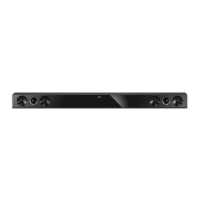
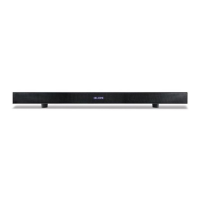
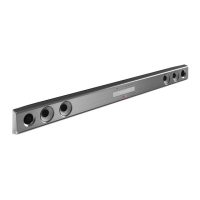
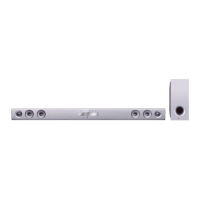
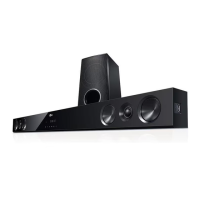
This document is the owner's manual for an LG Sound Bar System, model NB2022A. It provides comprehensive information on the device's setup, operation, and maintenance.
Function Description
The LG Sound Bar System is designed to enhance the audio experience for various external devices such as TVs, Blu-ray disc players, and DVD players. It functions as an external speaker system, delivering sound from connected sources. The sound bar can be placed in front of a TV or mounted on a wall. It includes features to synchronize audio and video (AV Sync), adjust dynamic range (DOLBY DRC), and manage power automatically (AUTO POWER On/Off and AUTO POWER DOWN). The system can also be controlled using a supplied remote, which offers basic TV control functionalities for LG TVs.
Important Technical Specifications
- Power Requirements: Refer to the main label.
- Power Consumption: Refer to the main label.
- Dimensions (W x H x D): 35.4 x 2.3 x 3.3 inches (approximately 89.9 cm x 5.8 cm x 8.4 cm).
- Net Weight (Approx.): 5.7 lbs (approximately 2.59 kg).
- Operating Temperature: 41 °F to 95 °F (5 °C to 35 °C).
- Operating Humidity: 5% to 90%.
- Inputs: DIGITAL IN (OPTICAL IN) - 3 V (p-p), Optical jack x 1.
- Amplifier Stereo Mode: 20 W + 20 W (6 Ω at 1 kHz), totaling 40 W.
- Included Accessories: Remote control (1), AAA size batteries (1), Wall Mount Bracket Installation Template (1), Wall mount bracket (2), Optical cable (1), Cover foot (2).
Usage Features
- Remote Control: The system is primarily operated via a remote control, which includes buttons for power (ON/OFF), volume adjustment (VOL -/+), muting (MUTE), input selection (INPUT), and specific audio settings like DOLBY DRC (ON/OFF) and AV SYNC (-/+).
- DOLBY DRC (Dynamic Range Control): This feature allows users to make the sound clearer when the volume is turned down, specifically for Dolby Digital content. It can be toggled ON or OFF.
- AV Sync: Addresses potential mismatches between audio and video signals from a TV. Users can adjust the delay time between 0 and 300 milliseconds using the AV SYNC -/+ buttons on the remote. The unit's red LED indicates when the highest/lowest AV SYNC level is reached.
- AUTO POWER On/Off: The sound bar can automatically turn on when an external device (TV, DVD player, Blu-ray player) connected via optical cable is powered on. This function can be manually enabled or disabled. If no external device is connected via optical cable or there is no digital input, the unit will turn off after 15 minutes when this function is active.
- AUTO POWER DOWN: The unit automatically turns off after approximately 25 minutes of no signal to conserve power. However, it can still turn on automatically if the AUTO POWER function is set.
- Mute Function: A dedicated button on the remote allows temporary silencing of the unit. The red LED on the unit blinks every 2 seconds to indicate mute mode.
- Volume Control: Volume can be adjusted using the VOL -/+ buttons. The red LED on the unit signals when the highest/lowest volume level is reached. When the unit powers on, the volume gradually rises to the last set level.
- TV Control Buttons (on remote): The supplied remote control offers basic control over LG TVs, including turning the TV volume on/off (MUTE), switching TV input sources (INPUT), turning the TV on/off (TV POWER), adjusting TV volume (VOL +/-), and scanning channels (PR/CH ▲/▼). Note that some buttons may not work with all TVs, and the TV's original remote should be used for advanced operations.
- Installation Flexibility: The sound bar can be placed horizontally in front of a TV or mounted on a wall using the provided wall mount bracket and template. Cover feet are included to extend the unit's height if desired.
Maintenance Features
- Shipping: Users are advised to retain the original shipping carton and packing materials for maximum protection if the unit needs to be shipped.
- Exterior Cleaning: For cleaning the exterior surfaces, a soft, dry cloth should be used. For extremely dirty surfaces, a soft cloth lightly moistened with a mild detergent solution is recommended.
- Cleaning Precautions:
- Avoid using volatile liquids such as insecticide spray near the unit.
- Do not wipe with strong pressure, as it may damage the surface.
- Do not leave rubber or plastic products in contact with the unit for extended periods.
- Strong solvents like alcohol, benzine, or thinner should not be used, as they can damage the unit's surface.
- Wall Mount Precautions:
- Do not hang onto the installed unit or subject it to impact.
- Ensure the unit is firmly secured to the wall to prevent it from falling, which could cause injury or damage.
- When wall-mounted, ensure children do not pull connecting cables, as this could cause the unit to fall.
- Battery Replacement: The remote control requires AAA size batteries, which should be replaced when exhausted.
- Troubleshooting Guide: The manual includes a troubleshooting section to help users diagnose and resolve common issues such as no power, no sound, or remote control malfunction.

 Need help?
 General

 To Next Page