EasyManua.ls Logo

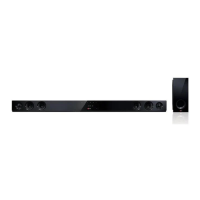
LG NB2540 - User Manual

LG NB2540
24 pages
Print Icon
To Next Page IconTo Next Page
Loading...
Please read this manual carefully before operating
your set and retain it for future reference.
NB2540 (NB2540, S24A1-W)
OWNER’S MANUAL
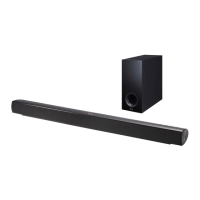
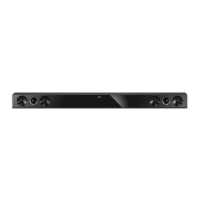
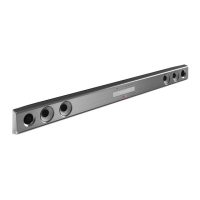
2.1 Channel
Powerful Bass
Sound Bar
ENGLISH
www.lg.com
Printed in China
Question and Answer IconNeed help?

Do you have a question about the LG NB2540 and is the answer not in the manual?

Summary

Getting Started

Safety Information

Important safety warnings and precautions for operating the sound bar.

FCC Compliance Statement

Information regarding compliance with FCC regulations and RF exposure.

Unique features

Overview of special features like Auto power down and LG Sound Sync.

Accessories

List and identification of included accessories with the sound bar.

Introduction

Explanation of symbols used in the manual and their meanings.

Remote control

Detailed explanation of the remote control buttons and their functions.

Battery Installation

Instructions on how to install batteries in the remote control.

Front panel

Description of the sound bar's front panel controls and indicators.

Rear panel

Details of the sound bar's rear panel connections and ports.

About LED condition

Explanation of LED indicators on the main unit and their meanings.

Installing the sound bar

Guidance on placing and connecting the sound bar to other devices.

Mounting the main unit on a wall

Step-by-step instructions for wall-mounting the sound bar unit.

Connecting

Connecting the subwoofer

Instructions for attaching and connecting the subwoofer to the main unit.

Connecting to your TV

Guide on connecting the sound bar to a TV using an OPTICAL cable.

Portable Device Connection

Connect portable players via PORT. IN and play music.

Optical Device Connection

Connect external devices via OPTICAL IN for speaker setup.

Operating

DRC and Mute Functions

Using Dynamic Range Control and temporarily muting the sound.

AUTO POWER On;Off

Details on the automatic power on/off function for connected devices.

Auto power down

Information about the unit's auto power down feature for energy saving.

LG Sound Sync

Guide to controlling the unit with LG TV remote via LG Sound Sync.

LG Sound Sync Connections

Instructions for connecting the TV to the sound bar via wired and wireless methods.

Using Bluetooth Technology

Introduction to Bluetooth technology and its applications with the unit.

Bluetooth Pairing and Music Playback

Procedure for pairing the unit with Bluetooth devices and playing music.

Sound Adjustment Features

Adjusting sound effects, volume levels, and woofer settings.

Controlling TV with Remote

Using the sound bar remote to operate basic TV functions.

Troubleshooting

Troubleshooting

Common problems and solutions for power, sound, remote control, and auto power issues.

Appendix

Specifications

Technical specifications for the sound bar, including power, dimensions, and inputs/outputs.

Trademarks and Licenses

Information on Dolby, DTS, and Bluetooth trademarks and licensing.

Maintenance and Cleaning

Guidelines for handling the unit and proper cleaning procedures.

Overview

This document is an owner's manual for the LG 2.1 Channel Powerful Bass Sound Bar, models NB2540 (NB2540, S24A1-W). It provides essential information for setting up, operating, and maintaining the device.

Safety Information

The manual begins with crucial safety information, emphasizing the risk of electric shock and the importance of not opening the unit. It warns against exposing the product to rain or moisture and advises against blocking ventilation openings. The device should not be installed in confined spaces like bookcases. Specific cautions regarding the power cord are provided, recommending placement on a dedicated circuit and regular inspection of the cord for damage. It also highlights that the product contains chemicals known to cause cancer and birth defects in California, advising users to wash hands after handling.

Unique Features

The LG Sound Bar offers several unique features designed to enhance user experience:

  • Auto Power Down: This feature helps save energy by automatically powering off the unit if it's not connected to an external device and unused for 20 minutes, or after six hours when connected via an analog input.
  • Portable In: Users can connect portable devices like MP3 players, notebooks, or other external devices to listen to music through the sound bar.
  • Speaker (Easy) Setup: The sound bar provides vivid 2.1 channel sound for TV, DVD, or digital devices.
  • LG Sound Sync: This allows users to control the sound bar's volume level using their LG TV's remote control, provided the TV is compatible with LG Sound Sync. This feature supports both wired (optical cable) and wireless connections.

Installation and Connection

The manual provides detailed instructions for installing the sound bar and connecting it to various devices:

  • Sound Bar Placement: The unit should be placed in front of the TV.
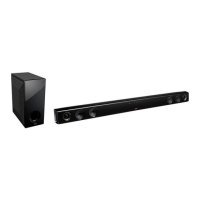
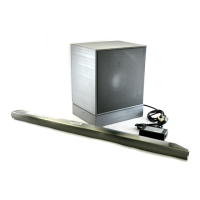
  • Subwoofer Connection: The subwoofer connects to the main unit via a cable, with specific instructions for attaching the wires to the marked terminals.
  • Connecting to TV (Optical Cable): Users can connect the sound bar to their TV's optical out jack using an optical cable. The input source on the sound bar should then be set to "OPTICAL." The manual notes that some TV models may require selecting an external speaker option from the TV menu.
  • Mounting on a Wall: Comprehensive steps are provided for wall-mounting the main unit, including preparation materials like wall brackets, screws, and wall plugs. It emphasizes using a guide sheet for drilling and securing the unit firmly to prevent injury or damage. Warnings include not installing the unit upside down, avoiding hanging on it, and ensuring children do not pull connecting cables.
  • Optional Equipment Connection:
    • PORT. (Portable) IN: Connects portable players to the sound bar for music playback.
    • OPT.(OPTICAL) IN: Connects optical output jacks of external devices to the sound bar.

Operation

The sound bar's operation is managed through its front panel and a supplied remote control.

  • Front Panel: Features include a Function button (F) for selecting input sources, volume controls (-/+), a Standby/On button, and an LED indicator. Precautions for using touch buttons are given, such as using clean, dry hands and avoiding excessive pressure or conductive materials.
  • Remote Control: The remote control includes buttons for power, TV control (input, volume, channel), input selection (LG TV, Optical, Bluetooth, Portable In), mute, woofer level adjustment, and sound effects (Standard, Music, Cinema). It also has buttons for AUTO POWER On/Off, AUTO VOL On/Off, and DRC On/Off.
  • DRC (Dynamic Range Control): This function clarifies sound at low volumes (for Dolby Digital sources).
  • Mute: Temporarily turns off the sound.
  • AUTO POWER On/Off: Automatically turns the unit on/off with the TV or external device connected via optical or LG Sound Sync. It also has specific behaviors in Bluetooth mode.
  • Auto Power Down: The unit powers off if no external device is connected and it's unused for 20 minutes, or after six hours with an analog input.
  • LG Sound Sync (Wired/Wireless): Allows TV remote control of sound bar volume and mute. Instructions for both wired and wireless connections are provided, along with notes on troubleshooting connection failures and the unit's behavior when changing functions or disconnecting cables.
  • Using Bluetooth Technology: The sound bar supports Bluetooth® wireless technology for short-range connections, allowing playback of music from mobile phones, MP3 players, laptops, and PDAs. It supports the A2DP profile. The manual details the pairing process, including how the unit appears on Bluetooth device lists and the use of a PIN code (0000). It also provides important notes on maintaining connection quality, auto-pairing behavior, and limitations.
  • Sound Adjustment:
    • Setting Sound Effect: Users can select from pre-set surround sound fields: STANDARD (no equalizer effect), MUSIC (comfortable and natural sound), and CINEMA (immersive and cinematic surround sound).
    • Adjust Volume Level Automatically (AUTO VOL): This function automatically adjusts the volume to appropriate levels.
    • Adjust Woofer Level Settings: The woofer level can be adjusted from -40 dB to 6 dB.
  • Controlling a TV with the Supplied Remote Control: The sound bar's remote can perform basic TV operations like power, input switching, volume, and channel scanning for LG TVs.

Troubleshooting

A dedicated section addresses common issues:

  • No Power: Check the power cord and other electronic devices.
  • No Sound: Verify the input source and check if the mute function is active.
  • No Woofer Sound: Ensure the unit and subwoofer are connected.
  • Remote Control Not Working: Check distance, obstacles, and battery life.
  • AUTO POWER Function Not Working: Notes that functionality may vary depending on the connected device.
  • Low Output Sound: Advises checking DRC function settings, TV's AUDIO DIGITAL OUT settings (PCM, AUTO, BITSTREAM), and Player's AUDIO DIGITAL OUT settings.

Maintenance

  • Handling the Unit: Recommends saving original packaging for shipping.
  • Keeping Exterior Surfaces Clean: Advises against using volatile liquids, strong pressure, or leaving rubber/plastic products on the surface. For cleaning, use a soft, dry cloth or a lightly moistened cloth with mild detergent, avoiding strong solvents.

LG NB2540 Specifications

General IconGeneral
Audio decodersDolby Digital, DTS
RMS rated power120 W
Audio output channels2.1 channels
Soundbar speaker RMS power25 W
Subwoofer includedYes
Receiver included-
Product colorBlack
Audio formats supportedLPCM
Soundbar dimensions (WxDxH)880 x 62.5 x 90 mm
Subwoofer dimensions (WxDxH)155 x 300 x 295 mm
Audio (L/R) in1
Connectivity technologyWired & Wireless
Power consumption (standby)0.5 W
Power consumption (typical)21 W
Package weight7258 g

Related product manuals