EasyManua.ls Logo

LG NB4540 - User Manual

LG NB4540
36 pages
Print Icon
To Next Page IconTo Next Page
Loading...
Please read this manual carefully before operating
your set and retain it for future reference.
NB5540 (NB5540, S54A1-D)
NB4540 (NB4540, S44A1-D)
NB4542 (NB4542, S44A1-D)
OWNER’S MANUAL
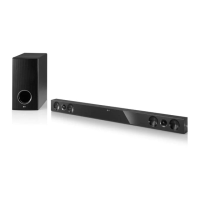
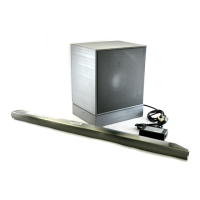
4.1 ch Hi-Fi
Sound Bar
www.lg.com
ENGLISH
FOR THE GUARANTEE TERMS & CONDITIONS,
PLEASE REFER TO INNER PAGE OF BACK COVER.
NB5540-NE.DGBRLLF_ENG.indd 1 2014-07-23  11:58:00

Table of Contents

Other manuals for LG NB4540

Questions and Answers

  • C
    Christina OliverSep 12, 2025
    Why is the output sound of my LG NB4540 low?
    • G
      grosstracySep 12, 2025
      If you find the output sound of your LG Speaker System is low, switch the DRC (Dynamic Range Control) function to OFF using the remote controller. If the sound bar is connected to a TV, change the AUDIO DIGITAL OUT setting on the TV Setup Menu from PCM to AUTO or BITSTREAM. If connected to a Player, change the AUDIO DIGITAL OUT setting on the Player Setup Menu from PCM to PRIMARY PASS-THROUGH or BITSTREAM. You can also try changing the Audio DRC setting on the Player setup menu to the OFF state.
  • T
    Tracy BergSep 12, 2025
    What to do if my LG NB4540 Speaker System does not work properly?
    • L
      Luis ThompsonSep 13, 2025
      If your LG Speaker System isn't working correctly, try turning off the power to both the unit and any connected external devices like your TV, woofer, DVD player, or amplifier, and then turn them back on. If that doesn't work, disconnect the power cord of the unit and all connected external devices, and then reconnect them.
  • L
    Lisa KelleySep 15, 2025
    Why doesn't the AUTO POWER function work on my LG Speaker System?
    • D
      Dr. Katherine RichardsSep 15, 2025
      If the AUTO POWER function isn't working on your LG Speaker System, first check the connection of the external device, such as a TV, DVD/Blu-Ray player, or Bluetooth device. Also, check the SIMPLINK settings and try turning SIMPLINK off. Note that depending on the connected device, this function may not operate.

LG NB4540 Specifications

General IconGeneral
Audio decodersDolby Digital, DTS 2.0
RMS rated power320 W
Audio output channels4.1 channels
Audio Return Channel (ARC)Yes
Subwoofer connectivityWireless
Receiver includedNo
Product colorGray
Wall mountable-
Audio formats supportedFLAC, LPCM, MP3, OGG, WAV
Apple docking compatibilityNot supported
Soundbar dimensions (WxDxH)840 x 82 x 35 mm
Subwoofer dimensions (WxDxH)221 x 281 x 351.5 mm
Bluetooth version3.0+HS
USB 2.0 ports quantityUSB 2.0 ports have a data transmission speed of 480 Mbps, and are backwards compatible with USB 1.1 ports. You can connect all kinds of peripheral devices to them.
Connectivity technologyWired & Wireless
Digital audio optical in1
Power consumption (standby)0.5 W
Power consumption (typical)30 W
Soundbar speaker RMS power40 W
Weight and Dimensions IconWeight and Dimensions
Soundbar weight1550 g
Subwoofer weight7320 g

Related product manuals