EasyManua.ls Logo

LG ND1520 - User Manual

LG ND1520
20 pages
Print Icon
To Next Page IconTo Next Page
Loading...
Please read this manual carefully before operating
your set and retain it for future reference.
ND1520
OWNER’S MANUAL
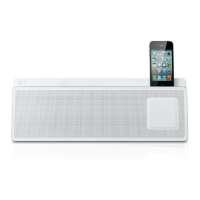
DOCKING SPEAKER
MUSIC IN STYLE
Please read this manual carefully before operating
your set and retain it for future reference.
www.lg.com
ND1520-FI.BCANLLK_6282-ENG.indd 1 2012-04-20  6:49:39

Questions and Answers

  • K
    Kristi CampbellAug 8, 2025
    What to do if my LG ND1520 Docking Speakers have no power?
    • L
      lmackAug 8, 2025
      If your LG Docking Speakers have no power, ensure the power cord is securely plugged in. You can also check if other electronic devices are working when plugged into the same outlet to rule out a power issue.
  • M
    Michael WallsAug 22, 2025
    Why is there no sound coming from my LG Docking Speakers?
    • H
      huertasteveAug 22, 2025
      If your LG Docking Speakers are not producing any sound, first press the P/1 button. Then, verify that you have selected the correct function for audio output.

Summary

Safety Information

CAUTION concerning the Power Cord

Warnings on power cord usage, damage, and safe handling for shock/fire prevention.

IMPORTANT SAFETY INSTRUCTIONS

Front Panel

Back Panel

Connecting the AC Adapter

Basic Operations

iPod;iPhone Operations

How to connect, play, pause, skip, and search music using iPod/iPhone.

Setting the Clock

Using Your Unit as an Alarm Clock

Radio Operations

Antenna Connection

Connect the FM wire antenna to the FM antenna connector.

Presetting the Radio Stations

Listening to Music from Your External Device

Troubleshooting

LG ND1520 Specifications

General IconGeneral
BrandLG
ModelND1520
CompatibilityiPod, iPhone
Power Output10 W
Audio Channels2.0
Impedance4 Ohms
Connectivity technologyWired
USB portYes
AUX inYes
Power SourceAC Adapter
Weight1.2 kg
TypeDocking Speaker
Frequency Response80Hz - 20kHz

Related product manuals