Need help?
Do you have a question about the LG ND5520-FM and is the answer not in the manual?
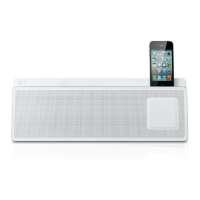
This document describes the LG ND5520 Music in Style Docking Speaker, a versatile audio system designed for various music playback options and additional functionalities.
The LG ND5520 is a docking speaker that allows users to enjoy music from multiple sources, including Apple iPod/iPhone/iPad devices, USB storage, portable external devices, and FM radio. It also features Bluetooth wireless technology for streaming music from compatible devices and can function as an alarm clock.
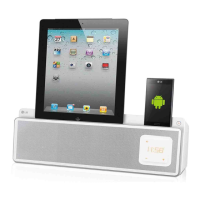
The unit is designed to play music from iPod, iPhone, and iPad devices with a simple connection to the dedicated dock on the top panel. When an Apple device is docked and the unit is powered, the device automatically turns on and begins recharging, even in standby mode. Playback is controlled via the unit's control panel or remote control. Users can play, pause, skip tracks, or search within a file. The unit supports various iPod touch, iPod nano, iPhone, and iPad models. An iPad stand is supplied to ensure stability when docking an iPad.
Music files stored on USB devices can be played by connecting the device to the USB port. The unit supports MP3 and WMA file formats with specific sampling frequencies and bit rates. It can handle up to 999 files and 99 folders. Playback controls include play, pause, skip, and search. The unit organizes files and folders in a specific order for playback. It's important to remove the USB device safely by first switching to a different function/mode. The USB port can also charge iPod/iPhone devices while the unit is powered on, but not iPads. Some Android smartphones can also be charged via the USB port when the unit is powered on, though charging time may vary, and some phones may not be compatible.
External devices such as MP3 players or PMPs can be connected to the PORT.IN (3.5 mm) connector to play music through the speaker. Users simply connect the device, turn on the unit, select the PORT (PORTABLE) function, and start playback from the external device.
The unit includes an FM radio tuner. To use the radio, the supplied FM wire antenna must be connected to the FM ANT. connector on the back panel. Users can tune to stations manually or use auto-tuning to scan for available frequencies. Up to 10 FM stations can be preset and stored in the unit's memory. There is also an option to delete all saved stations. For poor FM reception, switching the tuner from stereo to mono mode can improve clarity.
The unit features a clock that can be set automatically or manually. Automatic clock synchronization occurs when an iPod/iPhone/iPad or an Android device (via the "LG Bluetooth Remote" app) is connected. The unit can also be used as an alarm clock, allowing users to set an alarm with FM, USB, or iPod as the sound source. The alarm volume can also be adjusted. Alarms can be activated or deactivated, and a snooze function is available, which temporarily stops the alarm for 10 minutes. The alarm function only works when the unit is turned off.
The "LG Bluetooth Remote" app enhances the unit's functionality by allowing control via an iPod touch/iPhone/iPad or Android device. The app can be downloaded from the Apple App Store or Google Android Market (Google Play Store) using QR codes provided in the manual. Once installed and paired via Bluetooth, the app enables automatic clock synchronization and provides additional control options.
The unit supports Bluetooth wireless technology for streaming music from compatible devices such as mobile phones, MP3 players, laptops, and PDAs within a 10-meter range. Pairing is required once to connect a Bluetooth device. The unit appears as "LG AUDIO ND5520" during the pairing process. Once connected, the Bluetooth LED lights up, and "PAIR" appears on the control panel. The unit supports the A2DP (Advanced Audio Distribution Profile).
The working life of the device is stated as 7 years from the date of delivery to the consumer, after which it may be unsuitable for its designated use.
 General
| Brand | LG |
|---|---|
| Model | ND5520-FM |
| Category | Docking Speakers |
| Audio Channels | 2.0 |
| Impedance | 4Ω |
| Signal-to-Noise Ratio | 80dB |
| Bluetooth | Yes |
| Wi-Fi | No |
| USB port | Yes |
| Apple docking | Yes |
| Compatibility | iPod, iPhone, iPad |
| FM radio | Yes |
| Product color | Black |
| Input | AUX |
| Power Source | AC |
| Frequency Range | 55Hz - 20kHz |

 To Next Page