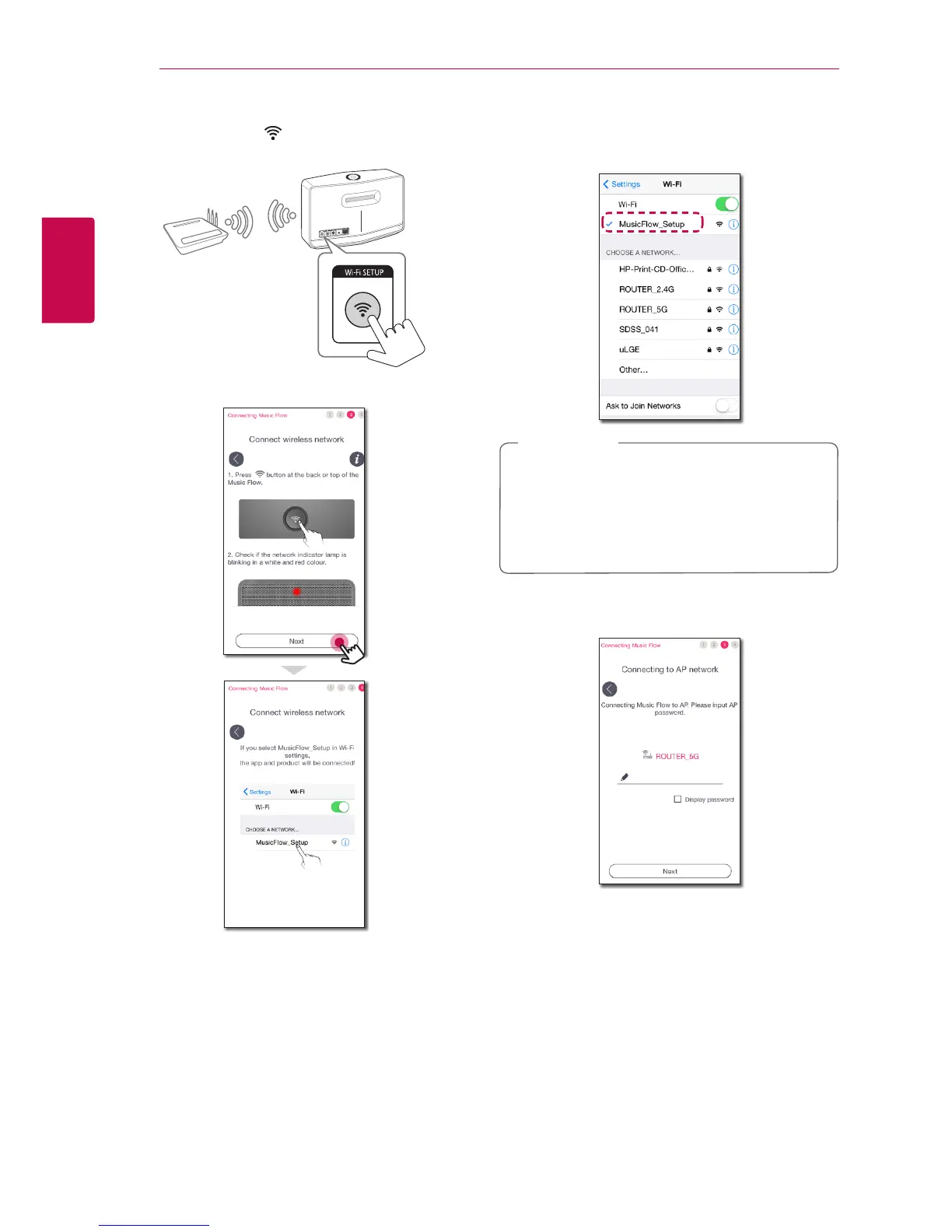
5. Press the Wi-Fi SETUP button on the rear of
the speaker. Then Network status LED blinks
white and red alternately.
6. Then select [Next] on the screen.
7. On your iOS device, go to iOS setting -> Wi-
Fi setting and select “MusicFlow_Setup” to
connect.
y
If “MusicFlow_Setup” is not on the list, scan
for available Wi-Fi networks again.
y
When your smart device is connected to
“MusicFlow_Setup”, you cannot use the
internet.
,
Note
8. Once the network connection is completed,
return to the Music Flow Player app.


 To Next Page