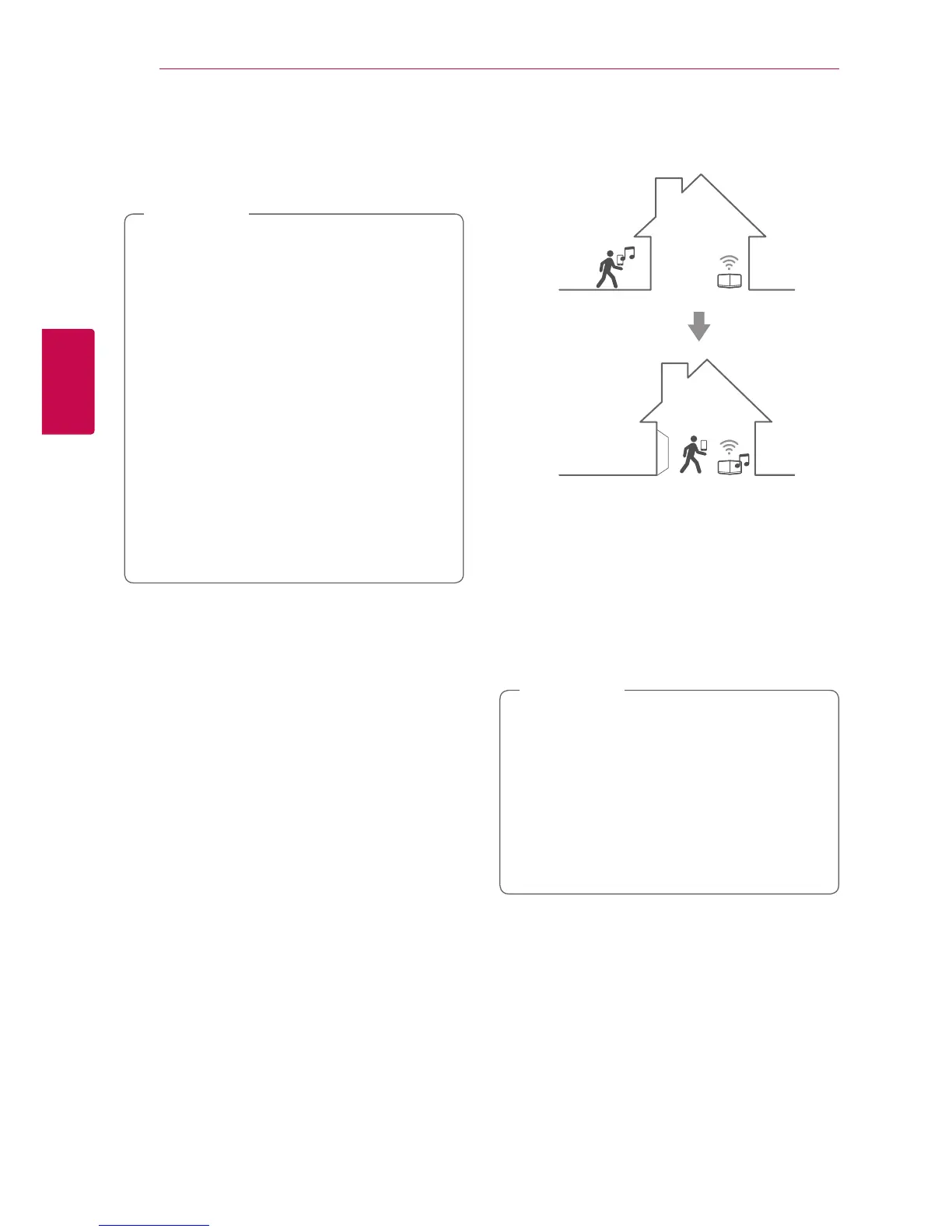
Seamless playback
You can easily change the playing speaker from
your smart device or the speaker to the another
speaker without pause.
y
It is not supported when you go out of the
house with your smart device.
y
Wi-Fi function on smart device must be
turned on.
y
If the source is Portable In and Bluetooth,
seamless play is not supported. (Media
server and online streaming service are
supported).
y
In case of the online streaming service, the
music you are listening to is played from the
beginning.
y
On seamless play, each speaker keeps its
existing volume value. If no sound coming
out from the speaker during playback,
check the switched speaker’s volume is set
to 0.
,
Note
Changing playing speaker from a
smart device to a speaker
1. If the smart device playing music is carried from
outside to a room where the connected speaker
is in, the pop-up window on the smart device
will appear to ask you which speaker you want
to play music through.
2. Select the speaker on the pop-up list, the music
you are listening to is played through without a
pause.
y
Pop-up window disappears automatically in
below cases,
-
When you select the speaker on pop-up
list.
-
10 seconds later after pop-up window
appears. (Android Only)
y
The latest connection is placed at the top of
the list on the pop-up window.
,
Note


 To Next Page