About Status LED’s Condition
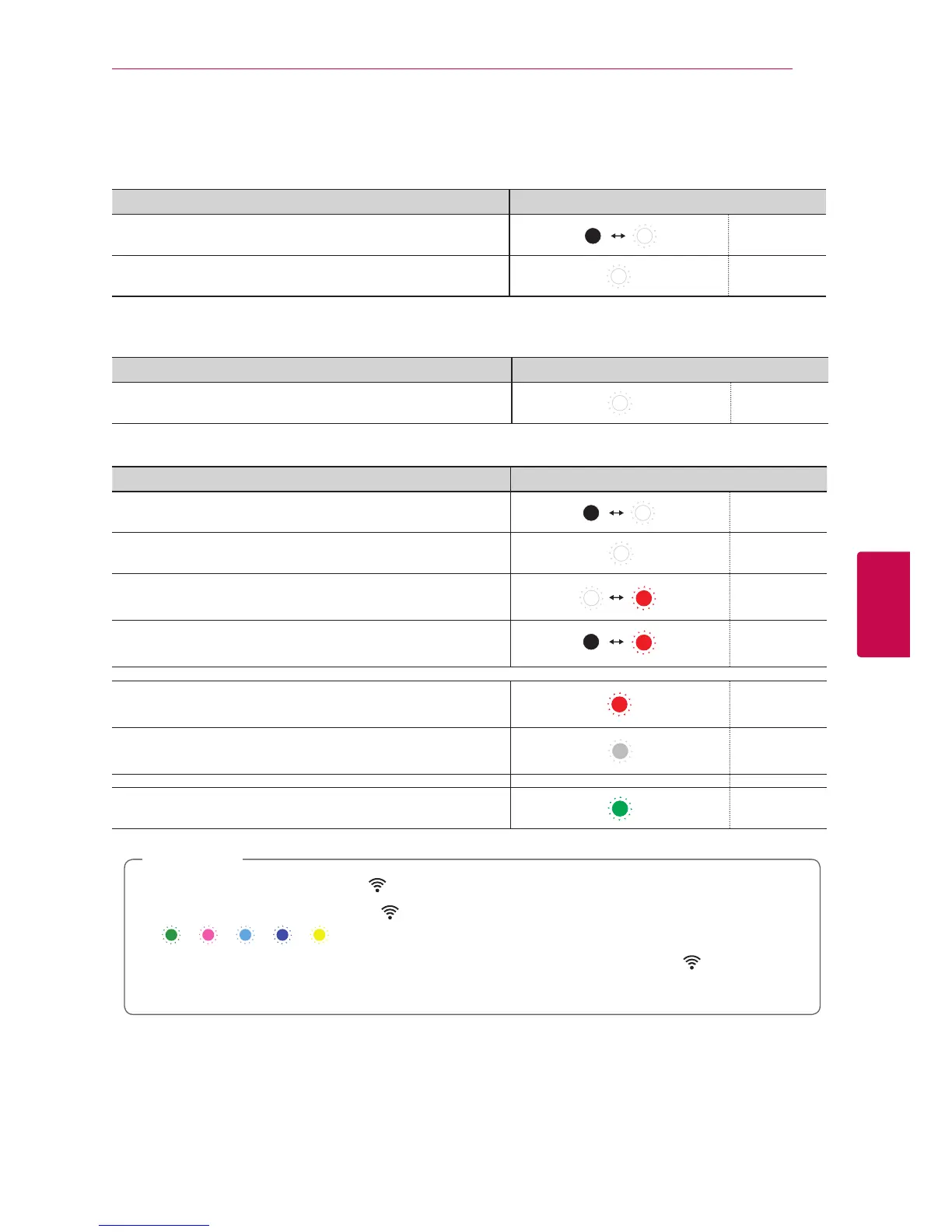
Bluetooth
Condition Color
Waiting for Bluetooth pairing Blinks
Bluetooth paired
Portable In
Condition Color
Connected portable cable
Network
Condition Color
Waiting for network connection Blinks
Connected
Connecting
(Wi-Fi SETUP button is pressed)
Blinks
Connecting
(ADD button is pressed)
Blinks
Standby mode
Network standby mode
Grouping set (First group was set)
y
When you set the group at rst, Network status LED turns green.
y
The additional groups are set, the
Network status LED color is changed in group order.
(
> > > > )
y
If the grouped speakers switch to the network standby mode, the brightness of
Network status
LED gets dark.
,
Note


 To Next Page
 Loading...