15
Connecting
2
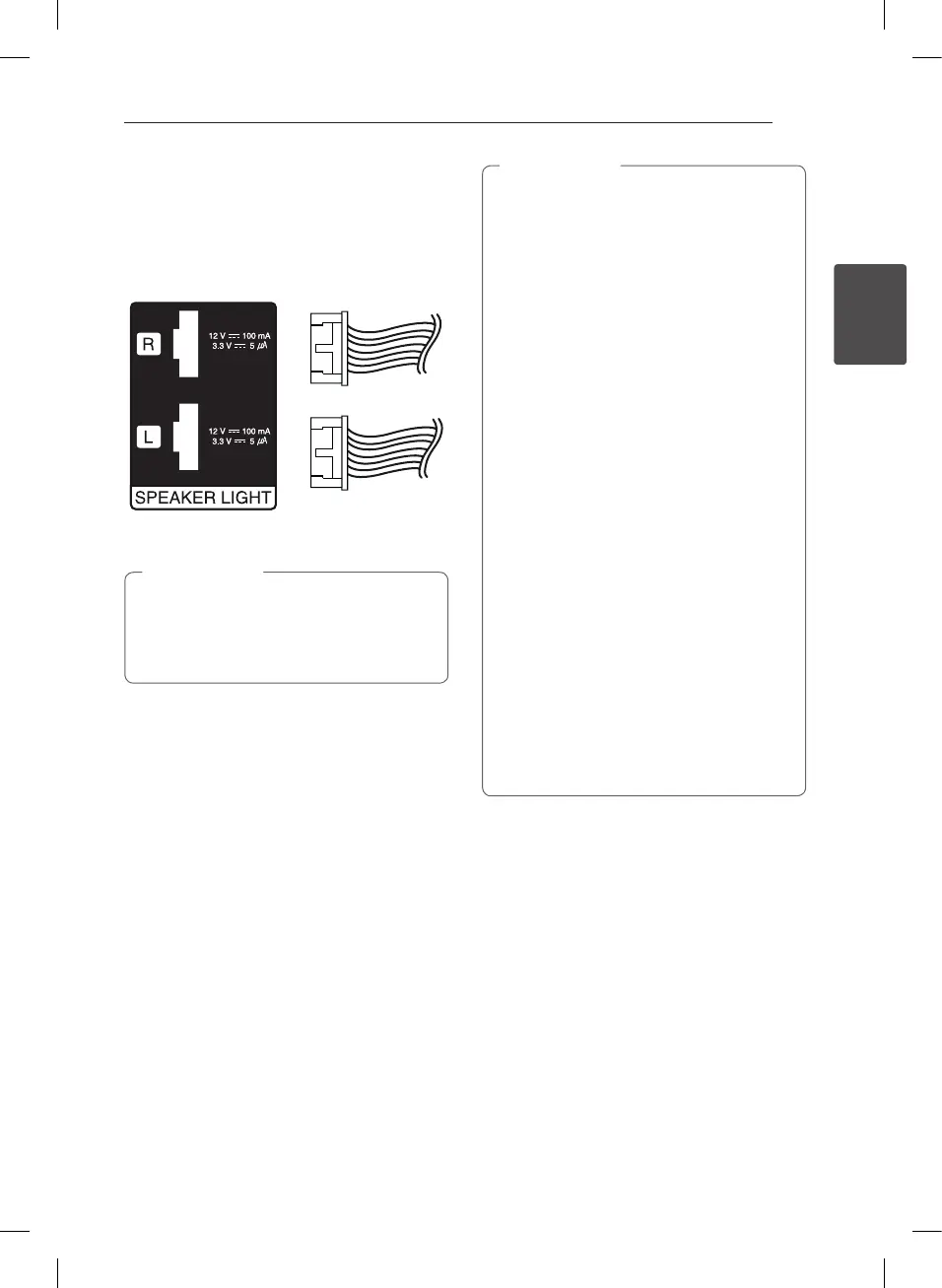
Attaching the speaker light
cables to the unit
To connect the speaker light cable to the unit,
insert the cable to SPEAKER LIGHT connectors on
the unit.
y
Make sure that the jacks and the speakers
are matched correctly.
y
Make sure to connect the cables to
connectors tightly on the unit.
>
Caution
y
Do not try to lift the speaker alone. It needs
two persons to lift the speaker. Otherwise
it may result in the speaker malfunction
and cause personal injury and/or property
damage.
y
When you connect the speakers to the unit,
make sure to connect the speaker’s cable
and plug to the corresponding speaker
terminal.
y
Check the volume level before playing
music to prevent inrm, child, and pregnant
women from being shocked by the sudden
and loud sound from the unit.
y
Do not use the unit in a limited space.
It may damage a person’s hearing. It is
recommended to use it in a wide space.
y
Be careful to make sure children not to put
their hands or any objects into the opening
speaker LED cover.
y
The speakers contain magnet parts, so color
irregularity may occur on the TV screen or
PC monitor screen. Please use the speakers
far away from either TV screen or PC
monitor.
y
Make sure to install the speaker with other
people in order to prevent it from falling
and causing injuries to the installer.
y
Be carefully look at speaker lights at a long
time. It may cause damage to eyesight.
>
Caution
CM9740-AB_DCHLLLK_ENG.indd 15 2014-02-26 �� 3:45:10


 To Next Page
 Loading...