Connecting18
Connecting
2
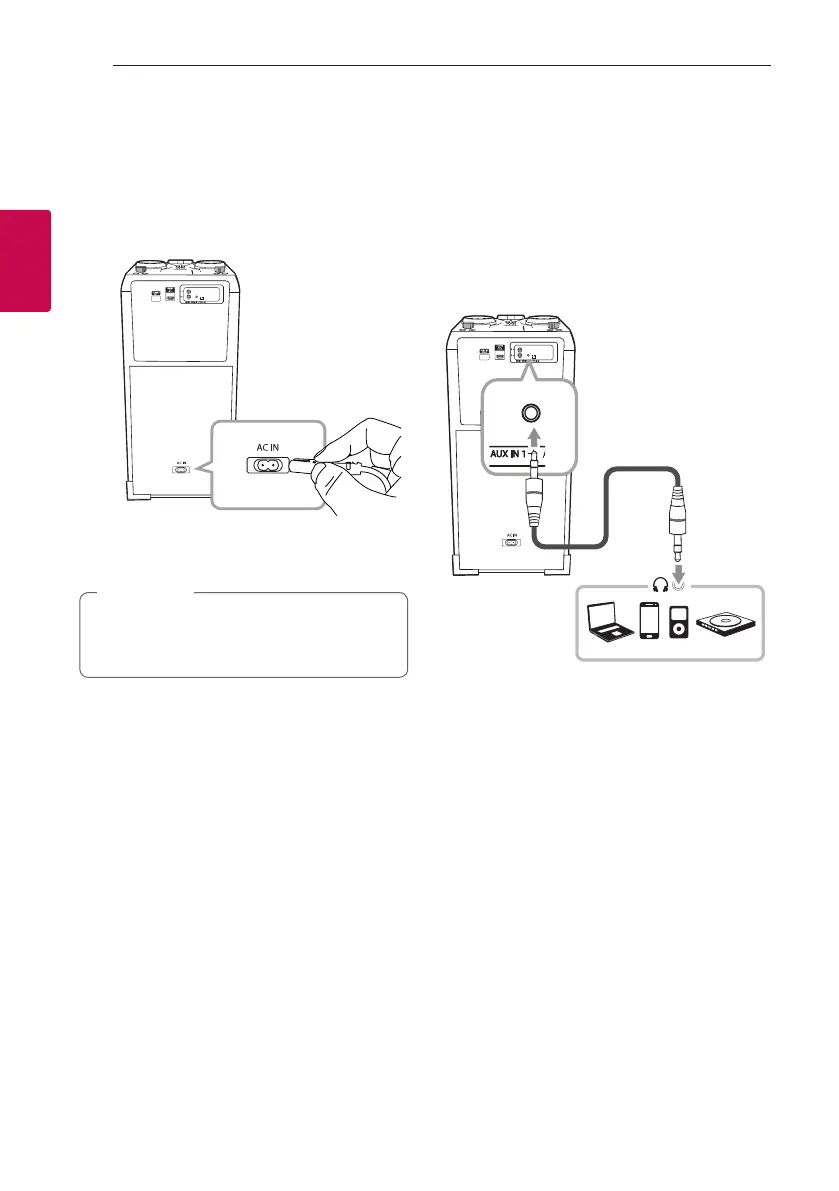
AC Power Cord
Connection
1. Connect one end of the AC power cord (included)
to the AC IN socket.
2. Plug the other end into the wall outlet.
Unplug the AC power cord from the wall outlet
if you do not to use for an extended period of
time.
,
Note
Optional Equipment
Connection
AUX IN 1 Connection
Connect an output (earphone or line out) of portable
device (MP3 or PMP etc) to the AUX IN 1 (3.5 mm)
connector.
3.5 mm stereo
cable
MP3 player etc.



 To Next Page