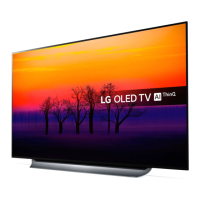
This document serves as a Quick Start Guide for the LG OLED A3* series, providing essential information for setting up and using the television. It covers unpacking, connecting external devices, and wall-mounting instructions.
Function Description
The LG OLED A3* is a television designed to deliver high-quality visual and audio experiences. Its primary function is to display video content from various sources, including broadcast television, streaming services, and external media players. The guide details how to connect the TV to power, antenna, and other devices to enable these functions.
Usage Features
Unpacking and Initial Setup:
The guide begins with clear visual instructions for unpacking the television. It emphasizes checking the product box for all included items and contacting the local dealer if any accessories are missing. The illustrations show a step-by-step process for safely removing the TV from its packaging, which typically involves lifting the TV out of the box after removing protective foam and accessories. For larger models (OLED55/65A3*), it illustrates a two-person lift, highlighting the importance of careful handling to prevent damage. The initial setup also involves attaching the stand, though the guide focuses more on the connections rather than the stand assembly itself.
Connecting External Devices:
The LG OLED A3* offers a comprehensive array of ports for connecting various external devices, ensuring versatility in its usage.
- LAN Port: This port allows for a wired internet connection, providing stable and fast access to online streaming services, smart TV features, and software updates. A wired connection is often preferred for its reliability over Wi-Fi, especially for high-bandwidth activities like 4K streaming.
- USB IN Ports: Multiple USB ports are available for connecting USB storage devices such as flash drives or external hard drives. These ports enable users to play media files (photos, videos, music) directly from their storage devices on the TV. The guide notes that some USB hubs may not work, recommending direct connection to the TV's USB port if a device is not detected. It also advises connecting an external power source if the USB device requires more power than the TV can provide.
- HDMI IN (eARC/ARC) Ports: The TV features several HDMI inputs, with one specifically designated as eARC/ARC (enhanced Audio Return Channel/Audio Return Channel). These ports are crucial for connecting high-definition devices like Blu-ray players, gaming consoles, soundbars, and set-top boxes. The eARC/ARC functionality allows for two-way communication over a single HDMI cable, meaning audio from the TV (e.g., from internal apps or broadcast channels) can be sent back to a compatible soundbar or AV receiver without needing a separate optical audio cable. This simplifies cabling and enhances audio quality, especially for advanced audio formats. The guide specifies that an external audio device supporting SIMPLINK (LG's HDMI-CEC feature) and ARC must be connected to the HDMI IN eARC/ARC port using a high-speed HDMI cable to utilize this function.
- OPTICAL DIGITAL AUDIO OUT: This port provides a digital audio output, typically used to connect the TV to an external audio system, such as a soundbar or home theater receiver, that does not support ARC via HDMI. It transmits audio signals digitally, ensuring high-quality sound. The guide includes a note that audio with ACP (Audio Copy Protection) function may block digital audio output, which is a standard content protection measure.
- AV IN: These ports (typically composite video and stereo audio) are for connecting older analog devices like VCRs, older gaming consoles, or camcorders. They provide compatibility with a wider range of legacy equipment.
- ANT IN: This port is for connecting an antenna or cable TV signal, allowing users to watch over-the-air broadcasts or basic cable channels.
Remote Control and User Interface:
While not explicitly detailed in the text, the visual aids imply the use of a remote control for navigating the TV's interface. The sequence of images showing the remote and TV suggests a straightforward process for initial setup and channel tuning, likely involving on-screen prompts. The remote control is essential for accessing smart TV features, adjusting settings, and switching between inputs.
Wall Mounting:
The guide provides specific instructions and dimensions for wall-mounting the LG OLED A3*. It includes a diagram illustrating the VESA mounting pattern and the recommended screw type (M6). The diagram shows the placement of the wall-mount bracket on the back of the TV, along with the required distances from the edges. It also specifies a recommended tilt angle range of 0° to 15° for optimal viewing and includes a safety warning, likely related to proper installation and stability. This feature allows users to save space and achieve a sleek aesthetic by mounting the TV directly on a wall.
Maintenance Features
The guide does not explicitly detail maintenance features in the text, but general best practices for TV maintenance can be inferred:
- Careful Handling: The unpacking instructions, particularly for larger models, emphasize careful handling to prevent physical damage to the screen or internal components. This extends to general use, where avoiding impacts or excessive pressure on the screen is crucial.
- Proper Connections: The detailed instructions for connecting external devices imply that proper connection and disconnection of cables are part of maintaining the TV's functionality and preventing damage to the ports.
- Software Updates: While not mentioned directly, LAN and Wi-Fi connectivity allow for over-the-air software updates, which are essential for maintaining optimal performance, security, and access to new features. Keeping the TV's software up to date helps prevent bugs and ensures compatibility with evolving standards.
- Cleaning: Although not specified, general TV maintenance includes cleaning the screen and exterior. OLED screens require gentle cleaning with a soft, dry cloth to avoid scratches or damage to the delicate display surface.
- Environmental Considerations: The "Restriction of Hazardous Substances" section, while primarily for manufacturing, indirectly suggests environmental considerations for the product's lifecycle. It highlights the use of materials that comply with strict substance regulations, which contributes to the product's overall environmental footprint and potentially its longevity. The "INK REQUIREMENT FOR EU" section further details restrictions on mineral oil hydrocarbons in ink, indicating a commitment to safer materials, which can also contribute to the product's long-term integrity and user safety.
In summary, the LG OLED A3* Quick Start Guide provides a comprehensive overview of the TV's setup and connectivity, ensuring users can quickly and effectively begin enjoying their new television. It emphasizes ease of use, broad compatibility with external devices, and options for flexible installation like wall mounting.

 Need help?
 General

 To Next Page