Need help?
Do you have a question about the LG OLED55C2 Series and is the answer not in the manual?
Details various input ports including USB, HDMI, LAN, AV, and audio outputs for device connections.
Explains the use of HDMI IN EARC/ARC for audio output to compatible external devices.
Provides physical dimensions, weight, and power requirements for different TV models.
Information regarding VESA mounting patterns and screw specifications (M6).
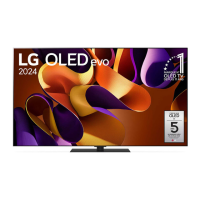
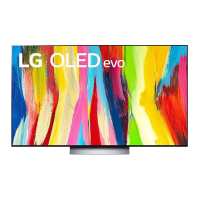
This document serves as a Quick Start Guide for LG OLED55C2* and OLED65C2* series televisions, providing essential information for initial setup, usage, and maintenance. It is designed to help users quickly get their new TV up and running.
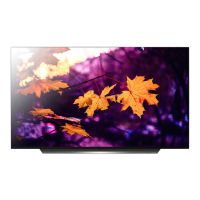
The primary function of this device is to provide a high-quality visual and audio entertainment experience. As an OLED television, it is capable of displaying vibrant colors, deep blacks, and excellent contrast, making it suitable for watching movies, TV shows, playing video games, and viewing other multimedia content.
The guide begins with an "Unpacking" section, which is crucial for the initial setup. Users are instructed to check their product box for all included items. In case of any missing accessories, they are advised to contact the local dealer where the product was purchased. This ensures that all necessary components, such as the remote control, power cable, and stand parts, are available before proceeding with the assembly. The guide also notes that images in the manual may vary from the actual product and item, which is a common disclaimer for visual guides.
The setup process is broken down into several steps, illustrated with clear diagrams. The first step, labeled "1," shows the process of attaching the stand to the television. This typically involves carefully laying the TV face down on a soft, clean surface to prevent scratches, then securing the stand components to the back of the TV using screws. The diagrams indicate the correct orientation and placement of the stand parts.
Step "2" illustrates the process of connecting the TV to a power source and other peripherals. This includes plugging in the power cable, as well as connecting external devices such as cable boxes, gaming consoles, or sound systems. The diagrams show various ports on the back of the TV, such as HDMI, USB, and antenna inputs, guiding the user on where to plug in each cable.
Step "3" depicts the final placement of the TV and initial power-on. This involves carefully lifting the TV with the stand attached and placing it in its desired location. Once positioned, the user can plug the TV into a wall outlet and power it on for the first time. The guide implies that after this step, the TV will be ready for initial configuration, such as language selection and channel scanning, which are typically part of the on-screen setup wizard.
The manual also provides a detailed overview of the various input and output ports available on the TV, which is essential for connecting a wide range of external devices. These include:
Several important notes are provided regarding port usage:
The guide also illustrates the use of the remote control, showing various buttons and their functions, such as power, volume, channel, and menu navigation. It highlights specific actions like pressing and holding a button for 5 seconds or 15 seconds, indicating different functionalities or access to specific menus.
Another section provides diagrams for wall mounting, showing the VESA mounting pattern and the recommended screw size (M6) for the OLED55/65C2* models. This is crucial for users who choose to mount their TV on a wall rather than using the included stand. The diagrams include measurements in centimeters, indicating the spacing of the mounting holes.
While the guide does not explicitly detail extensive maintenance procedures, it implicitly suggests good practices through its warnings and recommendations:
In summary, this Quick Start Guide provides a comprehensive, visual, and easy-to-follow introduction to setting up and initially using the LG OLED55C2* and OLED65C2* televisions. It covers physical assembly, port connections, and important usage notes, laying the groundwork for a positive user experience while subtly guiding users towards practices that contribute to the device's overall maintenance and longevity.
 General
| Display Type | OLED |
|---|---|
| Screen Size | 55 inches |
| Refresh Rate | 120Hz |
| Smart TV | Yes |
| Operating System | webOS |
| HDMI Ports | 4 |
| USB Ports | 3 |
| Processor | α9 Gen5 AI Processor 4K |
| HDMI Version | HDMI 2.1 |
| VRR | Yes |
| ALLM | Yes |
| Ethernet | Yes |
| Audio Output | 40W |
| Resolution | 3840 x 2160 |
| HDR | HDR10, Dolby Vision, HLG |
| Voice Assistant | Google Assistant, Amazon Alexa |
| Bluetooth | Yes (v5.0) |
| Wi-Fi | Yes |
| Dimensions (W x H x D) | 1228 x 706 x 46.9 mm (without stand) |

 To Next Page