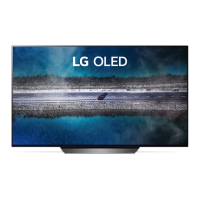
Need help?
Do you have a question about the LG OLED55C9 Series and is the answer not in the manual?
Verify all listed accessories are present in the product box. Contact the dealer if any are missing.
Diagrams illustrating various input/output ports like HDMI, USB, AV, and antenna connections.
Details on TV dimensions, weight, and required power supply specifications for different models.
This document serves as a Quick Start Guide for LG OLED televisions, specifically models OLED55C9* and OLED65C9*. It provides essential information for unpacking, setting up, and connecting the television, along with important safety and reference notes.
The LG OLED C9 series televisions are advanced display devices designed for high-quality visual and audio entertainment. They feature an OLED panel, known for its deep blacks, vibrant colors, and wide viewing angles, offering an immersive viewing experience. The televisions are equipped with various input and output ports to connect a wide range of external devices, including set-top boxes, gaming consoles, Blu-ray players, USB storage devices, and audio systems. They also support network connectivity for smart TV functionalities and internet access.
The guide begins with instructions for unpacking the television. Users are advised to check the product box for all included items and contact the local dealer if any accessories are missing. Illustrations show the television, stand components, remote control, and various cables and screws. A crucial safety note during stand attachment instructs users to place the screen face down on a cushioned or flat surface to prevent scratches.
A series of eleven illustrated steps detail the process of assembling the stand and attaching it to the television. This involves securing various stand components with screws and then mounting the television onto the assembled base. The illustrations are clear and sequential, guiding the user through each physical step.
The remote control is depicted, highlighting its various buttons, which include power, navigation, volume, channel, and smart TV access. The guide also shows how to insert batteries into the remote. Basic operational features like power on/off, input selection, and volume control are implicitly covered by the remote's design.
The manual provides comprehensive diagrams of the television's rear and side panels, illustrating the various input and output ports. These include:
The guide illustrates both wired (LAN) and wireless network connections. For wireless, the remote control is shown interacting with the TV's on-screen interface, suggesting easy setup of Wi-Fi connections.
While not explicitly detailed, the presence of a "Smart TV" button on the remote and the LAN port implies access to a range of smart TV functionalities, including streaming apps, web browsing, and other internet-based services.
The USB ports enable playback of various media files directly from USB storage devices. The guide also mentions that audio with ACP (Audio Copy Protection) function may block digital audio output, which is an important consideration for users attempting to output protected content.
The guide emphasizes the importance of reading the "Safety and Reference" document, which would contain detailed safety instructions, warnings, and regulatory information. This is crucial for safe operation and longevity of the device.
Users are directed to refer to the label attached to the product for specific power supply and power consumption details. This information is essential for understanding the device's energy requirements and for proper electrical connection.
While not a dedicated troubleshooting section, the note regarding USB hubs and external power for USB devices provides a common solution for connectivity issues with USB peripherals. Similarly, the warning about ACP for digital audio output helps users understand potential limitations in audio playback.
The initial instruction to place the screen face down on a cushioned surface during stand assembly highlights the delicate nature of the OLED screen and the need for careful handling to prevent physical damage. Although not explicitly stated, this implies a general need for gentle handling and proper care of the display panel.
USB ports are often used for software updates, suggesting that the television's firmware can be updated to improve performance, add features, or fix bugs.
In summary, this Quick Start Guide provides a user-friendly introduction to the LG OLED C9 series televisions, focusing on practical setup and connectivity. It aims to get users up and running quickly while providing essential safety and operational notes.
 General
| Screen Size | 55 inches |
|---|---|
| Display Type | OLED |
| Refresh Rate | 120 Hz |
| Smart TV | Yes |
| Operating System | webOS |
| HDMI Ports | 4 |
| USB Ports | 3 |
| Wi-Fi | Yes |
| Bluetooth | Yes |
| Processor | α9 Gen 2 Intelligent Processor |
| Ethernet | Yes |
| Audio Output | 40W (2.2 Channel) |
| Resolution | 3840 x 2160 |
| HDR Support | Dolby Vision, HDR10, HLG |

 To Next Page